Spring
- Model
- Nano Banana 2
- Image
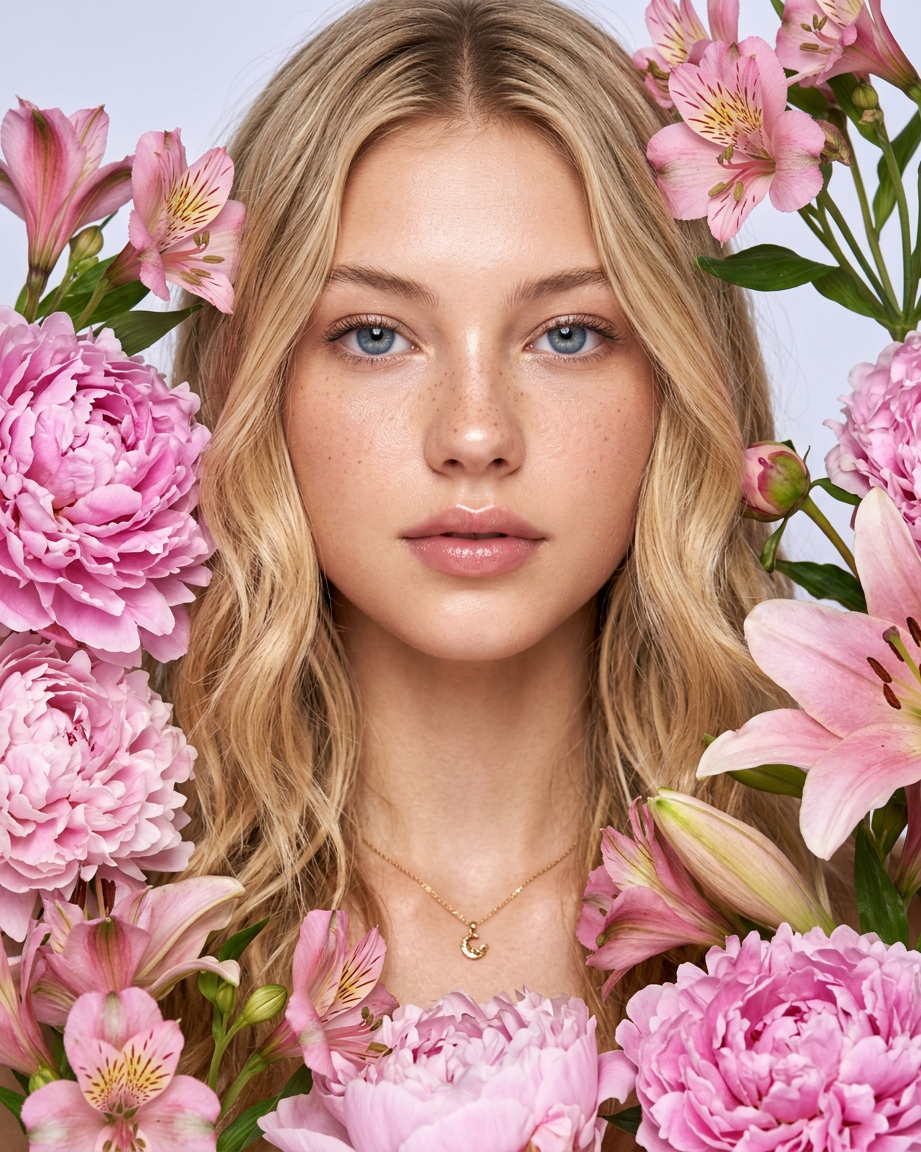
- 921 × 1152 px
Prompt
A close-up, artistic beauty portrait in the style of a modern glossy magazine. The model's face is positioned at a slight angle, framed by lush, fresh flowers (pink alstroemerias, peonies, and lilies). The lighting is soft, diffused, and filling, creating depth without harsh shadows. The color palette features pastel, cream, and soft pink tones against a clean, light background.
Any aspect ratio
Overview
The "Spring" template offers a refined approach to photo editing by transforming ordinary images into exquisite beauty portraits. Ideal for individual and professional use, this template is designed with a specific artistic prompt that combines natural elements with modern aesthetics. With the power of the AI Image Editor, users can achieve a sophisticated and fresh look effortlessly.
What It Does
This template leverages the nano-banana-2 model to edit your images, enriching them with a stylized magazine-like quality. It frames the subject with lush pink alstroemerias, peonies, and lilies, enhancing the beauty portrait with soft, diffused lighting. The tool ensures that the colors remain true, with pastel and cream tones against a light background, creating a balanced and polished output.
Who It's For
"Spring" is perfect for photographers, graphic designers, and marketers who desire high-quality, artistic portraits for their projects. It is an excellent choice for those working on content that demands a fresh, floral aesthetic, such as lifestyle blogs, fashion magazines, or marketing campaigns. Additionally, individuals looking to elevate their personal photos with a professional touch will find this template invaluable.
Summary
The "Spring" template is a sophisticated AI-powered solution in the AI Image Generator suite, turning standard portraits into magazine-worthy images. By merging technology with artistic style, it highlights the subject's features while integrating elements of nature, making it a favorite among creators needing that extra edge in visual storytelling.
How-to
Choose Your Template

Customize Your Image

Generate Your Art

Use Cases
Magazine Covers
- Ideal for fashion editorials
- Perfect for lifestyle publications
Social Media Content
- Boost engagement with striking visuals
- Suitable for influencer branding
Marketing Campaigns
- Tailor the look for product launches
- Effective in seasonal promotions
Best Practices
Start with High-Resolution Images
For the best results, ensure that your original image is high resolution, providing a clear base for editing.Balance Colors Carefully
While the template handles color palettes, adjust hues slightly if needed to complement your brand's theme.Consider the End Use
Think about where the final image will be displayed, whether online or print, to adjust settings accordingly.