Easter
- Model
- Nano Banana 2
- Image
- 843 × 1264 px
Prompt
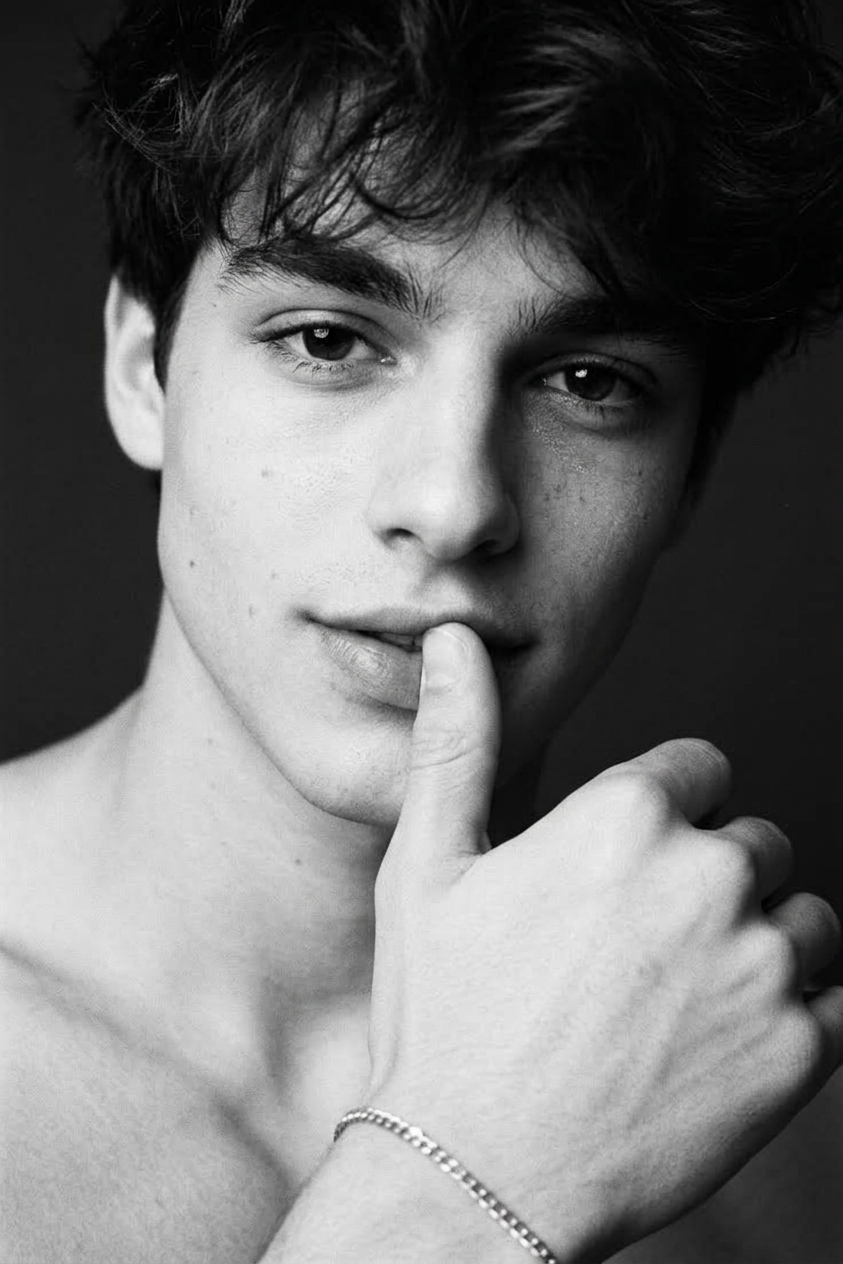
A black-and-white extreme close-up of a man in an androgynous fashion aesthetic: his face nearly fills the frame, soft filmic contrast, grain, shallow depth of field, a hand gently touching his lips, a playful gaze directed at the camera. A dark, minimalist background, soft, directional lighting from above and in front, accentuating the eyes, lips, and skin texture, creates an intimate editorial atmosphere.
Any aspect ratio
Overview
Explore the creative possibilities of the Easter AI Image Editor template, powered by the nano-banana-2 model. This template is crafted for generating striking black-and-white images with a focus on an androgynous fashion aesthetic. It's perfect for projects seeking an intimate, editorial feel with strong visual storytelling.
What It Does
This AI Image Editor template transforms your photos into high-contrast, grain-filled black-and-white images. By incorporating a shallow depth of field and directional lighting, it highlights facial features and textures, creating an editorial atmosphere. The end result captures the viewer's attention with its intimate, cinematic qualities.
To experiment with more lighting or texture-focused editing, consider our AI Image Editor or for fashion-centric enhancements, see the AI Photo Relighting tool.
Who It's For
Designed for photographers, fashion designers, and creative directors, this template is useful for anyone looking to produce high-quality editorial images. Whether you're working on a fashion campaign or an artistic project, the Easter template offers an accessible way to enhance and transform images, emphasizing mood and detail. For photographers working frequently with close-ups, the AI Portrait Enhancement tool can also be a valuable asset.
Summary
The Easter template is your go-to for creating stunning black-and-white editorial images with a unique androgynous twist. Utilizing the power of the nano-banana-2 model, this AI Image Editor offers intuitive editing capabilities that highlight features and set the mood with ease. For more stylistic takes, explore our Character Replace product.
How-To
Choose the Template

Customize Your Image

Generate and Save

Use Cases
Fashion Editorials
- Highlight facial features with precision.
- Use grainy texture to add depth and interest.
Artistic Photography
- Use contrast and lighting to create unique visuals.
- Perfect for galleries and artistic exhibitions.
Social Media Content
- Create visually appealing content for Instagram.
- Stand out with unique, high-quality visuals.
Best Practices
Focus on Light and Texture
Pay attention to lighting angles and texture adjustments to enhance the editorial feel.Experiment with Grain Levels
Adjust the grain settings to add or reduce texture, which can significantly affect the mood of the image.Pair with Other Tools
Combine with other tools like AI Image Upscaler for larger prints without loss of quality.