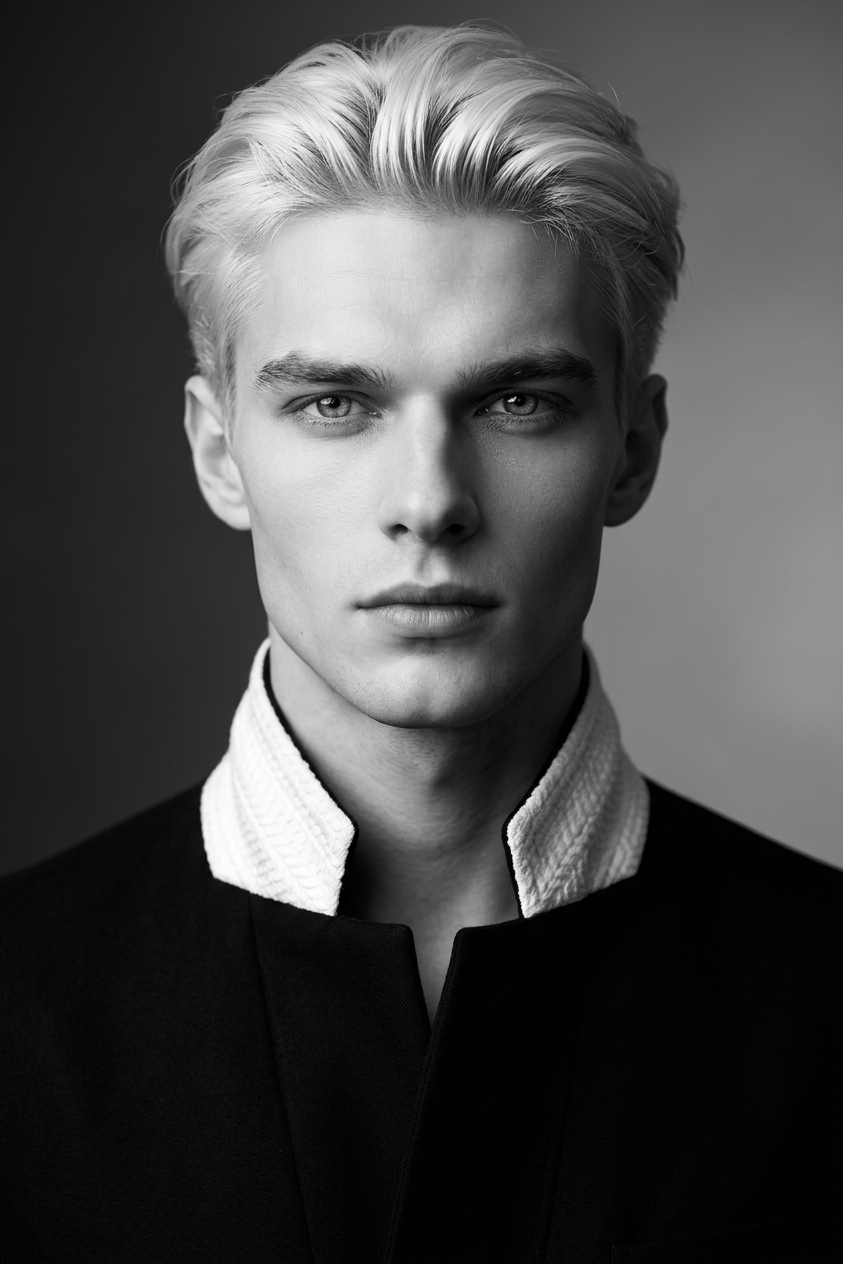
Monochrome Elegance Portrait
ai-image-editor
Any aspect ratio
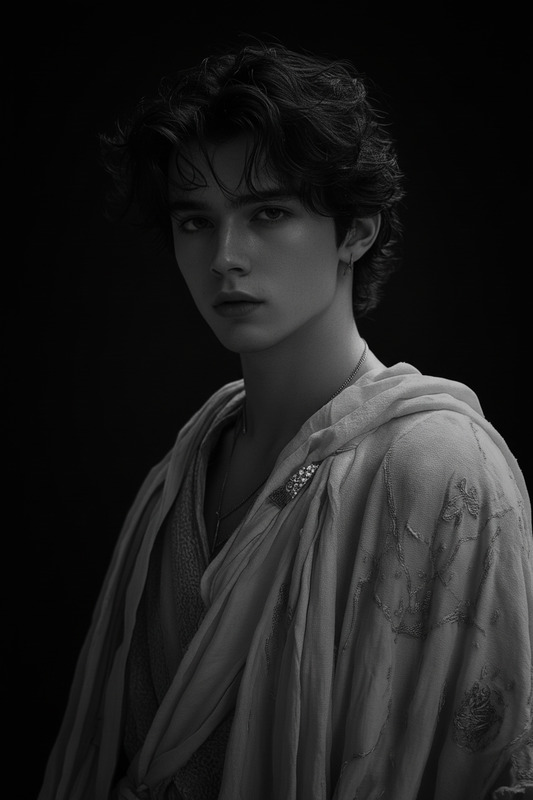
The subject has expressive eyes and a calm, intense gaze. The subject wears black attire with a white textured collar, creating strong visual contrast. The subject is rendered in a smooth monochrome gradient with a minimalist background that draws full focus to the face. Soft yet high-contrast lighting highlights facial features with gentle highlights and subtle shadow depth. Ultra-high resolution, crisp detail, fine tonal range, sharp focus on the eyes, clean, refined, artistic, and elegant aesthetic.
Tags
stylesAI Image Editor Template: Smart, Precise Image Editing in Your Browser
This template is built with the AI Image Editor, giving you a fast, reliable way to transform, clean up, and enhance images with minimal manual work. It’s designed for creators, marketers, designers, and founders who need production-ready visuals without spending hours in Photoshop.
Use it as-is, or remix it into your own custom workflow inside Magic Hour.
What this template is best for
This template is optimized for:
- Removing distractions and objects from photos (people, logos, text, clutter)
– Ideal companion to the AI Remover and Remove Object from Photo tools. - Replacing or cleaning up backgrounds for product shots, profile photos, and ads
– Works especially well alongside Image Background Remover and AI Background Generator. - Fixing faces and details (lighting, blemishes, artifacts, small distortions)
– Pairs with AI Face Editor, AI Headshot Generator, and AI Face Generator. - Preparing assets for campaigns, landing pages, and product launches
– Great for marketers and startup teams who need consistent, brand-ready visuals quickly. - Iterating visual concepts before handing off to design or dev teams.
Because it’s powered by the core AI Image Editor engine, it works well on:
- Product photos and mockups
- Team and founder photos
- UGC, lifestyle, and social content
- Concept art, moodboards, and pitch decks
- Thumbnails, ads, and promo creatives
How this template works in Magic Hour
Under the hood, this template wraps a set of common AI image-editing operations into a reusable flow. You can:
Upload or paste an image
- Use any JPG/PNG: product shots, portraits, marketing creatives, UI screenshots, or concept art.
Describe what you want edited in natural language
- Example prompts:
- “Remove the person in the background and fill with a soft blur.”
- “Replace the background with a clean white studio backdrop.”
- “Smooth skin, keep natural texture, don’t change facial features.”
- “Remove the watermark in the lower-right corner.”
- “Clean up noise and sharpen for web use.”
- Example prompts:
Apply targeted edits
- You can focus on one part of the image (e.g. background, face, product) or overall cleanup/enhancement.
- The editor uses inpainting and generative fill techniques similar to workflows documented in modern diffusion and image-editing models.
Preview and iterate
- Run multiple variations until you get an asset that’s ready for use in your site, deck, video, or campaign.
Export and reuse
- Download the final output or pipe it into other Magic Hour tools, such as:
- AI Image Upscaler for higher resolution
- Photo Colorizer to add or restore color
- Unblur Image to fix soft or low-quality photos
- Old Photo Restoration for archival or brand-history content
- Download the final output or pipe it into other Magic Hour tools, such as:
How to remix this template in Magic Hour
You can treat this template as a starting point and customize it to match your workflow:
1. Start from this template
- Open the template in Magic Hour.
- Duplicate it into your workspace so you have an editable copy.
2. Narrow it to your use case
Depending on what you’re building:
For ecommerce & product teams
- Focus the editing instructions around: removing background clutter, standardizing backgrounds, fixing reflections, and sharpening packaging details.
- Connect with Thumbnail Maker, AI Logo Generator, and AI Art Generator to create full product listing or ad asset sets.
For personal branding & profiles
- Specialize the prompt to enhance portraits: adjust lighting, remove blemishes, clean up background, keep facial identity consistent.
- Combine with AI Selfie Generator, AI Headshot Generator, and Avatar Generator to create consistent profile imagery across platforms.
For social & content marketing
- Emphasize quick edits: remove objects, adjust focus, swap simple backgrounds, and polish memes or short-form content.
- Integrate with AI Meme Generator, AI GIF Generator, and AI QR Code Generator to generate campaign visuals with embedded links.
For creative and dev teams
- Use it to refine concept art, UI mocks, or storyboards before sending to stakeholders.
- Pair with specialized generators like AI Illustration Generator, AI Manga Generator, Comic Book Generator, AI Interior Design Generator, or Architecture Generator.
3. Chain it with other Magic Hour products
Once you’ve edited your image, you can use it as an input to other media workflows:
Turn edited images into short videos or animations
- Use Image to Video or Text to Video to bring your still image to life.
- For more stylized motion, explore:
- Animation (template-powered)
- AI GIF Generator
- Animated Characters Generator
Create AI-driven talking or lip-synced content
- Feed your refined portrait or character art into:
- AI Talking Photo
- Lip Sync
- Face Swap Video or Face Swap for creative campaigns, explainers, or social clips.
- Feed your refined portrait or character art into:
Build character-based or IP-style workflows
- Start from an edited character image and remix using:
Example use cases
To make this template more actionable, here are concrete ways smart teams use an AI image editor in production:
Founders & marketers
- Clean up founder headshots for pitch decks and landing pages.
- Standardize product backgrounds for launch pages or marketplaces.
- Remove logos or sensitive information from screenshots.
Creators & agencies
- Polish UGC before publishing on high-visibility channels.
- Remove unwanted bystanders or objects from event photos.
- Quickly adapt one asset for multiple platforms, then pair with Thumbnail Maker for YouTube/shorts.
Product & game studios
- Iterate on character appearance using AI Face Editor, AI Face Generator, and this template as a cleanup step.
- Prepare moodboards and environment references with AI Background Generator, Fantasy Map Generator, and Architecture Generator.
Related Magic Hour tools worth exploring
If this template is part of your workflow, these tools often pair well with it:
Quality & restoration
Creative generation & design
Specialized transformations
Voice and video add-ons
Tips for better results with AI image editing
To get consistent, production-grade outputs when you remix this template:
- Be explicit, not vague
- “Remove the person on the left and extend the background wall” performs better than “clean this up.”
- Call out what must not change
- E.g., “Keep skin tone and face shape the same. Only adjust lighting and remove blemishes.”
- Think about final use
- If the asset goes into a video, consider following it with Image to Video or Video to Video and Video Upscaler.
- Iterate in small steps
- Run a few focused edits instead of trying to change everything at once; this usually leads to more predictable, controllable outputs.
Use this template as your base layer: a reliable, general-purpose AI image editor you can keep remixing for ecommerce, branding, social, product, or creative pipelines inside Magic Hour.