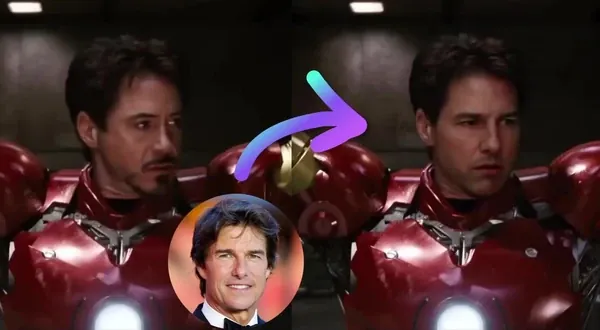
Free AI Image Expander
Uncrop and expand any image beyond its borders with AI—free, no watermark, no sign up.
Trusted by teams at
How AI Image Expander Works
- 1
Upload your image
Upload the image you want to extend. Use a clear photo, product image, poster, or design. - 2
Choose your new frame
Pick an aspect ratio or add custom padding to the top, bottom, left, or right side of your image. - 3
Extend and download
Click “Extend Image” to generate a larger version with extended edges, then download it.


AI Image Expander Use Cases
See how AI Image Expander can help resize, reframe, and expand images for social, ads, design, and creative projects.

Turn one image into multiple platform-ready formats without cropping out important details. Expand a portrait into 16:9, a square image into 9:16, or a horizontal image into a vertical post for TikTok, Instagram Reels, YouTube Shorts, and ads.
Give product images more room for clean backgrounds, landing pages, banners, and marketplace listings. AI outpainting helps extend the surrounding scene so your product has better spacing without needing another shoot. For background changes and other edits to your product photo, use our AI photo editor.
Extend photos into banners, thumbnails, hero images, and ad creatives. Add more background around the subject so there is room for text, logos, CTAs, and layout elements.
Recover breathing room around people, objects, and scenes when the original image is framed too tightly. Extend the edges naturally instead of stretching, blurring, or manually cloning the background. To complete a cropped portrait with an inferred body, use the full-body portrait generator. To change content inside the existing frame instead, use Generative Fill.
Expand landscapes, portraits, fantasy art, and concept images into bigger compositions. Animate the finished scene with our image to video generator. Useful for storyboards, AI film concepts, and visual exploration.
Adapt the same asset across ad placements, website hero sections, email headers, and campaign pages. Create more negative space around the subject, then refine the result in the AI image editor.
Why Creators Love AI Image Expander
Outpaint, resize, and reframe any image with AI — free, no sign up required.
Keep the important parts
Change your image size without cutting off faces, products, or key details. AI extends the frame instead of forcing a crop.
Extend any side
Add space to the top, bottom, left, or right side independently. Control exactly where the image should grow.
Fit every layout
Create square, vertical, horizontal, and custom outputs for social posts, ads, thumbnails, websites, and presentations.
Generate multiple versions
Try different crops, padding values, and aspect ratios quickly until the composition works.
Skip clone stamp cleanup
Avoid tedious background cloning, masking, and stretching. Upload, choose the new frame, and generate.
AI Image Expander Features
Outpaint, resize, and reframe any image with AI — free, no sign up required.

See what will be extended
Preview the original image inside the final canvas before generating. Shaded zones show exactly which areas AI will create.

Match the scene
Fill new canvas space with background that follows the original image’s lighting, texture, and style.

Resize for any format
Choose common aspect ratios like 1:1, 4:5, 16:9, and 9:16. Use Custom when you need exact dimensions or precise layout control.

Try more layouts faster
Generate alternate frames from the same source image without starting over.
AI Image Expander FAQ
Yes. AI Image Expander is free with no sign up required. You get 3 free expansions per day — no account needed. Sign up for free to unlock account-specific credits and rewards, saved projects, and access to more tools. Upgrade for more generations, saved projects, or paid features.
No. You can start extending images without an account or sign up, and there is nothing to install. Sign up for free to unlock account-specific credits, rewards, and saved projects.
AI Image Expander extends an image beyond its original borders. Instead of cropping or stretching the image, it generates new content around the edges to match the existing scene. People also search for this as an AI image extender, outpainting tool, or uncrop tool — same job.
Outpainting is the process of extending an image outside its original frame. The AI looks at the existing image and generates new surrounding areas that match the style, lighting, and content.
Clear images with visible backgrounds work best. Landscapes, product photos, portraits, posters, interiors, and lifestyle images usually work well. Very low-resolution images, heavy blur, dense text, or complex hands and faces near the edge may be harder to extend cleanly.
Yes. In custom mode, you can add padding to the top, bottom, left, or right side independently. This lets you extend only one side or create asymmetric compositions.
Yes. You can use preset aspect ratios such as 1:1, 4:5, 16:9, and 9:16, or use custom padding values for more control.
The Free and no-signup tools use 640px. Creator, Pro, and Business plans unlock 1K and 2K; 2K uses 50 credits per image.
No watermark on AI Image Expander results for all users, including free users with no sign up.
Paid subscribers, credit-pack customers, and customers with separately agreed paid usage-based billing arrangements may use AI Image Expander outputs for commercial purposes, subject to our Terms and applicable law. Users without one of these paid arrangements may use outputs for personal, non-commercial use only. You must have the rights to the source image and any recognizable people, brands, or copyrighted content shown.
Magic Hour does not use your prompts, uploads, or generated outputs to train AI models. Automated systems and contracted service providers process content only to provide, secure, and support the service. Magic Hour may use aggregated or de-identified usage data that excludes your prompts, uploads, and outputs to debug and improve the product. Magic Hour personnel do not routinely review customer content; authorized access is limited to support, security, legal, or policy needs. Retention varies by workflow, and you can delete saved assets from your account.
Upload your image, choose an aspect ratio or custom padding, select an output resolution, then click Extend Image. Magic Hour will generate an extended version that you can preview and download.
Yes. Both names describe the same job: extending an image beyond its original borders by generating new background and surrounding details. Some people also call this an AI outpainting tool or AI uncrop tool.
We Value Your Privacy & Data Security, Always
Commercial use, no AI training, deletion controls, and feature-specific retention. Trust & privacy
Commercial use
Subscriptions and credit packs permit commercial use of outputs. Users without either purchase are limited to personal, non-commercial use.
No training
We do not use customer prompts, uploads, or outputs to train AI models. This covers free, paid, and API use.
Delete anytime
Delete saved projects or request account deletion. Retention varies by feature; account deletion has a separate 14-day restoration period.
Security
Encrypted in transit and at rest. Access is restricted for operations and support.