Magic Hour Skillsfor any AI agent
Create and edit images, videos, and audio directly from prompts in the tools you already use.
npx skills add magichourhq/skillsSet up Magic Hour Skills in Claude
Add the skills to Claude
Claude loads skills through its own skill settings. Add the skill folders you need from the repository; the connector below is set up separately.
Browse skill foldersConnect the Magic Hour connector
In Claude, open Settings › Connectors and add a custom connector with the URL https://mcp.magichour.ai/. Connect, sign in to Magic Hour, and select Allow on the authorization page. Ask Claude to call the ping tool, then account_retrieve, before the first paid job.
Claude connector guideAttach a photo and ask for the result
Attach a portrait you are entitled to use, or the repository's fictional portrait, then paste this. You are done when you receive a usable file, not a project ID.
Turn this photo into a short scene with golden fish swimming through the air around me. Keep me recognizable. Choose the creative details, edit and inspect the still if needed, then animate it. Save and show the finished video. Use my existing spending limit; if I haven't set one, ask before generating. Do not buy credits.
Set up Magic Hour Skills in Claude Code
Install the skills
Run this from the project where you want to create media, then start a new Claude Code session. Prefer a plugin? The repository also ships a Claude Code plugin marketplace.
npx skills add magichourhq/skills --agent claude-codeConnect once
Set MAGIC_HOUR_API_KEY securely in the environment that launches Claude Code, then run this. The single quotes keep the key out of the command. Reuse an existing magic-hour server instead of adding a second one.
claude mcp add --transport http --scope user magic-hour https://mcp.magichour.ai/ --header 'Authorization: Bearer ${MAGIC_HOUR_API_KEY}'Attach a photo and ask for the result
Attach a portrait you are entitled to use, or the repository's fictional portrait, then paste this. You are done when you receive a usable file, not a project ID.
Turn this photo into a short scene with golden fish swimming through the air around me. Keep me recognizable. Choose the creative details, edit and inspect the still if needed, then animate it. Save and show the finished video. Use my existing spending limit; if I haven't set one, ask before generating. Do not buy credits.
Set up Magic Hour Skills in Codex
Install the skills
Run this from the project where you want to create media, then start a new Codex session. Codex CLI versions with plugin support can install the same skills as a plugin.
npx skills add magichourhq/skills --agent codexConnect once
Export MAGIC_HOUR_API_KEY in the same shell you launch Codex from, then add the server. The key stays in the environment, not in the command.
codex mcp add magic-hour --url https://mcp.magichour.ai/ --bearer-token-env-var MAGIC_HOUR_API_KEYAttach a photo and ask for the result
Attach a portrait you are entitled to use, or the repository's fictional portrait, then paste this. You are done when you receive a usable file, not a project ID.
Turn this photo into a short scene with golden fish swimming through the air around me. Keep me recognizable. Choose the creative details, edit and inspect the still if needed, then animate it. Save and show the finished video. Use my existing spending limit; if I haven't set one, ask before generating. Do not buy credits.
Set up Magic Hour Skills in Other compatible agents
Install for a compatible agent
Run the installer and select your agent when prompted; Cursor can be targeted with --agent cursor. Compatibility with clients other than Claude, Claude Code and Codex has not been individually verified.
npx skills add magichourhq/skillsConnect your MCP client
Add https://mcp.magichour.ai/ as a Streamable HTTP server with an Authorization: Bearer header that reads your Magic Hour API key from a secure environment variable. Verify with account_retrieve before spending credits.
Get an API keyAttach a photo and ask for the result
Attach a portrait you are entitled to use, or the repository's fictional portrait, then paste this. You are done when you receive a usable file, not a project ID.
Turn this photo into a short scene with golden fish swimming through the air around me. Keep me recognizable. Choose the creative details, edit and inspect the still if needed, then animate it. Save and show the finished video. Use my existing spending limit; if I haven't set one, ask before generating. Do not buy credits.
See a skill run the whole workflow
Attach your source media and describe the finished result. The skill chooses the workflow, runs Magic Hour, checks the result, and delivers files you can reuse.
You ask
magic-hour-image-to-videoPut me in a midnight train station with golden fish swimming through the air. Keep my face and clothes. Fix the still with AI Image Editor if needed, inspect it, then animate my reaction and the fish. Choose the shot, work within my budget and deliver a finished vertical video.
- 01
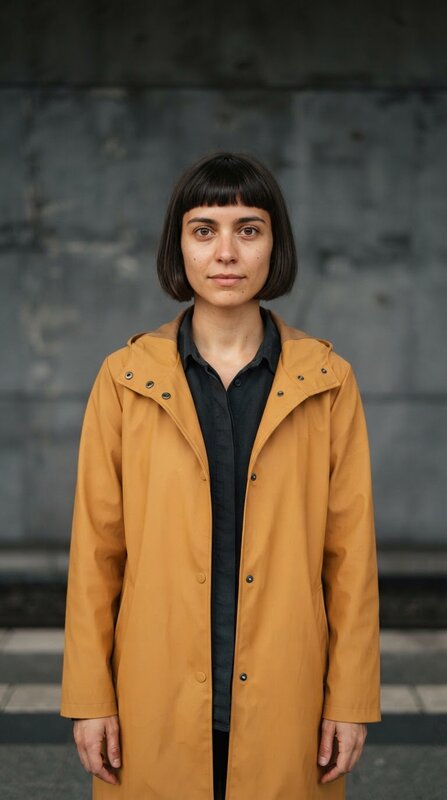
Supplied portrait
The repository's fictional portrait, generated for the case so no real likeness is used. Attach your own photo in the same position.
- 02
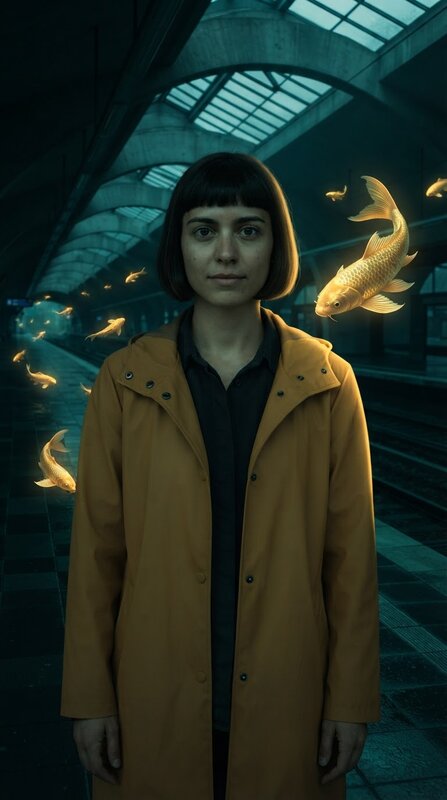
Edited and approved start frame
AI Image Editor changes only the setting. The skill inspects the still before paying for motion: face, bob, raincoat and hands are preserved and the large koi stays separate from the face.
Exact edit prompt · nano-banana-2-lite, 1k, 9:16
Transform only the setting around this same fictional woman into an impossible midnight railway platform where luminous golden koi fish swim through the air. Keep her exact face, blunt dark bob, amber raincoat, pose, proportions and hands. One large elegant golden koi is visible to the upper right of her shoulder, safely separate from her face; smaller fish recede down the empty platform. Reflections on wet dark tiles, deep teal shadows, warm gold rim light from the fish, cinematic photoreal practical-effects feeling. She remains clearly recognizable and mostly front facing, waist-up in the lower center of the same vertical 9:16 composition. No other people, no text, no signs, no graphics. The fish have ordinary complete anatomy and no human faces.
- 03
Image-to-Video generation
The approved frame becomes the start frame. The prompt directs motion only: the koi swims upward, she turns toward it, a slow push in.
Generated performance, 720 × 1296, 24 fps, 5.04 secondsOpen file Exact motion prompt · ltx-2.3, 720p, 5 seconds, silent
Single uninterrupted shot from the supplied frame. The large golden koi on the right swims slowly upward beside the woman's shoulder, its tail and fins flowing naturally. The woman first holds the camera's gaze, then turns her eyes and head slightly toward the fish with a small surprised smile. The distant koi drift gently along the platform. Camera makes a very slow push in, keeping her complete face and the nearby fish separated and visible. Preserve her face, dark blunt bob, amber coat, body proportions, teal platform and golden light. No new people, no dialogue, no cuts, no text, no face covering. End with the woman calmly watching the fish.
- 04
Inspection and finished video
All 121 frames were reviewed as a contact sheet. The subject stays recognizable and the fish move. She turns farther than requested and the final pose misses the calm gaze. Accepted without a paid retry, then a local FFmpeg crop makes an exact 720 × 1280 vertical export. No soundtrack, captions or extra generation.
Finished vertical export, 720 × 1280Open file


Cost
340 credits for this route: 50 portrait, 50 edit, 240 motion. No paid retries.
Limitation
Frame review does not prove temporal smoothness. Head-turn direction and the ending were not exact.
You ask
magic-hour-face-swapUse this face in the accepted clip.
- 01
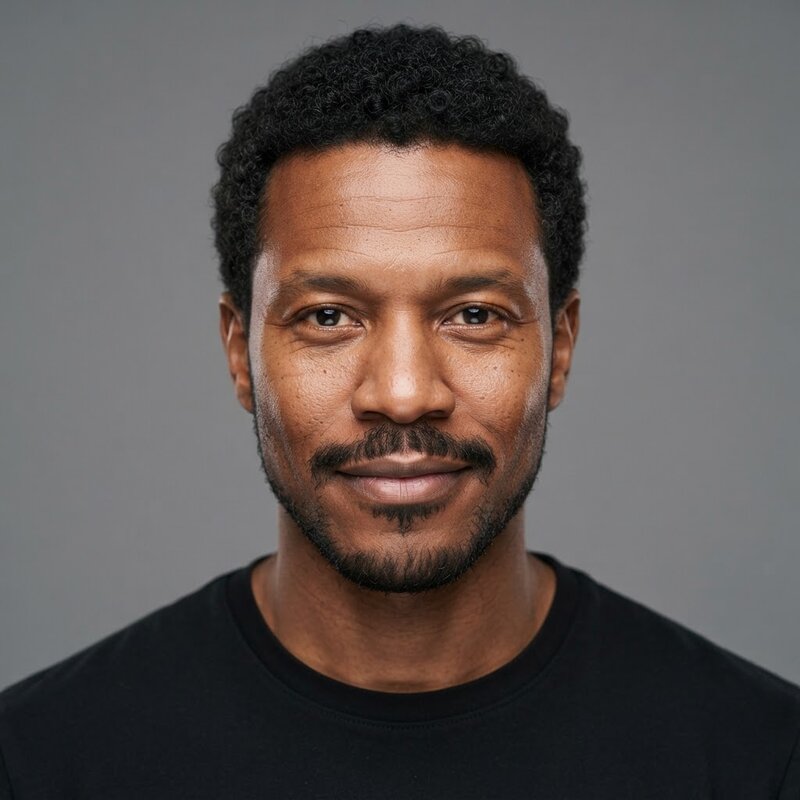
Supplied face and source performance
A second fictional headshot plus the accepted koi performance above. The performance is reused rather than regenerated.
- 02
Settings chosen by the skill
Face Swap v2 in all-faces mode over the full 0–5 second interval, with the performance uploaded as the video source.
- 03
Face Swap generation
Estimated at 150 credits, settled at 120 after completion. One job.
Face-swapped performance, 568 × 1024, 24 fps, 5 secondsOpen file - 04
Inspection and finished clip
Sampled frames show the alternate features and facial hair while the source bob, coat and scene remain. Output dimensions shrink from the source. Delivered as returned; keep the original performance so another face can be applied without buying a new scene.

Cost
120 credits charged for the swap. The reused performance cost nothing extra.
Limitation
One person and one reference; profile likeness and temporal blending still need full-speed review. Multi-person mapping and cuts were not tested.
You ask
magic-hour-text-to-videoMake a short vertical video of an elevator opening onto the moon. No specific identity is needed. Choose the direction and settings, leave time to see the reveal, inspect and save the video. Use my existing spending limit; if I haven't set one, ask before generating.
- 01
Supplied idea
No photo or reference. The skill writes a readable setup and payoff: doors open in the first two seconds, then the shot holds on the reveal.
- 02
Shot planned by the skill
One locked, eye-level shot with straight door geometry and no camera move, so the reveal reads at feed size.
Exact prompt · ltx-2.3, 720p, 9:16, 5 seconds, silent
A single photoreal five-second vertical shot, camera locked at eye level inside a plain brushed-steel elevator looking at its closed double doors. During the first two seconds the doors slide apart, revealing a vast silent lunar landscape immediately outside: pale grey moon dust, one distant mountain ridge and a large blue Earth hanging against deep black space. The last three seconds hold on this impossible view, with a few fine dust motes floating slowly in the light. The elevator stays completely still; straight metal door geometry, realistic cold light from the moon spilling onto the floor. No people, no captions, no numbers, no logos, no camera move, no cuts. One clear reveal.
- 03
Text-to-Video generation
One job, 240 credits.
Elevator opening onto the moon, 720 × 1296, 24 fps, 5.04 secondsOpen file - 04
Inspection and finished clip
The closed elevator reveals the moon and Earth with time to read the reveal. The model adds unwanted numerals and signage plus camera movement despite the prompt. Delivered with the misses recorded: a working reveal, not an exact-constraint pass.
Cost
240 credits. No paid retries.
Limitation
Unwanted numerals, signage and camera movement remain in the accepted take.
The request
magic-hour-image-editingThis route ran as part of the larger case; the exact generation request is shown in the steps below rather than a published starter prompt.
- 01
Supplied portrait
The same fictional portrait. The requested change is the setting only.
- 02
Change and protect lists
The skill separates what changes (platform, fish, light) from what must survive (face, bob, raincoat, pose, hands, framing).
Exact edit prompt · nano-banana-2-lite, 1k, 9:16
Transform only the setting around this same fictional woman into an impossible midnight railway platform where luminous golden koi fish swim through the air. Keep her exact face, blunt dark bob, amber raincoat, pose, proportions and hands. One large elegant golden koi is visible to the upper right of her shoulder, safely separate from her face; smaller fish recede down the empty platform. Reflections on wet dark tiles, deep teal shadows, warm gold rim light from the fish, cinematic photoreal practical-effects feeling. She remains clearly recognizable and mostly front facing, waist-up in the lower center of the same vertical 9:16 composition. No other people, no text, no signs, no graphics. The fish have ordinary complete anatomy and no human faces.
- 03
AI Image Editor generation
One job, 50 credits.
- 04
Inspection and finished still
Identity, coat and pose survive; the large koi stays clear of the face; the composition remains vertical 9:16. Approved as the start frame for motion and delivered as a reusable keyframe, which later fed Image-to-Video, Talking Photo and Body Swap repairs without a new edit.
Cost
50 credits. No retries.
Limitation
Visually inspected by the agent, not blind-scored. Fine reflections and small scene details are not pixel-preserved.
The request
magic-hour-talking-videoThis route ran as part of the larger case; the exact generation request is shown in the steps below rather than a published starter prompt.
- 01
Supplied portrait and speech
The approved keyframe plus a 3.92-second line generated with the Voice Generator's GLaDOS preset: “Welcome aboard. The next stop is the moon.”
- 02
Timing measured from the audio
The skill probes the WAV and requests exactly 0 to 3.920042 seconds so the last word is inside the interval, in realistic mode at up to 720p.
- 03
Talking Photo generation
One job, 190 credits, plus 5 credits for the speech.
Talking portrait, 448 × 832, 25 fps, 3.96 seconds with audioOpen file - 04
Inspection and finished clip
The portrait develops mouth and facial movement and the file carries an audio track spanning the speech. The project reported 24 fps while the file is 25 fps, and the height exceeds the requested maximum: verify the file, not the settings. Listening review remains outstanding.
Cost
195 credits: 5 speech, 190 talking photo. No retries.
Limitation
Audio was not listened to. Metadata proves the speech interval, not that the words sound right.
Start with what you want to make
Choose a ready-made workflow. You describe the result; the skill handles the creative decisions, generation, review, recovery, and delivery.
20 skills
- FeaturedVideo
AI Video Generation
Create a finished AI video from a plain-language brief.
- Input
- Prompt, image, face, character, performance or audio
- Output
- Video
npx skills add magichourhq/skills --skill ai-video-generation - FeaturedVideoPeople
Creator Video Remix
Rework a reference into an original creator short.
- Input
- Reference video plus your face or character
- Output
- Vertical video
npx skills add magichourhq/skills --skill creator-video-remix - FeaturedVideoImage & Editing
Magic Hour Media
Create or recover image, video, and audio jobs.
- Input
- Prompt, image, video or audio
- Output
- Image, video, audio
npx skills add magichourhq/skills --skill magic-hour-media - FeaturedVideo
Image to Video
Fix the keyframe first, then animate the action and ending.
- Input
- Image and intended action
- Output
- Video
npx skills add magichourhq/skills --skill magic-hour-image-to-video - FeaturedPeopleVideo
Face Swap
Recast the intended performer while preserving action and sound.
- Input
- Face reference plus video or photo
- Output
- Video or image
npx skills add magichourhq/skills --skill magic-hour-face-swap - FeaturedVideo
Text to Video
Build a readable setup and payoff from an idea.
- Input
- Brief with flexible identity
- Output
- Video
npx skills add magichourhq/skills --skill magic-hour-text-to-video - FeaturedImage & Editing
AI Image Editing
Change requested details while protecting identity and composition.
- Input
- Source image and requested change
- Output
- Image
npx skills add magichourhq/skills --skill magic-hour-image-editing - FeaturedPeopleVideo
Talking Video
Finish speech, facial movement, timing, and captions.
- Input
- Portrait or video plus recording or script
- Output
- Video with audio
npx skills add magichourhq/skills --skill magic-hour-talking-video - PeopleVideo
Character Replace
Put a supplied character into an existing performance.
- Input
- Character reference and source video
- Output
- Video
npx skills add magichourhq/skills --skill magic-hour-character-replace - VideoQuality & Delivery
Video Editing
Edit, repurpose, and deliver existing footage.
- Input
- Source video and edit instruction
- Output
- Video
npx skills add magichourhq/skills --skill magic-hour-video-editing - MusicVideo
Music Video
Turn a song or chorus into a complete visual sequence.
- Input
- Song, selected phrase and optional references
- Output
- Video with audio
npx skills add magichourhq/skills --skill magic-hour-music-video - PeopleImage & Editing
Body Swap
Place a whole person naturally into a destination scene.
- Input
- Person and destination images
- Output
- Image
npx skills add magichourhq/skills --skill magic-hour-body-swap - PeopleImage & Editing
Character Consistency
Keep identity stable across scenes and shots.
- Input
- Character reference and scene briefs
- Output
- Images, storyboards, video shots
npx skills add magichourhq/skills --skill magic-hour-character-consistency - Image & EditingBrand & Campaigns
Thumbnails
Create a truthful, readable cover at feed size.
- Input
- Face or product reference and headline
- Output
- Image
npx skills add magichourhq/skills --skill magic-hour-thumbnails - Image & EditingBrand & Campaigns
Product Visuals
Create faithful catalog, lifestyle, close-up, and hero images.
- Input
- Product image or brief
- Output
- Images
npx skills add magichourhq/skills --skill magic-hour-product-visuals - Brand & Campaigns
Campaign Kit
Finish ads and matching campaign placements from reusable references.
- Input
- Approved reference and exact copy
- Output
- Ads and campaign assets
npx skills add magichourhq/skills --skill magic-hour-campaign-kit - Brand & Campaigns
Brand Kit
Create exact identity rules, editable sources, and finished applications.
- Input
- Logo, colors and brief
- Output
- Brand guide, editable files, applications
npx skills add magichourhq/skills --skill magic-hour-brand-kit - Image & EditingBrand & Campaigns
Marketplace Images
Turn verified product facts into a listing image set.
- Input
- Product image and verified facts
- Output
- Listing image set
npx skills add magichourhq/skills --skill magic-hour-marketplace-images - Video
Explainer Video
Turn a source into a grounded narrated video.
- Input
- Source document or brief
- Output
- Narrated video
npx skills add magichourhq/skills --skill magic-hour-explainer-video - Quality & Delivery
AI Media Quality Review
Inspect metadata and contact sheets, then record pass, fail, or unverified criteria.
- Input
- Generated image, video or audio
- Output
- Diagnostics, contact sheets, review record
npx skills add magichourhq/skills --skill ai-media-quality-review
Start with a prompt, not parameters
Attach the relevant media and ask for the outcome. Your agent should use the current tool schema and your existing budget instead of asking you to fill in API fields.
Reference video → original creator short
Study this reference video's opening, pacing, action and payoff. Create an original version with my face or character and a different creative world. Use the right Magic Hour routes, keep the final cut vertical, inspect the full result and deliver the finished video within my budget.
Portrait → impossible scene → video
Put me in a midnight train station with golden fish swimming through the air. Keep my face and clothes. Fix the still with AI Image Editor if needed, inspect it, then animate my reaction and the fish. Choose the shot, work within my budget and deliver a finished vertical video.
My face + a clip → recast performance
Put my face onto the main performer in this clip. Keep the original action, clothes and sound, and leave everyone else alone. Check the face through turns and cuts. Use my existing budget and show me the finished clip.
An idea → one clear reveal
Make a five-second vertical video of an ordinary elevator opening onto the moon. No specific person or reference is needed. Choose the settings, leave time to see the reveal and deliver the video within my budget.
My character + a performance → character remix
Replace the performer in this clip with my character. Keep the setting and performance. Choose the right mode, inspect the body and hands through the action, and deliver the finished video within my budget. Keep the reference so we can make the next episode.
Speech + portrait → talking clip
Make a talking clip from my portrait and recording, with captions. Keep the full speech through the last word. Handle timing, check the face and mouth movement, then caption the final cut. Save both clean and captioned versions. Include both steps in my budget.
My person + a destination → scene photo
Put me into this scene. Keep my identity and outfit, make the pose, size and lighting fit, and inspect hands and contact with the scene. Use my existing budget and deliver the image. Animate it only if I ask for video.
Go further
Use deeper recipes when the job needs multiple scenes, recurring characters, exact copy, localization, or reusable campaign assets.
Real workflows, including what failed
These examples publish the inputs, exact prompts, settings, costs, accepted results, failed attempts, and limitations so you can reproduce the workflow and decide when to use it.
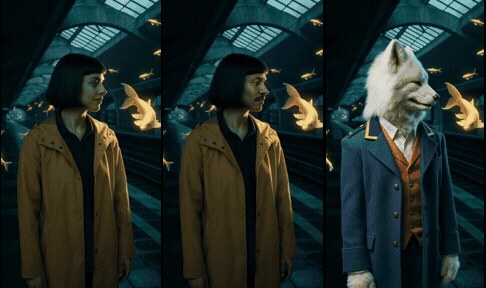
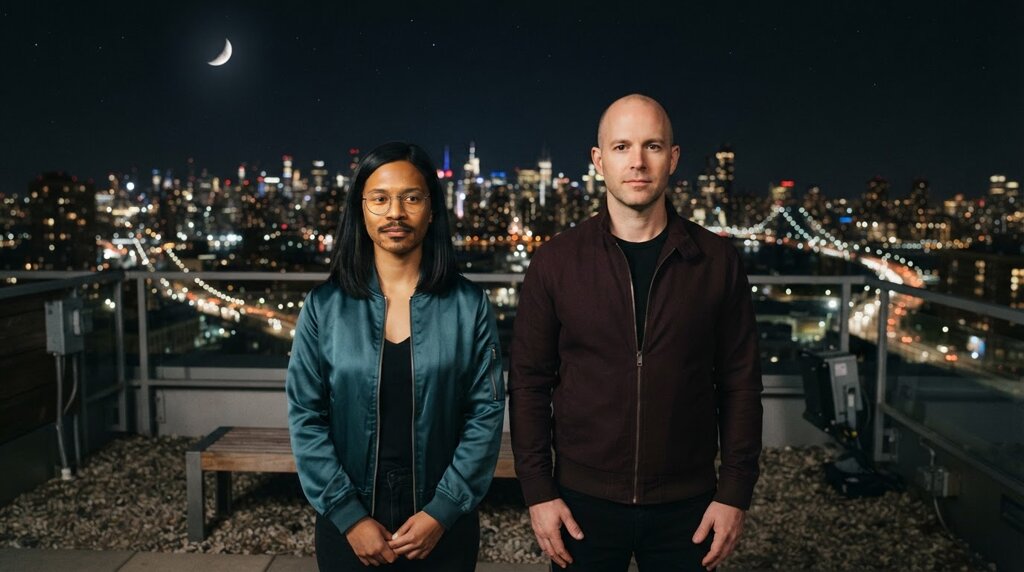
Midnight Remixes
Portrait animation, face mapping, character replacement, and the moon-elevator reveal from one shared scene.
12 jobs, 1,750 credits, no paid retries. Face Swap settled at 120 after a 150 estimate.
Inputs, prompts and filesWhat failed or stays unverified
Head turns miss the requested direction; the elevator take adds numerals and camera movement; speech outputs were not listened to.
Scene and Music Remixes
Body placement, repair, music routes, performance transfer, and a finished eight-second music cut.
11 jobs, 1,890 credits. Rejected takes and their repairs are both kept.
Inputs, prompts and filesWhat failed or stays unverified
Body Swap changed likeness and rebuilt the station; Video-to-Video ignored the ink style; the audio-guided video kept its studio background.
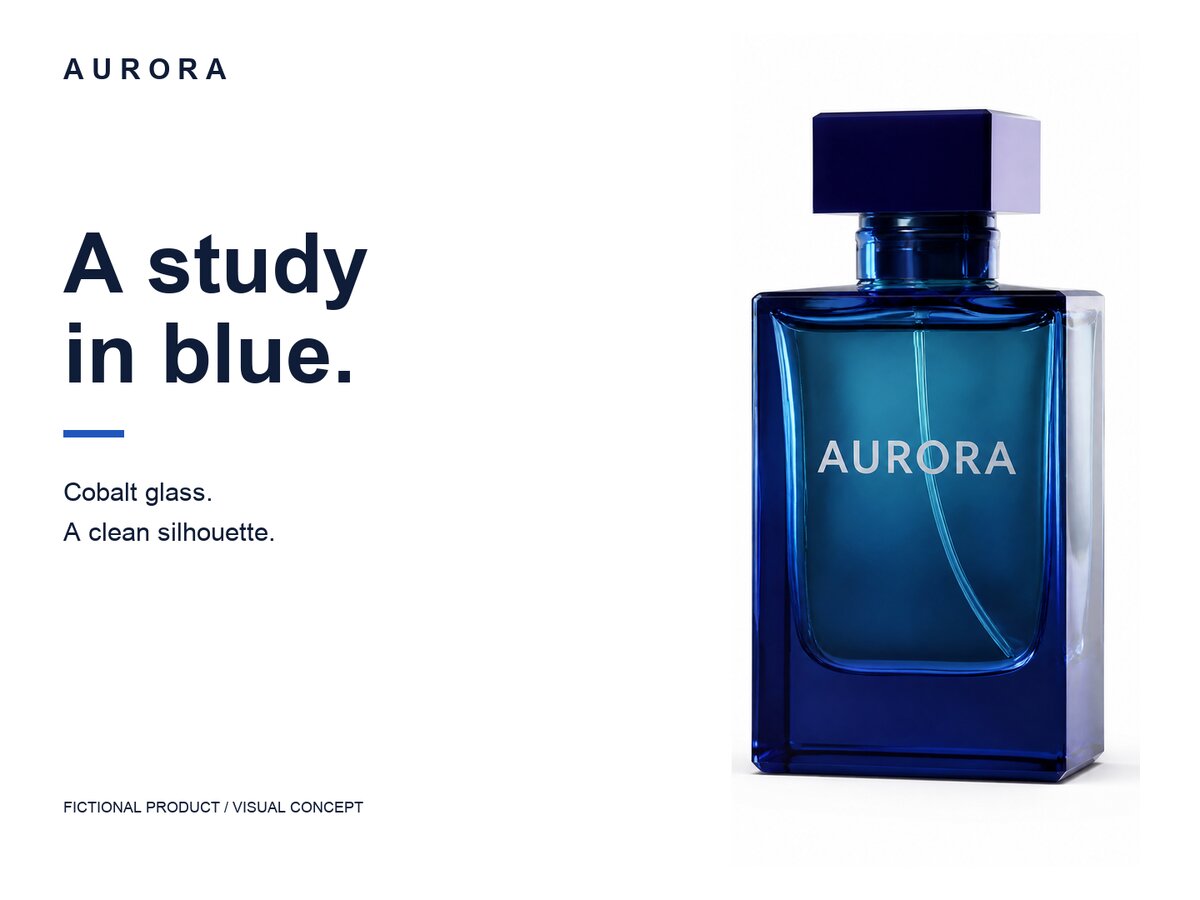
AURORA Listing Set
One approved product still reused for catalog editing, exact-copy layouts, editable files, and a brand guide.
1 generation, 200 credits. Layouts, SVG and PDF cost zero additional credits.
Inputs, prompts and filesWhat failed or stays unverified
The edit reveals a more prominent internal tube and altered reflections; not strict fidelity for a real product.
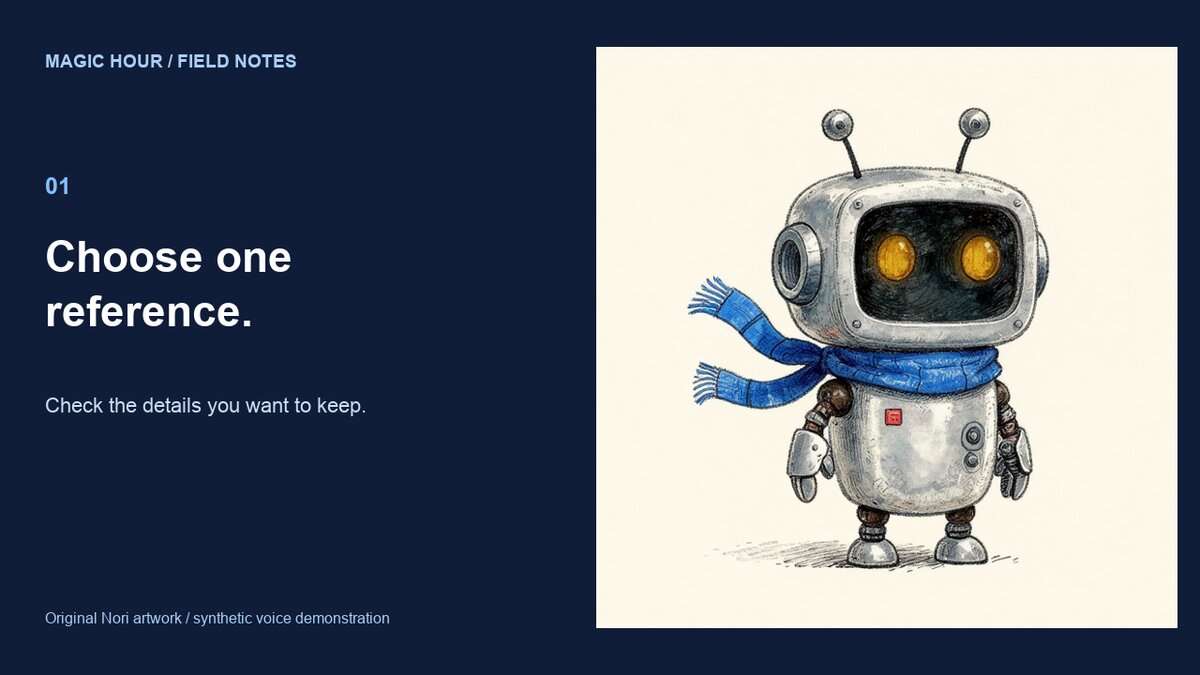
Nori Explainer
Grounded script, generated speech and motion, reusable character references, and an editable final timeline.
268 new credits: 28 speech, 240 motion. Reused stills counted in their source case.
Inputs, prompts and filesWhat failed or stays unverified
The head, scarf and other arm move despite an only-the-hand instruction; the narration has had no listening review.
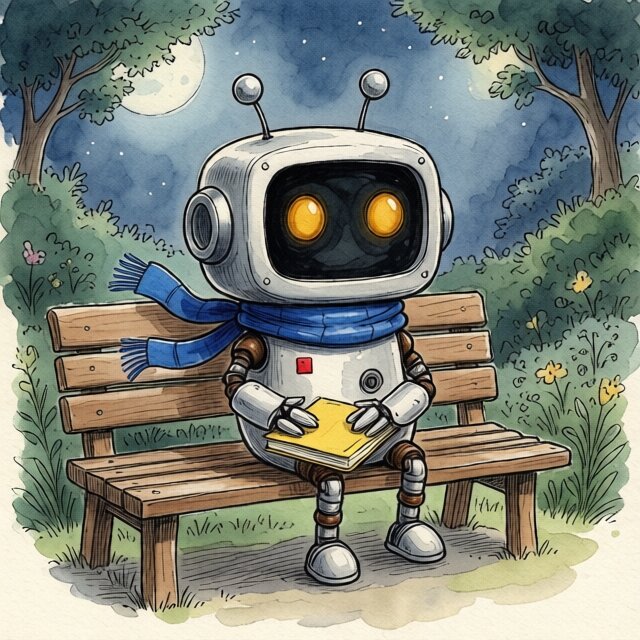
Nori Character
Paired continuity comparisons across two scenes, including the rejected output.
5 outputs, 45 credits, no retries.
Inputs, prompts and filesWhat failed or stays unverified
The detailed greenhouse prompt added extra scarf ends and lost a chest fitting; it was rejected. Neither prompt style won both scenes.
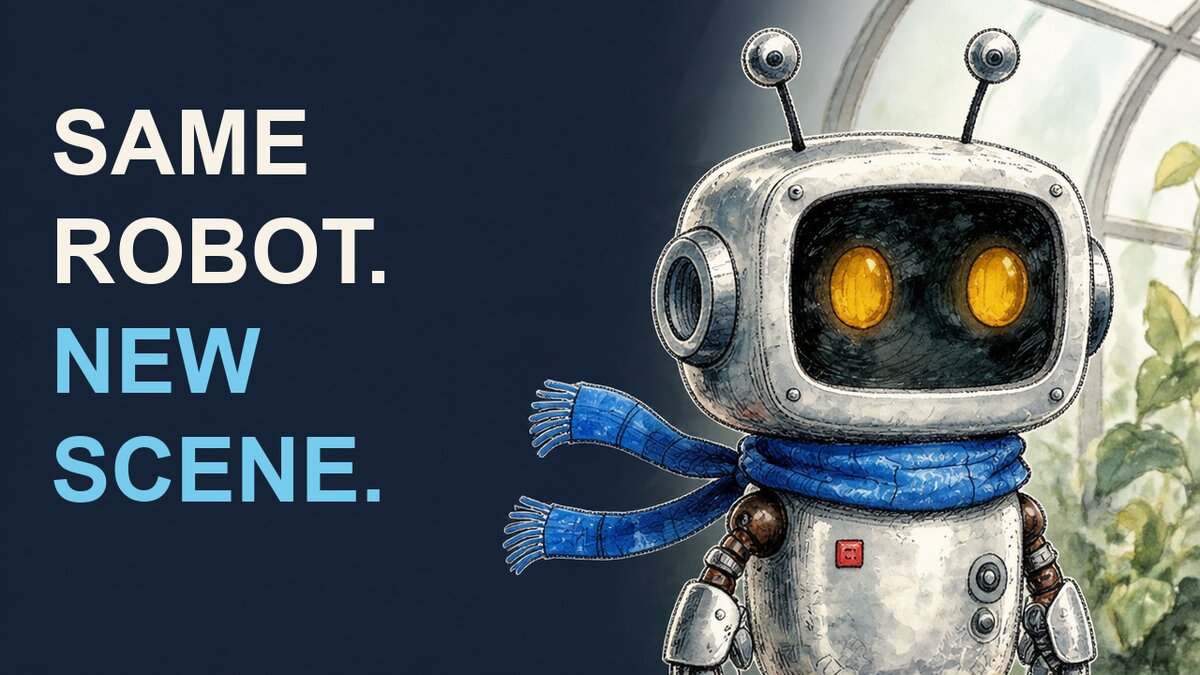
Nori Thumbnail
Direct and finished versions shown at full size and feed size, with an editable headline.
2 edits, 200 credits. Text composed locally at no extra cost.
Inputs, prompts and filesWhat failed or stays unverified
The direct version added unrequested copy, icons and miniature scenes that stop reading at 160 pixels wide. Click-through is unmeasured.


Keep the work you already approved
Save accepted references, clean masters, exact copy, voices, project IDs, and creative decisions. On the next job, ask for a new ending, another face, or the next episode without paying to recreate everything that already works.
AI Media Quality Review
Review the final file before publishing. The quality-review skill creates media diagnostics and contact sheets, then records which requirements passed, failed, or still need human review.
npx skills add magichourhq/skills --skill ai-media-quality-reviewQuestions
Answers match the current repository and production behavior.
Explore Magic Hour for agents and developers
Skills stay in the open-source repository; GitHub is the canonical source for every instruction on this page.