Brand Kit Generator
Turn any website into a customizable brand kit, then use it to keep every image and video on-brand

Trusted by teams at
How the Brand Kit Generator Works
Import a brand from any website, then reuse it across every creation
- 1

Enter your website URL
Paste a public page that clearly shows the brand. Magic Hour scans it for logos, colors, fonts, and imagery. - 2
Review and customize your Brand Kit
Keep the strongest assets, remove anything off-brand, and adjust colors, fonts, logos, and guidance. - 3
Create consistent content
Select your Brand Kit from the References panel in supported image and video tools to keep every creation on-brand.


Brand Kit Use Cases
See how a saved Brand Kit keeps your identity consistent across every image, video, and campaign.
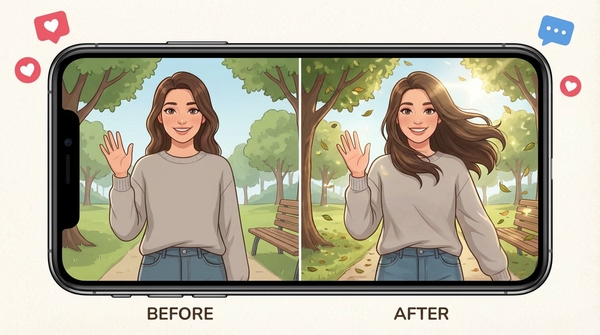
Use the same logos, colors, fonts, imagery, and visual direction across AI-generated images and videos without rebuilding your brand style for every prompt.
Create posts, ads, stories, and campaign assets that look connected across channels, formats, and publishing schedules.
Apply your visual identity to product shots, promotional graphics, launches, and ecommerce content while preserving a consistent look.
Carry the same identity into video concepts, ads, explainers, and social clips so every frame feels like it came from your brand.
Start with a saved Brand Kit instead of repeatedly finding logos, copying color values, uploading assets, or describing your visual style.
Save a separate Brand Kit for each client or project, then select the right identity before creating new campaign assets.
Turn an existing website into a practical brand reference without manually assembling a style guide from scratch.
Import the brand you already have, then update colors, fonts, assets, and guidance as your visual identity evolves.
Why Creators Love Brand Kits
Stop rebuilding your brand style for every generation. Import it once, customize it, and select the same Brand Kit whenever you create.
Website to Brand Kit
Enter a URL and turn the brand elements available on the site into an organized, reusable reference.
Your assets in one place
Keep logos, colors, fonts, imagery, and brand information together instead of searching across folders and pages.
Customizable after import
Review every element and edit the kit so it represents your brand accurately.
Consistent images and videos
Use one visual identity across different formats, tools, campaigns, and generations.
Create faster
Skip repeated uploads, copied color codes, and long brand descriptions when starting a new project.
Update as your brand evolves
Change your Brand Kit whenever your identity changes and use the refreshed version in future creations.
Brand Kit Generator Features
One reusable brand reference, applied consistently across supported image and video tools

Create a Brand Kit from any website
Start with a URL instead of manually gathering every brand element from separate files and pages.

Automatically organize brand elements
Bring available logos, colors, fonts, imagery, and brand details together in one reusable reference.

Fully customizable
Edit imported elements, remove incorrect assets, add missing details, and refine the kit to match your brand.

One reference for images and videos
Use the same Brand Kit across supported creation tools to maintain a more consistent identity between formats.

Save and reuse your brand
Create the kit once, then select it whenever you begin a new image, video, ad, campaign, or social asset.
Update anytime
Refresh logos, colors, fonts, imagery, and guidance as your brand evolves. Future creations can use the latest version of the kit.
Brand Kit Generator FAQ
A Brand Kit is a saved, customizable reference for your visual identity. It can include your logos, colors, fonts, imagery, and brand details. Select it in supported Magic Hour tools to create images and videos that follow a more consistent brand style.
Enter a public website URL and Magic Hour scans the site for available brand elements, such as logos, colors, fonts, imagery, and brand information. We organize what we find into a Brand Kit that you can review and customize before using it.
The Brand Kit Generator does not invent a new identity. It imports and organizes brand elements from the website you provide. You can then use the completed Brand Kit as a reference when generating AI images and videos.
Magic Hour can identify available logos, colors, fonts, imagery, and brand details. Results depend on what is publicly accessible and clearly represented on the website, so you should review the imported kit before using it.
Yes. You can review the imported elements, remove incorrect assets, replace items, and update the colors, fonts, logos, imagery, and brand guidance to better match your identity.
No. A website URL is the fastest way to get started, but you can also choose Set up manually and upload your own logo, product shots, and brand images.
No. A Brand Kit acts as a reusable creative reference, helping generations follow the same visual identity. Individual results will still vary based on the tool, prompt, source assets, and generation settings.
Yes. Brand Kits are designed to help maintain a consistent visual style across supported Magic Hour image and video creation workflows.
Yes. Save separate Brand Kits for different brands, clients, campaigns, or projects, then select the appropriate kit before creating. The number you can save may depend on your plan.
Yes. You can edit the Brand Kit as your identity evolves, including its assets, colors, fonts, imagery, and brand guidance.
Go to the Brand Kits page to create, view, edit, and manage your saved Brand Kits.
You should only import a website and use assets that you own or have permission to use. Some elements may not be available if a site blocks access, loads assets dynamically, or does not clearly expose its brand information.
Magic Hour imports and organizes an existing brand rather than using AI to invent a new one. The completed Brand Kit is built for use with AI image and video creation, helping your generated content stay aligned with your brand.
We Value Your Privacy & Data Security, Always
Commercial use, training, deletion, retention (1 day), and security. Retention:1 day
Commercial use
Subscriptions and credit packs permit commercial use of outputs. Users without either purchase are limited to personal, non-commercial use.
No training
We do not use your uploads or outputs to train our models.
Delete anytime
You can delete your content or account at any time. Deletion removes content from active storage immediately.
Security
Encrypted in transit and at rest. Access is restricted for operations and support.