Vintage Art Wall
- Model
- Nano Banana 2
- Image
- 960 × 1120 px
Prompt
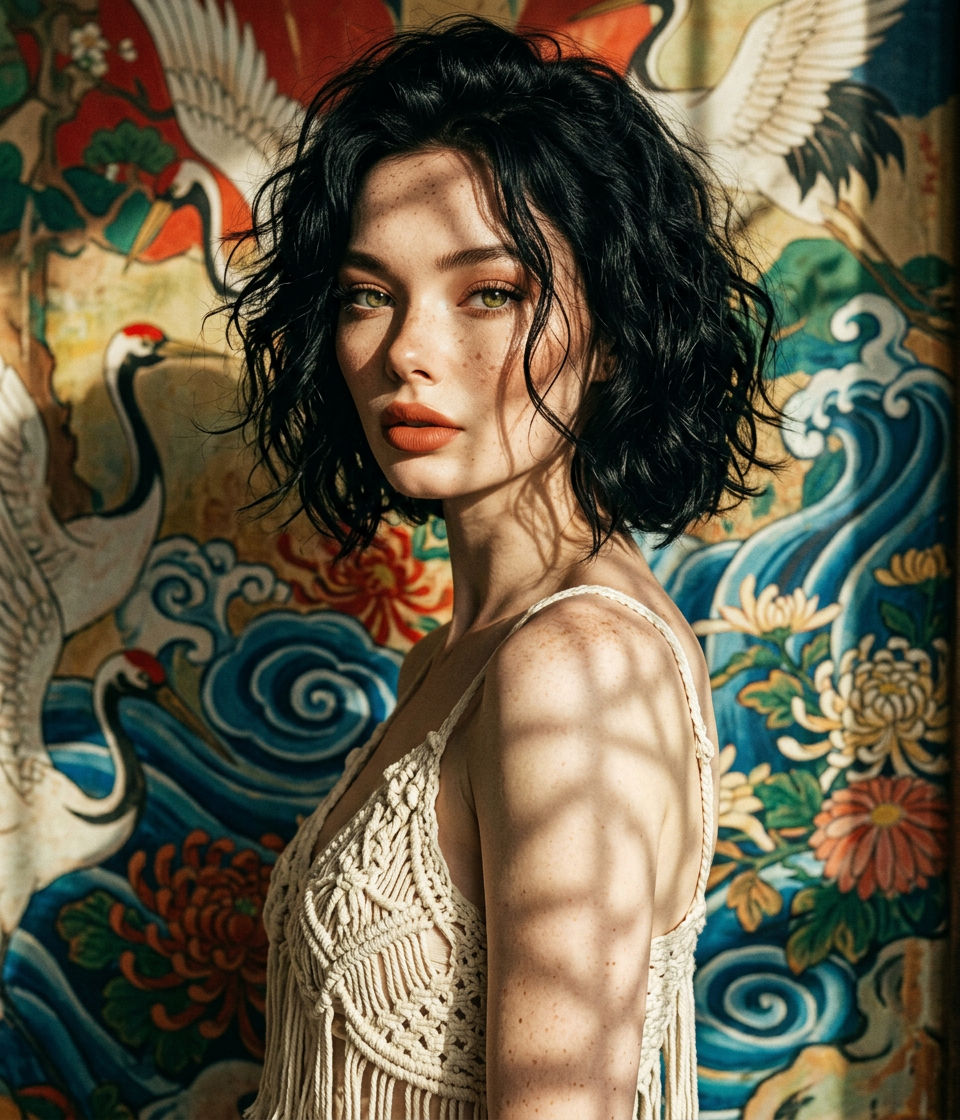
Vintage cinematic close-up portrait of a subject looking directly at the camera. Short wavy black hair in a messy bob, wearing an ivory crochet/macramé camisole top with fringe details. Background is a colorful Japanese-style painted wall with artistic texture. Dramatic harsh lighting creates strong shadow patterns across face, neck, and shoulders, emphasizing mood and depth. Cinematic, high contrast, ultra-detailed, film grain aesthetic, intimate portrait style.
Any aspect ratio
Overview
The Vintage Art Wall template transforms your photos into cinematic masterpieces with a vintage flair. Utilizing the nano-banana-2 model, it brings out the mood and detail reminiscent of older film art.
What It Does
This AI Image Editor template converts ordinary images into vintage-style art pieces. It replicates a high contrast, detailed cinematic look, perfect for artistic or nostalgic projects. The unique combination of lighting and texture really makes your portraits stand out.
It utilizes AI Image Editor technology to emphasize depth with film grain aesthetics, giving a classic touch to modern photographs.
Who It's For
Ideal for photographers and creatives seeking to add a timeless elegance to their work, this template suits anyone looking to create vintage portrait art. It's perfect for those in the art and design industry, or individuals who want to enhance personal photos for prints and wall displays.
Summary
The Vintage Art Wall template is designed to elevate your imagery with a sophisticated, artistic touch. Perfect for adding a cinematic, filmic quality to portraits, this tool is a must for those looking to capture the feeling of classic cinema in their photos. Learn more about related enhancements with the AI Face Editor.
How To
Choose the Vintage Art Wall template

Customize your image

Generate and download

Use Cases
Vintage Portraits for Galleries
- Enhances mood and depth
- Highlights artistic details
- Creates a timeless aesthetic
Decorative Wall Art
- Compliments various interior styles
- Adds personal touch to spaces
- Utilizes dramatic lighting effects
Best Practices
Choose Photos with High Contrast
For the best vintage effect, opt for photos with strong contrast and well-defined features. This will enhance the filmic grain and lighting pattern.Adjust Lighting Thoughtfully
Use dramatic lighting settings to bring emphasis to shadows and highlights, maintaining the cinematic feel.Experiment with Textures
Incorporate backgrounds with detailed textures that complement the vintage aesthetic, enhancing overall depth.