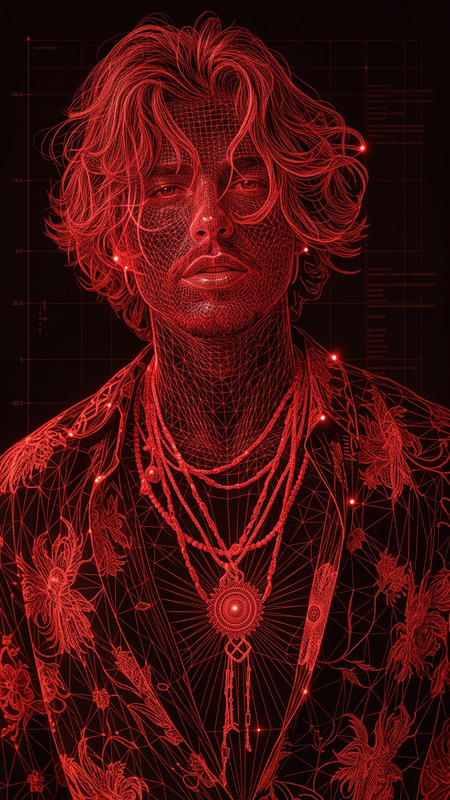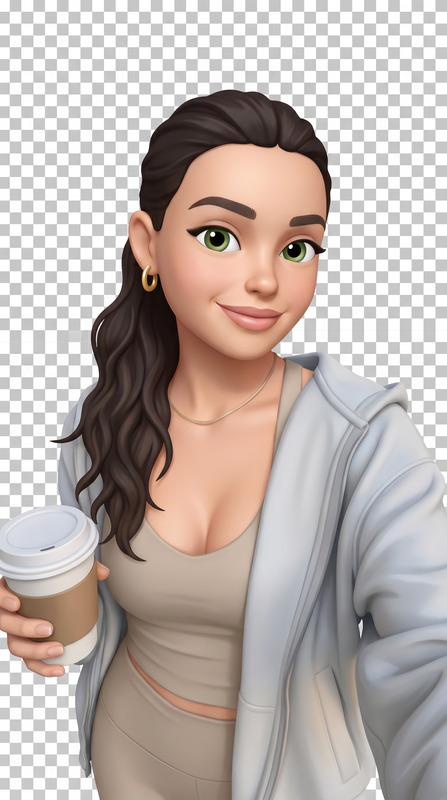
iOS Emoji
- Model
- Nano Banana 2
- Image
- 768 × 1365 px
Prompt
Convert the image into an iOS-style emoji, featuring a clean, rounded design with soft gradients and smooth shading. Simplify the subject into a minimal yet expressive form while preserving key facial features and identity. Use bright, polished colors, subtle highlights, and a friendly, approachable expression typical of Apple-style emojis. Ensure the final result has a centered composition, crisp edges, and a transparent or plain background suitable for use as an emoji.
Any aspect ratio
Overview
Transform your images into delightful iOS-style emojis using our advanced AI Image Editor. The iOS Emoji template offers a unique way to convert photos into clean and expressive emojis, preserving the essence of the original subject while giving it the friendly look characterized by Apple-style designs.
What It Does
This template utilizes the nano-banana-2 model to simplify images into iOS emojis. It maintains key features of the subject with a minimal style that includes soft gradients, smooth shading, and vibrant colors. The final design has crisp edges and a centered composition, making it suitable for digital use on various platforms.
Who It's For
Ideal for designers, content creators, and social media enthusiasts who want to add a modern twist to their imagery. Whether you're personalizing stickers for an app or creating fun content for social media, the iOS Emoji template offers a streamlined approach to achieving consistent, high-quality results.
Summary
With this iOS Emoji template, simplify your creative process and produce professional-grade emojis with minimal effort. Ideal for anyone looking to enhance their projects with digitally crafted iOS-style emojis, its integration with AI Image Generator tools ensures a high-quality output every time.
How To
Choose the Template

Customize Your Input

Generate Your Emoji

Use Cases
Social Media Content
- Create engaging Instagram stories
- Design unique reactions for Facebook
Mobile Applications
- Create virtual stickers
- Develop avatar reactions
Marketing Campaigns
- Design catchy email footers
- Enhance visual appeal of newsletters
Best Practices
Select High-Contrast Images
For the best results, choose images with clear features and strong contrasts to capture key details effectively.Experiment with Settings
Try different settings to get the most expressive and fitting emoji style for your needs.Integrate with Other Tools
Use in conjunction with the AI Image Upscaler to enhance resolution if desired.