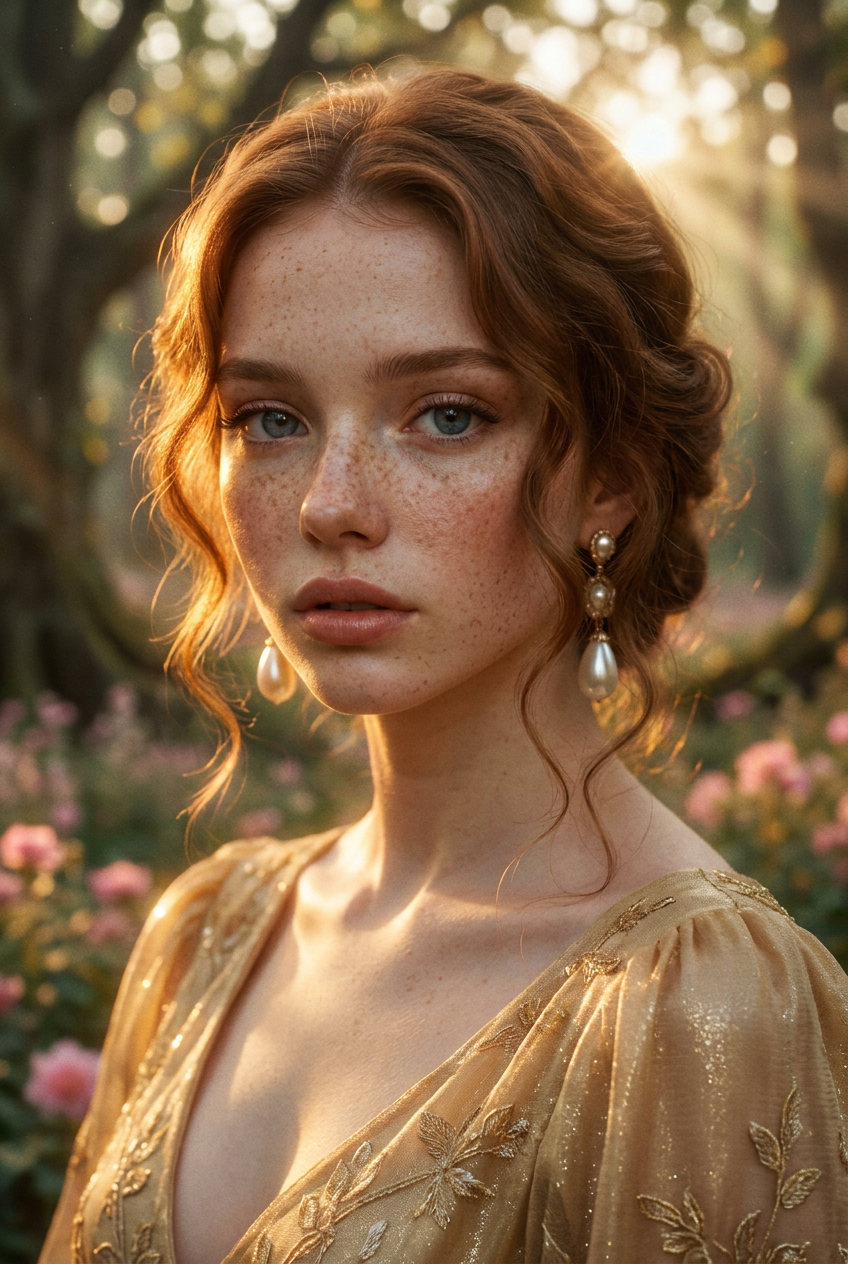
Enchanted Light
- Model
- Nano Banana Pro
- Image
- 848 × 1264 px
Prompt
An ethereal cinematic close-up portrait of an elegant young woman with abundant freckles and wavy reddish-brown hair. Warm golden sunset light grazes her flawless skin, creating soft, glowing highlights. She wears a shimmering golden vintage gown and exquisite pearl earrings. The background is a hazy, mystical forest adorned with blurred pink flowers. The image has a nostalgic film aesthetic with a soft-focus effect and enchanting bokeh, Tyndall effect, dreamy atmosphere, 8k resolution, highly detailed skin texture, shot on 35mm lens.
Any aspect ratio
Overview
The Enchanted Light template offers a captivating way to transform photographs into mesmerizing pieces of art. By leveraging the power of the AI Image Editor, users can apply sophisticated styles and effects to their images, creating a dreamlike aesthetic.
What It Does
This template utilizes the nano-banana-pro model to apply a cinematic style to your images. It enhances photographs with golden sunset lighting, soft-focus, and a mystical atmosphere, bringing out the intricate details in skin texture and environmental effects like the Tyndall effect and bokeh.
Who It's For
The Enchanted Light template is ideal for photographers, designers, and social media creators who wish to infuse their imagery with an ethereal and nostalgic touch. It's perfect for those looking to create captivating portraits with a vintage, film-inspired look.
Summary
Embrace your creativity with the Enchanted Light template, part of the powerful AI Image Editor. This tool is crafted to facilitate unique styles, providing flexibility for various creative needs and delivering high-resolution images with striking stylistic enhancements.
How To
Choose Your Template

Customize Your Inputs

Generate and Download

Use Cases
Portrait Photography
- Add depth and emotion to shots
- Achieve a nostalgic film aesthetic
- Create a soft-focus dreamy atmosphere
Social Media Content
- Attract more engagement with striking images
- Craft a consistent and beautiful feed aesthetic
- Stand out with creative photography
Best Practices
Choose High-Quality Photos
For the best results, use high-resolution images to capture all details effectively during processing.Fine-Tune Prompt Details
Small tweaks to the prompt can significantly affect the final outcome, especially in lighting and focus adjustments.Experiment with Styles
Try multiple iterations with varied settings to explore different effects and find your perfect style.