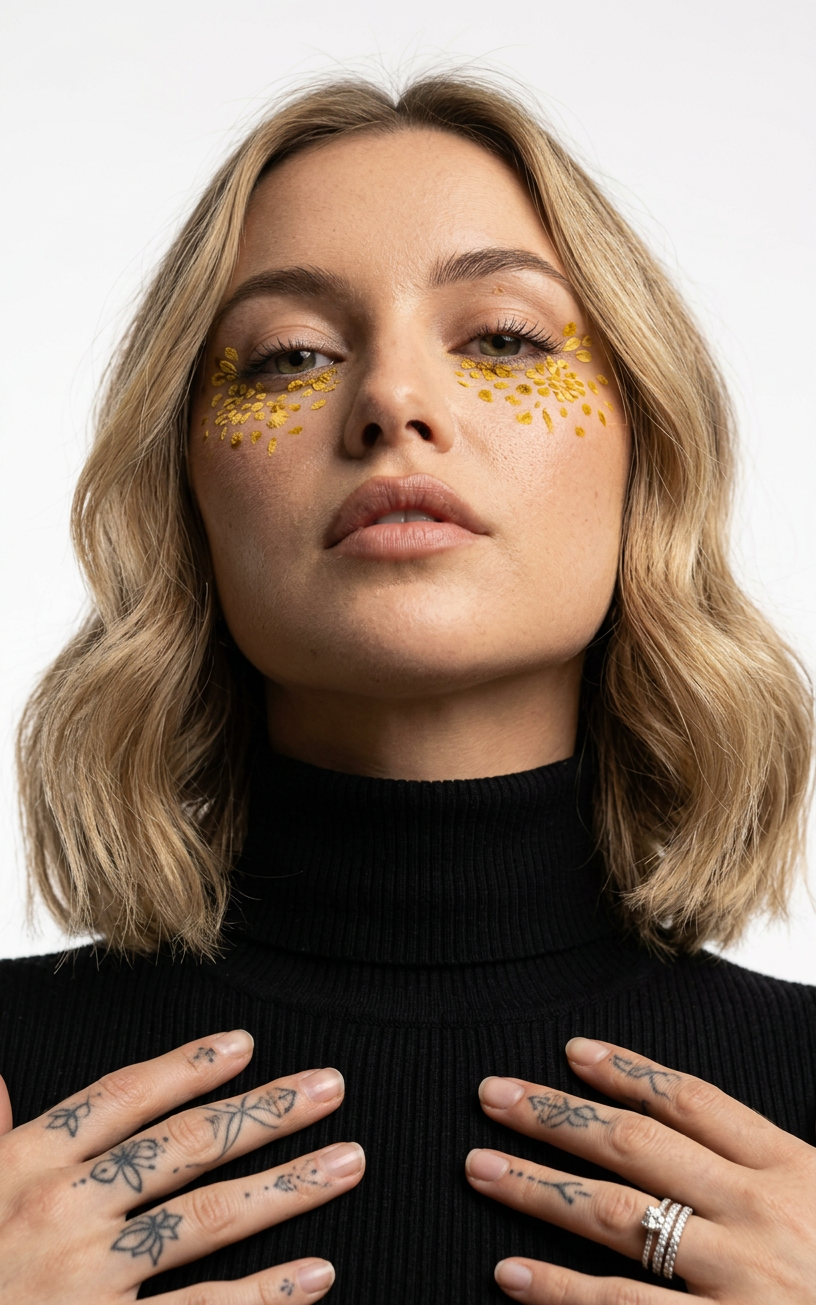
Hayley Patch Flower
- Model
- Nano Banana 2
- Image
- 816 × 1305 px
Prompt
A photorealistic studio portrait from a low angle: the subject, wearing a black turtleneck, looks down at the camera, maintaining the exact appearance of the original image. Dense yellow spots under the eyes resemble chrysanthemums; hands with tattoos and diamond rings are visible at the bottom of the frame, soft lighting, and a seamless white background.
Any aspect ratio
Overview
The Hayley Patch Flower template is a powerful tool for creating stunning portrait modifications using the nano-banana-2 model. With its focus on maintaining photorealism, it allows users to apply stylistic enhancements to portraits effortlessly, adding unique elements such as chrysanthemum-like spots under the eyes.
What It Does
This AI Image Editor template transforms your portrait photos by integrating creative elements while preserving the subject's original appearance. The tool overlays dense, floral patterns beneath the eyes and showcases intricate details like tattoos and diamond rings on the hands.
Who It's For
This template is ideal for photographers and designers who work with portraits and are interested in exploring artistic alterations that maintain realism. It's also perfect for users of the AI Face Editor looking to expand their creative toolkit with detailed image modifications.
Summary
By utilizing the Hayley Patch Flower template, creatives can enhance their portraits with unique, high-impact features that remain true to the original image quality. For additional portrait transformation features, consider exploring the Face Swap products available on Magic Hour.
How-To

Customize Your Inputs

Generate the Final Image

Use Cases
Artistic Portraits
Editorial Photography
Social Media Content
Best Practices
Maintain the Original Composition
Ensure the subject's original pose and expression are preserved to keep the photorealistic quality intact.Optimize Lighting
Leverage the soft lighting feature to enhance the subject and background for a harmonious look.Experiment with Aesthetics
Try different placements of the floral elements for unique visual outcomes.