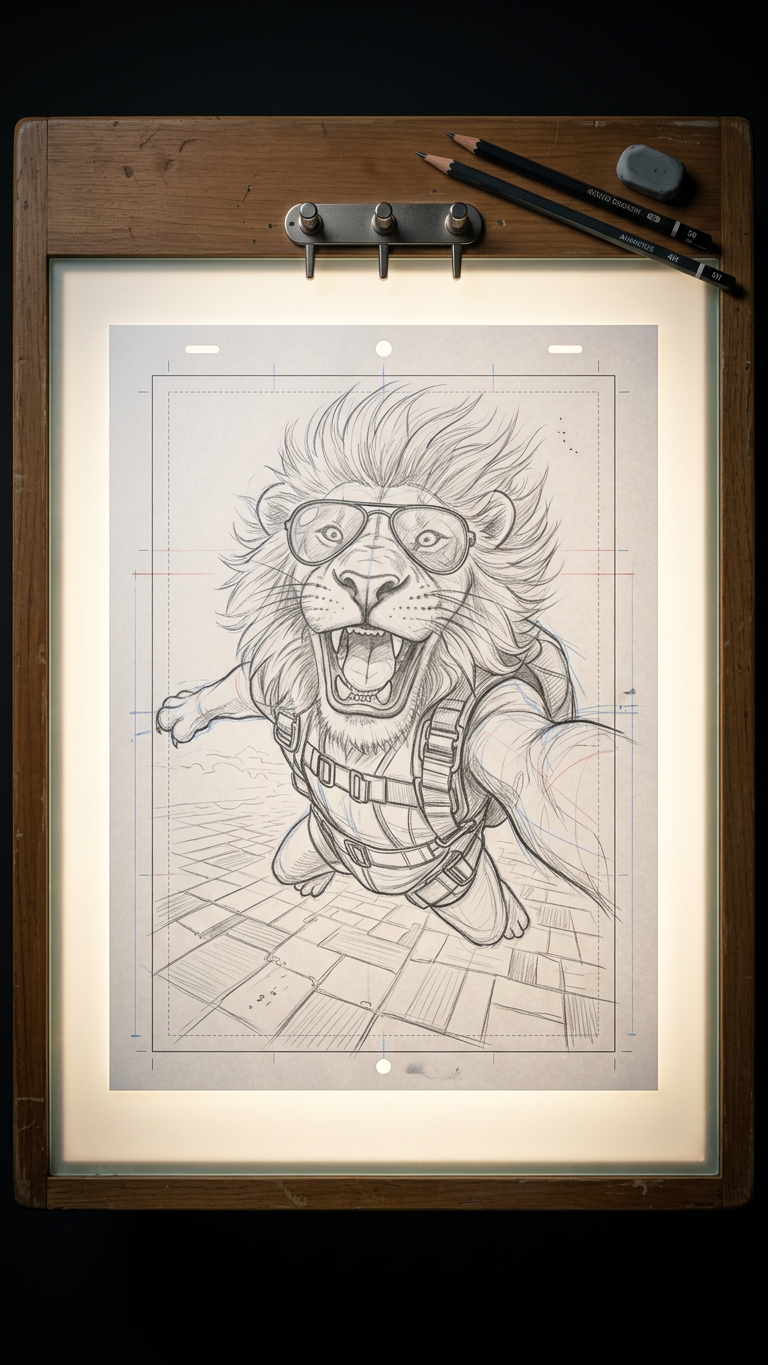
Animator’s Light Table Study
- Model
- Nano Banana 2
- Image
- 768 × 1365 px
Prompt
Photorealistic top-down close-up of a professional animation light table in a dim studio, emitting a soft white glow through glass. A centered sheet of animation paper features a detailed pencil sketch of {subject}, drawn with clean, confident lines, including rough construction marks, guidelines, eraser traces, and visible graphite texture. Subtle rim lighting highlights paper edges and strokes, with realistic light diffusion and gentle bloom. Warm wooden frame surrounds the table, with scattered animation pegs and a few pencils nearby. Cinematic, focused atmosphere, ultra-detailed, high-end animation production still.
Any aspect ratio
Overview
The Animator’s Light Table Study template utilizes the AI Image Editor with the advanced nano-banana-2 model to enhance your animation storytelling. This template is specifically crafted to produce rich, photorealistic depictions of an animation light table scene, ideal for animators seeking detailed and atmospheric visuals.
What It Does
This template brings your animation workspace to life by rendering a photorealistic image of a light table, complete with detailed sketches and atmospheric lighting. As a user, you can focus on the creation and refinement of character concepts without getting drawn into lengthy setup processes. Enhance the feel of your animations and projects by ensuring every detail, from the soft glow to the graphite texture, is perfectly represented.
Who It's For
The Animator’s Light Table Study is perfect for professional animators and visual storytellers who need a realistic backdrop to showcase their work. It's also a great tool for animation students learning about industry-standard practices or for creative professionals developing pitches and presentations that require high-quality visual aids.
Summary
Leverage this template to transform your animation concept into a captivating visual with a high level of detail and realism. By incorporating this realistic light table study into your work, whether for storyboarding or VFX previs, you can enhance the professional appeal of your production materials, making them suitable for diverse applications.
How To
Choose Template

Customize Input

Generate Image

Use Cases
Storyboarding
- High-fidelity visual drafts for client pitches
- Detailed sketch overlays for creative briefs
VFX Previsualization
- Enhance realism in preproduction visuals
- Plan lighting and composition efficiently
Educational Projects
- Demonstrate light and texture techniques
- Enhance lesson plans with realistic examples
Best Practices
Focus on Detail
Ensure your subject matter is clearly defined to leverage the high level of detail rendered by this template.Incorporate Custom Guidelines
Adding custom construction lines can enhance the realism and educational value of your outputs.Balance Lighting
Adjust your lighting description to achieve a cinematic effect with soft glows and highlights, maximizing visual impact.