Chalkboard Mural Hancock
- Model
- Nano Banana 2
- Image
- 1200 × 896 px
Prompt
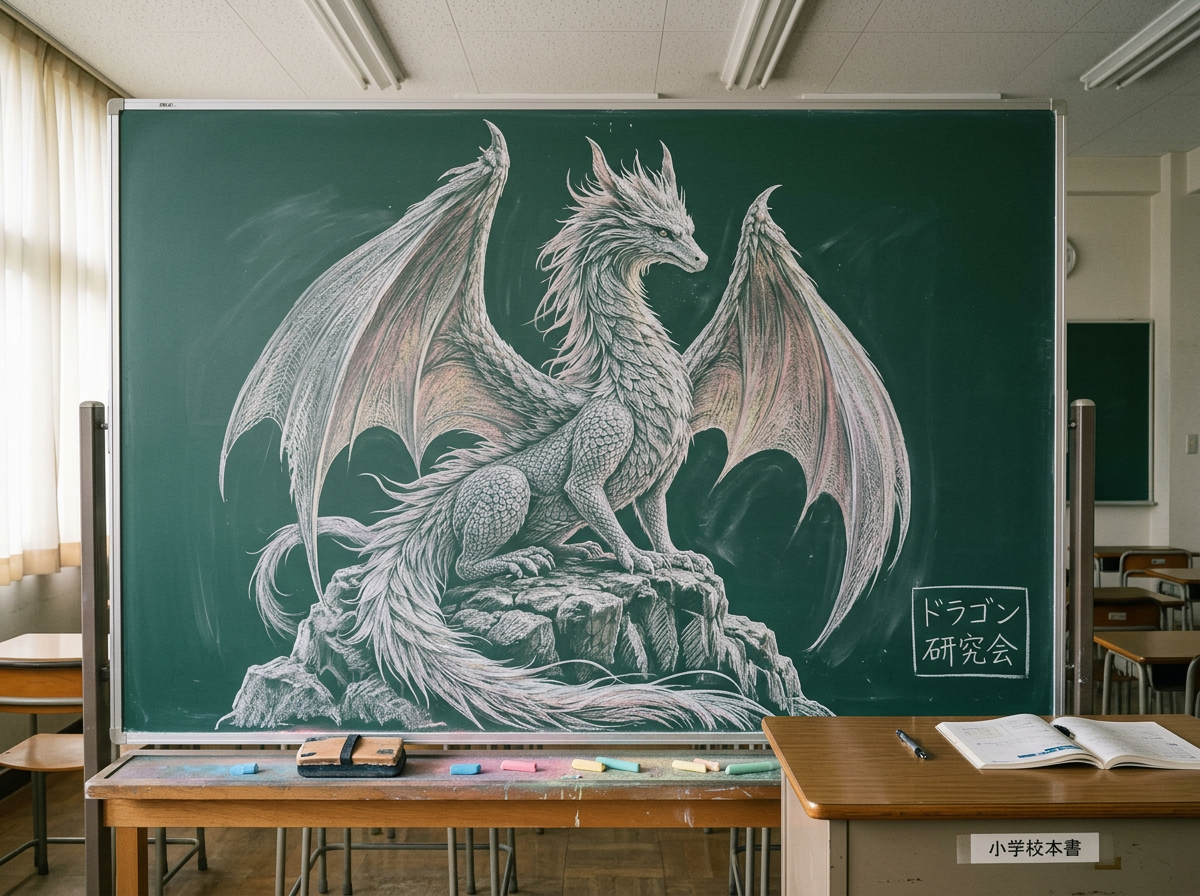
Large-scale chalk drawing of subject on a green classroom blackboard in a commanding centered pose, detailed chalk texture with visible hatching and dusty matte finish. Japanese classroom setting with wooden teacher’s desk, scattered colored chalks, quiet empty room atmosphere. Medium centered shot emphasizing scale. Soft diffuse classroom lighting from fluorescents and window daylight, even illumination, documentary realism, 4:3 composition, ultra-detailed.
Any aspect ratio
Overview
The Chalkboard Mural Hancock template leverages the nano-banana-2 model to create hyper-realistic chalk drawings on virtual blackboards. Designed with an educational setting in mind, this template provides a unique aesthetic perfect for showcasing artistic talents or enhancing visual learning materials. The result captures the essence of a chalk-dusted, detailed mural situated in a Japanese classroom ambiance.
What It Does
This template transforms your subject into a chalk art masterpiece drawn on a green classroom blackboard. It incorporates high-fidelity details like hatching lines and a dusty matte finish that mimic real chalk textures. The setting includes familiar elements such as a wooden teacher's desk and scattered colored chalks, creating a serene, empty classroom atmosphere. For those interested in merging art with educational content, this template provides a visually captivating medium.
Who It's For
The Chalkboard Mural Hancock template is ideal for educators looking to enrich their teaching materials with stunning visuals, artists interested in digital mural creation, and content creators seeking to integrate art and learning. Whether you are a teacher, artist, or educational content developer, this tool allows you to convey complex ideas or showcase artwork in a engaging manner.
Summary
Utilizing the AI Image Editor, the Chalkboard Mural Hancock template brings a chalkboard mural to life with remarkable detail. Featuring a commanding centered pose and ultra-detailed artistry, it is a unique tool for educators and creators. The soft, diffused classroom lighting and realistic documentary style offer an inviting canvas for educational and artistic expression.
How to Use
Choose Your Template

Customize Your Content

Generate Your Mural

Use Cases
Educational Content
- Create engaging lesson headers or subject introductions.
- Visualize complex concepts through illustrative murals.
Artistic Expression
- Showcase personal work or experiment with new styles.
- Design unique, themed artworks for exhibitions.
Marketing and Promotions
- Develop standout promotional content for educational services.
- Create eye-catching social media posts with an artistic edge.
Best Practices
Select High-Quality Images
Use high-resolution images to ensure the details and textures appear crisp and authentic when rendered as chalk art.Refine Your Prompts
Customize the initial prompt to fit the specific setting or atmosphere you want to create, whether by adjusting colors or lighting details.Consider Classroom Lighting
Keep the lighting setup in mind as it impacts the overall realism and ambiance of the chalk drawing created.