Cinematic Dev Board – The Near Miss
- Model
- Nano Banana 2
- Image
- 1408 × 768 px
Prompt
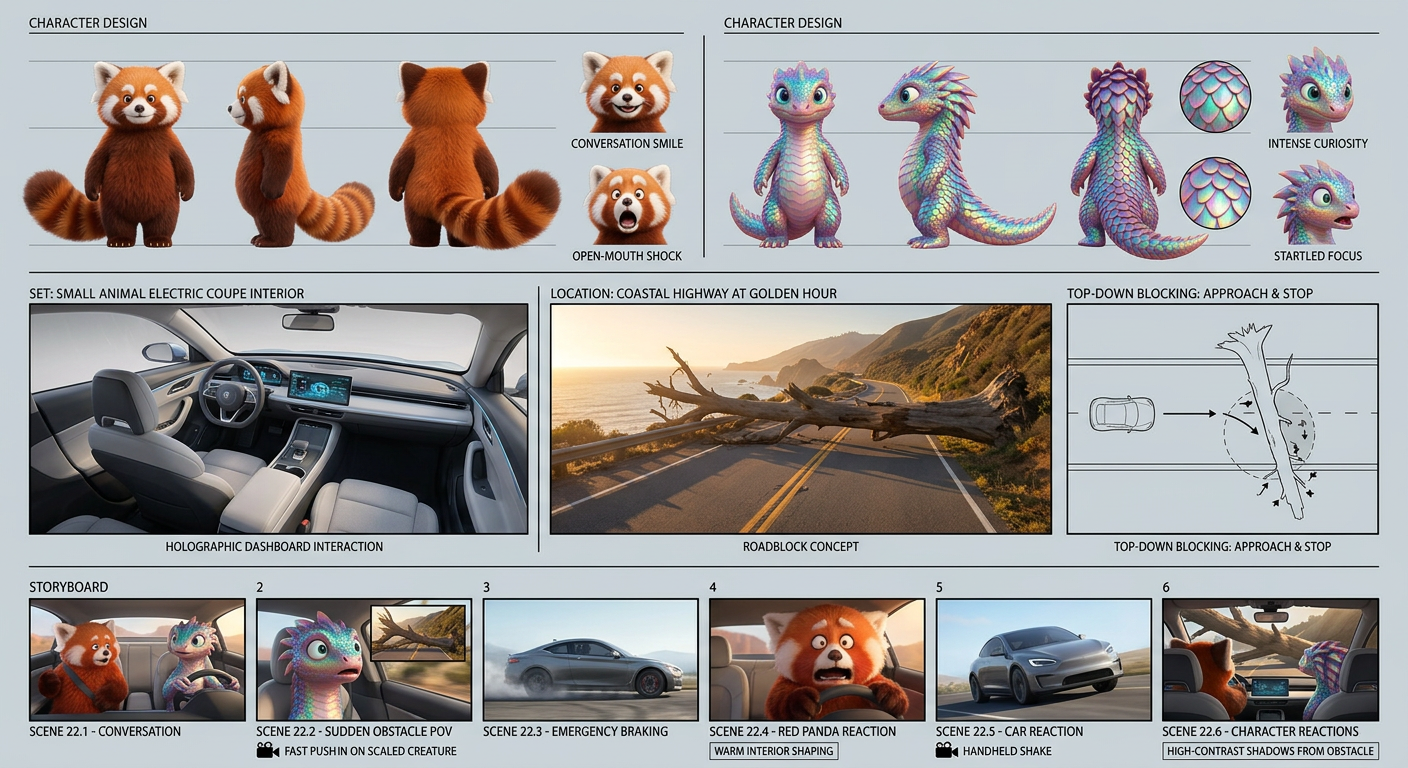
A professional cinematic visual development board for a high-end 3D animated feature film, presented on a clean light-grey editorial layout with organized grid panels. The board features two subjects: a fluffy red subject with orange-brown fur, white facial markings, and a bushy ringed tail; and a vibrant subject with iridescent multi-colored scales. Top section: character design sheets with orthographic turnarounds (front, side, back) and facial expression studies (conversation, shock). Middle section: environment and set design, including a stylized modern electric car interior for small animals with a holographic dashboard, plus a coastal highway at golden hour with a fallen tree blocking the road, and a top-down blocking diagram. Bottom section: storyboard sequence showing driving conversation, sudden obstacle POV, braking action, car reaction, and character reactions. Includes camera motion diagrams (fast push-in, handheld shake) and lighting notes (warm interior shifting to high-contrast cinematic shadows). Pixar-inspired 3D animation style, ultra-detailed, 8K resolution, ray-traced reflections, motion blur, clean layout with black divider lines and elegant minimal labels.
Any aspect ratio
Overview
Explore a new horizon in cinematic storytelling with the Cinematic Dev Board – The Near Miss. Crafted using advanced AI technologies, this template offers a comprehensive layout to bring your high-end 3D animated features to life. Designed for creators who aim to captivate audiences with bold visual narratives, this template is seamlessly integrated within the AI Image Editor environment, employing the sophisticated nano-banana-2 model.
What It Does
This template provides a structured yet detailed image editing framework for creating a professional cinematic visual development board. It includes comprehensive resources such as character design sheets and environmental layouts. The template features two distinct subjects, designed to showcase both character dynamics and environmental storytelling, incorporating ultra-detailed, Pixar-inspired 3D animation style.
The layout is divided into sections that include character design sheets, environment and set design, and storyboard sequences, all presented in 8K resolution with ray-traced reflections for added realism.
Who It's For
The template is designed for animation studios, storyboard artists, visual development teams, and content creators who want to leverage AI technology to produce high-quality, detailed storyboards and development boards. Whether you're producing a feature-length animation or developing intricate visual narratives, the AI Video Generator is an invaluable tool for enhancing your workflow.
Summary
With the Cinematic Dev Board – The Near Miss, dive into the development of expressive and engaging visual narratives. From character studies to environment designs, this template ensures you can craft cohesive and compelling presentations. Access cutting-edge AI tools like the AI Clothes Changer to complement your creative endeavors.
How to
Choose

Customize

Generate

Use Cases
Animated Feature Film Development
- Character development and turnarounds
- Environments and setting design
- Storyboard and action sequences
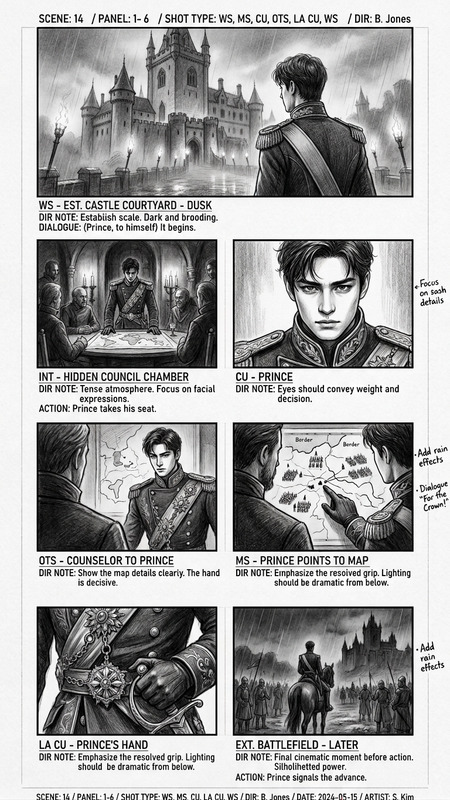
Storyboard Presentation
- Cinematic layout alignment
- Camera motion and lighting notes
- High-impact visual storytelling
Concept Art Enhancement
- Detailed visual consistency
- Integration with existing project files
- Ray-traced and motion blur options
Best Practices
Define Your Subjects Clearly
Ensure that the characters and environment are clearly described in the prompts to maximize the template's capabilities in rendering ultra-detailed visuals.Utilize High-Resolution Outputs
Select the highest resolution settings available for a more engaging and visually stunning presentation, ensuring details stand out.Incorporate Lighting and Motion Elements
Use the template's lighting notes and camera motion diagrams to add dynamic effects, making your storyboard sequences more impactful.