Whimsical Neon Character Tee
- Model
- Nano Banana 2
- Image
- 843 × 1264 px
Prompt
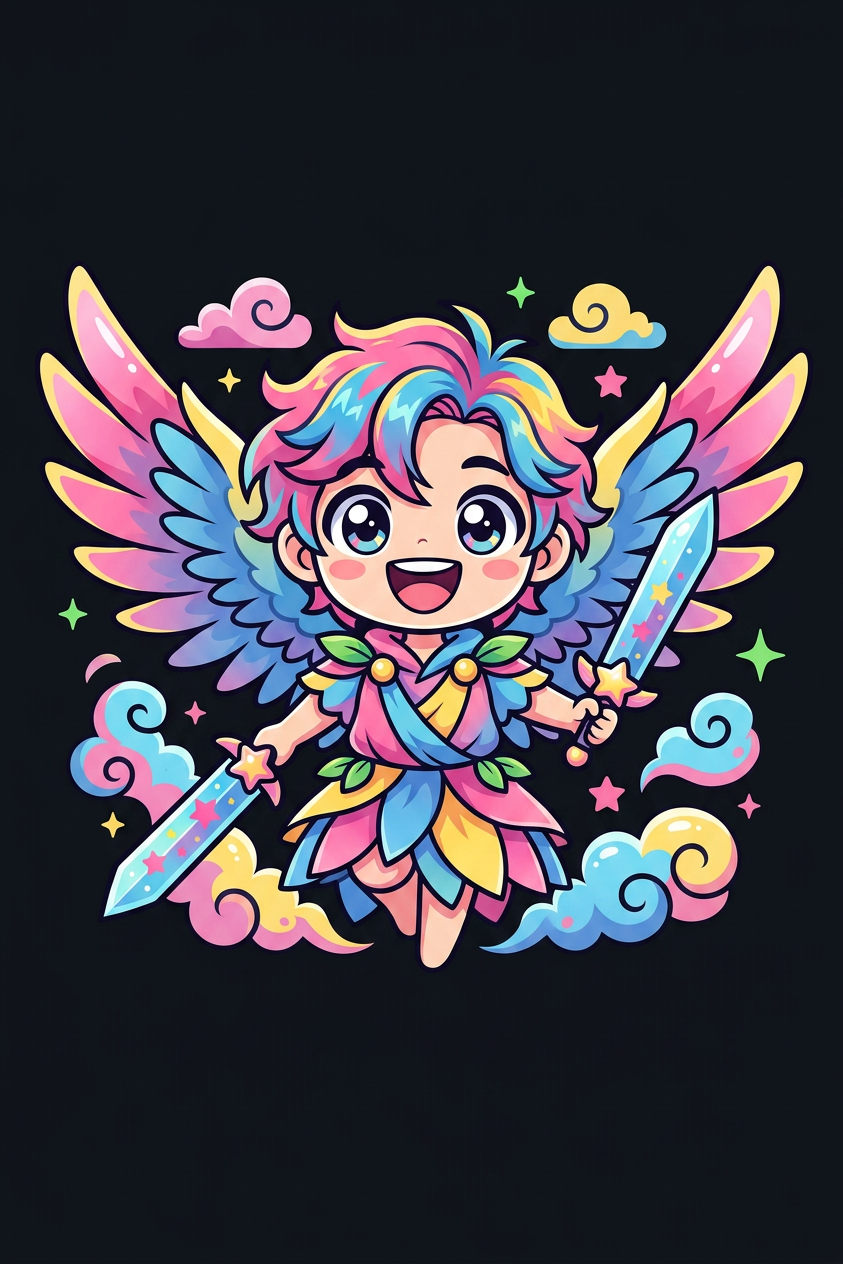
Subject depicts adorable vector illustration of a whimsical character designed for a t-shirt, using vibrant pink, blue, yellow, and green hues against a sleek black background. Style is clean and bold with slight glossy highlights, emphasizing expressive eyes and a joyful, playful mood.
Any aspect ratio
Overview
The Whimsical Neon Character Tee template in our AI Image Editor suite offers a unique tool for creating vibrant, playful graphics perfect for t-shirt designs. This template leverages the nano-banana-2 model to produce adorable vector illustrations that stand out with their vibrant hues and bold style.
What It Does
Designed for fashion creatives, this template enables you to craft eye-catching t-shirt designs with a whimsical neon flair. By applying a mix of vibrant pink, blue, yellow, and green colors against a black backdrop, it highlights the subject's expressive eyes and playful mood. This ensures your fashion designs are not just wearable, but also memorable.
Who It's For
This tool is ideal for fashion designers, digital artists, and content creators looking to infuse their projects with vibrant and whimsical character illustrations. Whether you're a boutique looking to expand your range or a social media influencer showcasing customized attire, the AI Product Photography tools complement this template to elevate your visual content.
Summary
The Whimsical Neon Character Tee template is a perfect choice for those seeking to blend artistic creativity with practical fashion design applications. Utilize this in conjunction with the AI Clothes Changer to experiment with various garment styles and colors. Its user-friendly interface allows for rapid customization, making it a versatile tool in your design toolkit.
How to Use
Choose Template

Customize Design

Generate and Download

Use Cases
Fashion Design
- Boutique collections
- Personalized clothing lines
Content Creation
- Social media posts
- Marketing materials
Custom Merchandise
- Corporate giveaways
- Event-specific themes
Best Practices
Use High-Contrast Colors
Opt for colors that pop against the black background to enhance visibility and impact.Focus on Expressive Features
Emphasize the character's eyes and joyful mood to make your designs more engaging.Test with Different Characters
Experiment with different character designs to see what best aligns with your brand's aesthetic.