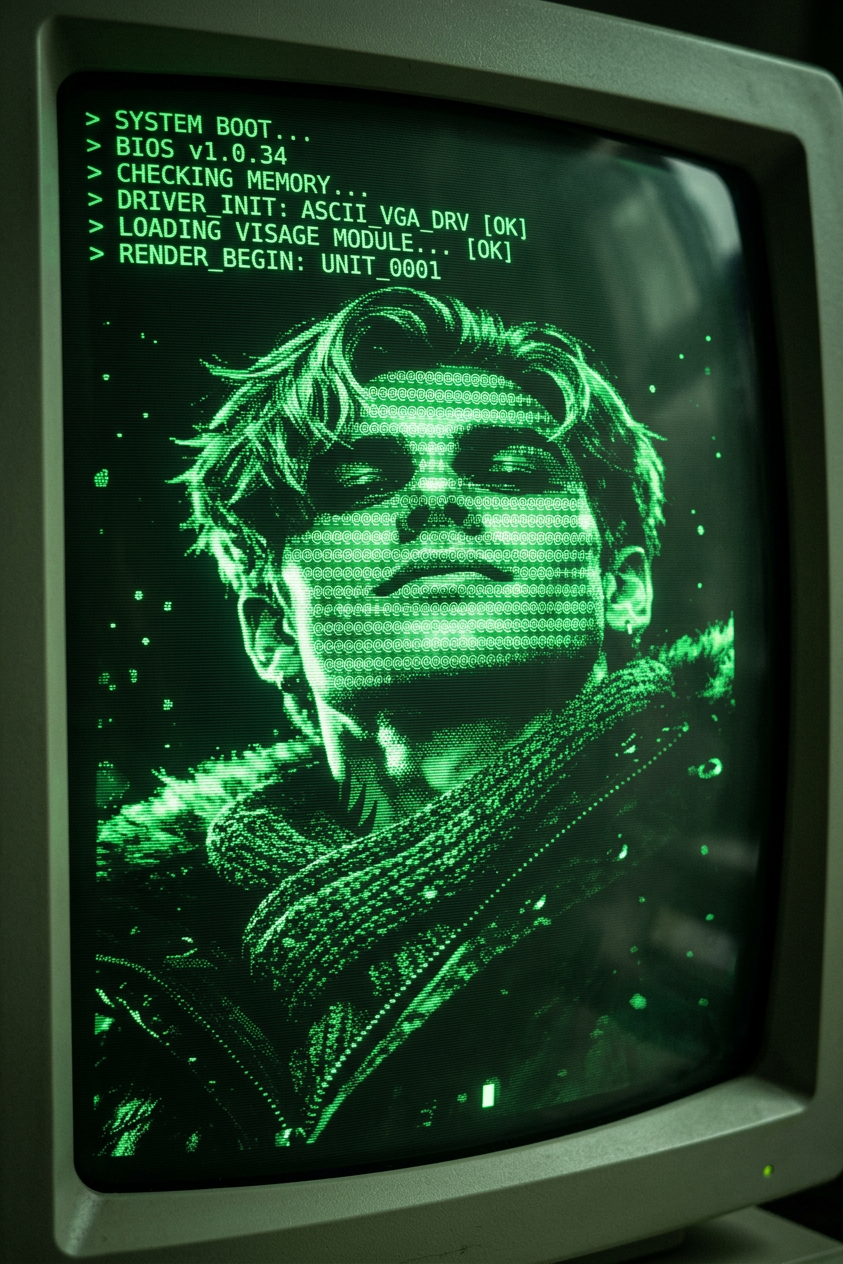
CRT ASCII Boot Screen
- Model
- Nano Banana 2
- Image
- 843 × 1264 px
Prompt
A retro CRT computer boot screen flickers to life with scanlines, phosphor glow, and subtle screen curvature. Terminal text rapidly scrolls as the system initializes, then stabilizes and resolves into detailed ASCII art forming. Dark background, monochrome or green/amber text, slight noise, screen burn-in, and authentic vintage computer aesthetics.
Any aspect ratio
Overview
The CRT ASCII Boot Screen is an innovative template using the AI Image Editor built on the nano-banana-2 model. It transforms your video intros into retro tech masterpieces with classic computer aesthetics. This template captures the essence of old-school computer boot screens, featuring scanlines, phosphor glow, and ASCII art.
What It Does
This template recreates the ambiance of a retro CRT computer boot screen for your video projects. It includes features such as terminal text scrolling, ASCII art rendering, and effects like screen curvature and noise. The result is a captivating visual that appeals to nostalgia for vintage technology. Explore more with our AI GIF Generator to create animated elements with similar vibes.
Who It's For
This template is perfect for content creators, filmmakers, and animators who want to infuse a distinctive retro flair into their projects. If you're working on video intros, tech-themed videos, or any creative projects that benefit from a vintage touch, this is an ideal choice. Consider integrating with the AI Video Generator for producing full-length retro-themed videos.
Summary
The CRT ASCII Boot Screen template offers a unique way to create engaging video intros with a retro aesthetic. By leveraging advanced AI capabilities, it allows you to effortlessly recreate the look and feel of a vintage computer booting up. This tool is part of an extensive suite designed to elevate your creative projects beyond standard visuals.
How-To
Choose the Template

Customize Your Inputs

Generate and Download

Use Cases
Retro Tech Video Intros
- Evokes nostalgia for vintage computing
- Creates engaging visual hooks
Classic Vibe Film Projects
- Authentic feel for period films
- Enhances thematic storytelling
Educational Technology Content
- Visual demonstrations of tech evolution
- Captivating way to introduce tech topics
Best Practices
Choose Appropriate Color Schemes
Stick to monochrome or green/amber text to maintain the vintage look associated with old CRT monitors.Incorporate Subtle Details
Enhance authenticity by adding screen noise and slight burn-in effects to mimic real CRT wear and tear.Blend with Modern Elements
Consider combining retro screen frames with contemporary music or voiceovers for a unique contrast.