8-Bit Bay – Pixel San Francisco
- Model
- Nano Banana 2
- Image
- 843 × 1264 px
Prompt
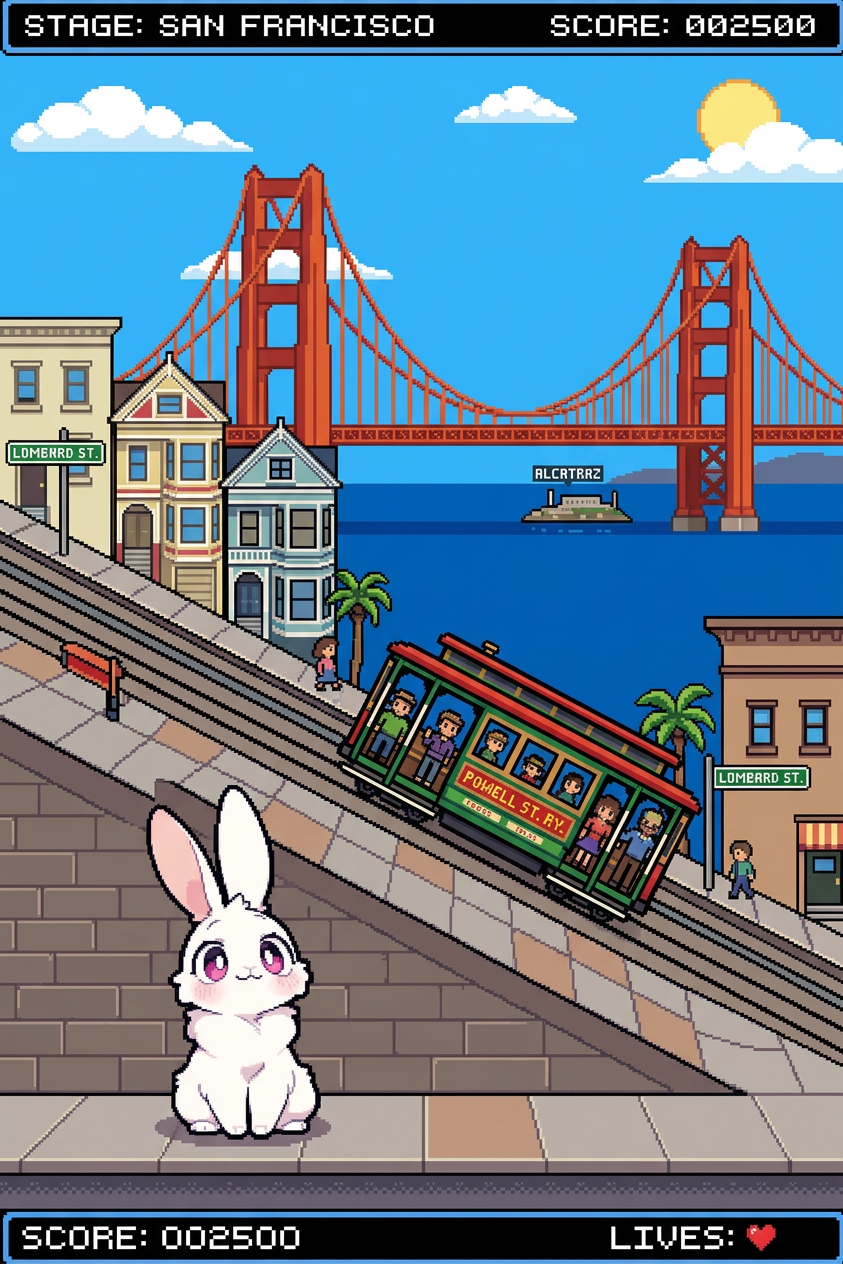
An 8-bit pixel art scene of a subject in San Francisco, featuring iconic elements like steep streets, cable cars, and the Golden Gate Bridge in the background. Retro game aesthetic with blocky pixels, limited color palette, and simplified geometric shapes. Bright, vibrant tones with a nostalgic arcade feel, side-scrolling or isometric composition, clean pixel detailing.
Any aspect ratio
Overview
Explore the iconic city of San Francisco through the lens of retro gaming with our 8-Bit Bay – Pixel San Francisco template. This AI Image Editor brings the city's steep streets, cable cars, and the Golden Gate Bridge into a vibrant, arcade-style universe. Ideal for anyone looking to recreate the nostalgic aesthetic of retro games.
What It Does
This template transforms your chosen subject into an 8-bit pixel art scene set against the backdrop of San Francisco. With nano-banana-2 technology, it replicates the charm of classic video games, using a side-scrolling or isometric composition. The limited color palette and simplified geometric shapes enhance the authenticity of your digital artwork.
Who It's For
The 8-Bit Bay – Pixel San Francisco template is perfect for game developers, digital artists, and marketers who want to create pixel art for games, marketing materials, or personal projects. It's also ideal for educators and illustrators aiming to engage students with iconic visual storytelling elements.
Summary
Bring San Francisco's iconic landmarks to life with the charm of 8-bit art. This template offers a unique way to create pixel art scenes using the AI Clothes Changer and Image to Video for seamless integration into various multimedia formats.
How to Use
Choose the Template

Customize Your Scene

Generate Your Pixel Art

Use Cases
Game Design
- Arcade-style video games
- Side-scrolling adventures
- Isometric games
Marketing Materials
- Social media campaigns
- Event flyers
- Branding visuals
Educational Content
- Art history lessons
- Digital art workshops
- Creative storytelling
Best Practices
Focus on Composition
Choose between side-scrolling or isometric views to create depth and interest in your scenes.Emphasize Iconic Elements
Incorporate recognizable San Francisco landmarks to enhance the authenticity of the pixel art.Choose the Right Palette
Use a limited color palette to maintain the retro aesthetic, while ensuring the colors are vibrant and clear.