Holding Camera

Holding Camera

ai-image-editor

1 clip
4 uses

Any aspect ratio

Prompt

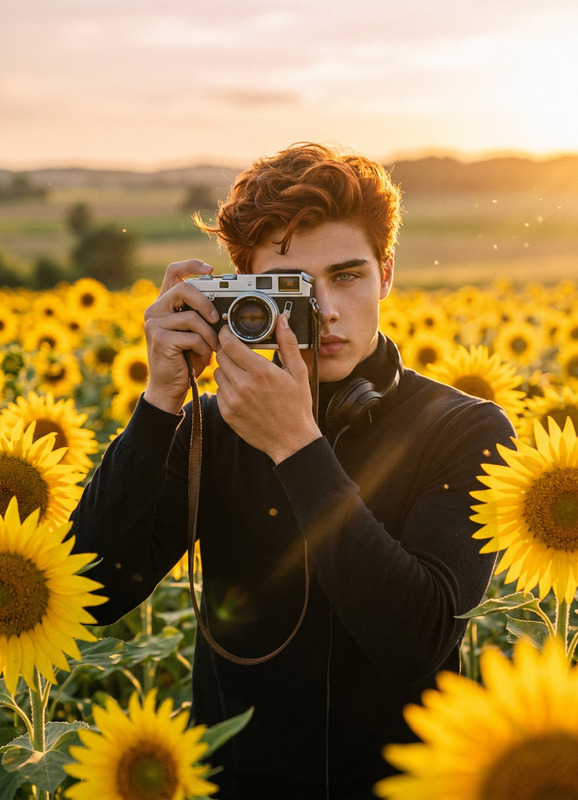
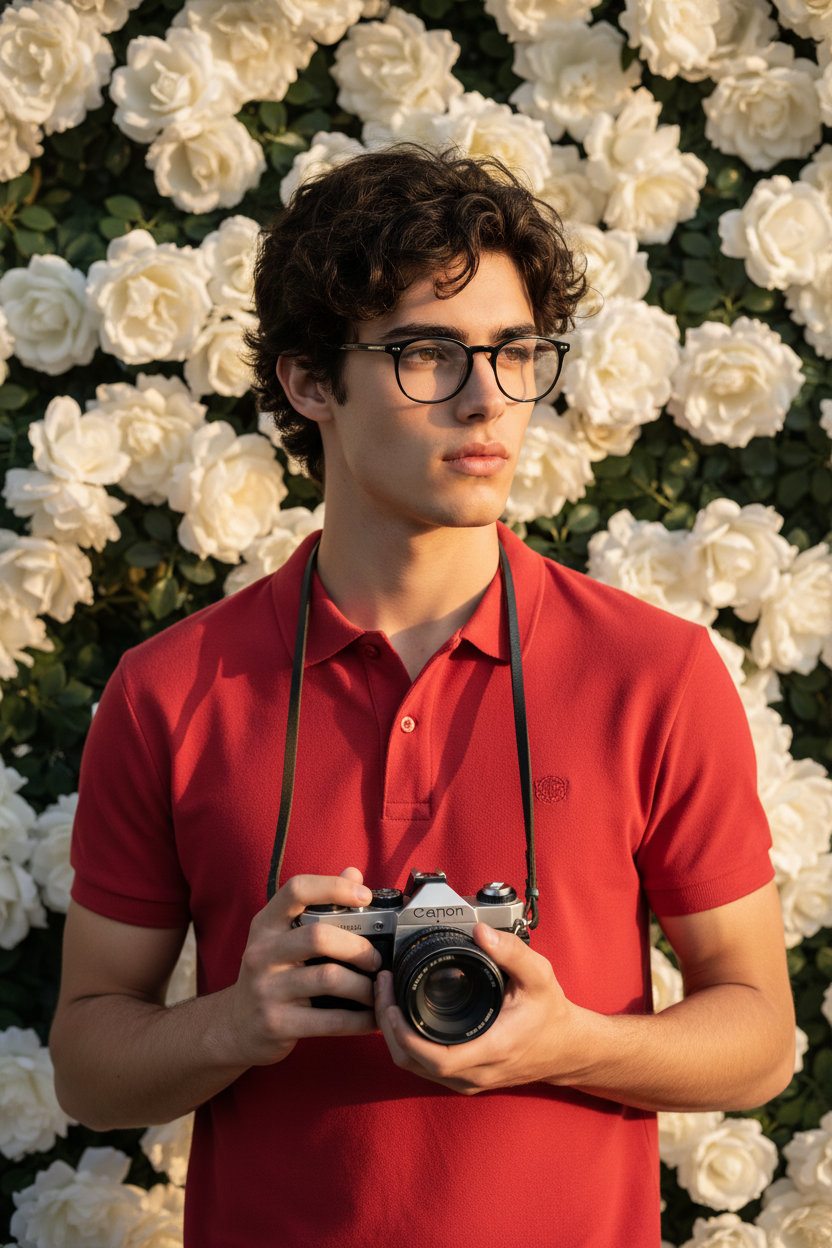
Subject holding a vintage silver Canon film camera with a shoulder strap, wearing a red polo shirt and black glasses, standing in front of a wall of blooming white roses. Young male photographer, natural pose, centered composition. Warm golden hour lighting with soft highlights and shadows, dreamy bokeh background, shallow depth of field, 85mm lens, f/1.8, sharp facial details, natural skin tones, editorial fashion photography style, soft sunlight glow, high resolution, 4K, professional portrait.

Realistic AI Image Editing Template

Transform any photo into a polished, on‑brand visual in minutes with this AI Image Editor–powered template. Use it to clean up product shots, create marketing visuals, fix portraits, or rapidly prototype design ideas—without needing Photoshop skills.

This template is built on the AI Image Editor, so you can directly edit, enhance, and restyle existing images using natural language instructions.


What this template is best for

Use this template when you need to:

  • Edit or fix existing photos

    • Remove unwanted objects or people
    • Clean up backgrounds
    • Correct lighting and small visual issues
  • Create on-brand marketing visuals

    • Turn rough photos into social‑ready creatives
    • Match a specific brand style, color palette, or aesthetic
    • Generate variants for A/B tests quickly
  • Improve portraits & headshots

    • Subtle retouching, lighting, and background improvements
    • Turn casual photos into professional headshots using
      AI Headshot Generator alongside the editor
  • Rapid design exploration

    • Visualize different layouts, styles, or themes
    • Prototype concepts for landing pages, ads, or pitch decks
    • Generate multiple options for clients or stakeholders

If you want to go beyond static images, you can combine this with:


How to remix this template in Magic Hour

You can create your own version of this template in a few steps:

  1. Start from this template

    • Click Remix (or duplicate) in Magic Hour to create your own editable version.
    • Upload a base image (product photo, portrait, scene, etc.).
  2. Define a clear editing workflow in the prompt

    • Break your instructions into logical steps (e.g., “clean up background”, “adjust colors”, “add text overlay”).
    • Be explicit about what should stay untouched vs. what can change.
    • Example structure:
      • “Keep the subject’s face and pose the same.”
      • “Replace the background with a soft gradient in [brand colors].”
      • “Increase contrast slightly; keep skin tones natural.”
  3. Lock in your brand or visual style

    • Describe style attributes: “minimalist, high contrast, soft shadows, lots of negative space”.
    • Reference known styles: “Apple‑style product photo”, “editorial magazine look”, “cinematic teal‑and‑orange grading”.
    • If you use the AI Image Generator or
      AI Photo Generator elsewhere, copy successful style language into this template.
  4. Add reusable “slots” for users

    • Design your instructions so others can plug in their own:
      • Subject: “Replace the product with the user’s upload.”
      • Background: “Use a background that matches the user’s brand colors.”
    • This makes your template flexible for creators, agencies, and teams.
  5. Chain it with other Magic Hour tools (optional)

  6. Test with edge‑case images

    • Try: busy backgrounds, low‑light photos, multiple people, complex products.
    • Adjust your instructions so results remain consistent across these cases.

Suggested prompt structure for this template

When you remix this template, structure your prompt so it’s readable and reusable. For example:

  • Goal
    “You are an AI Image Editor that transforms raw photos into clean, professional marketing visuals for web and social.”

  • What to preserve

    • “Keep the core subject’s identity and pose.”
    • “Maintain original proportions and framing unless explicitly asked otherwise.”
  • Editing rules

    • “Remove distractions in the background (clutter, random objects, people).”
    • “Enhance lighting and contrast while keeping skin tones and product colors realistic.”
    • “Sharpen important details (face, product edges, text) subtly.”
  • Style guidelines

    • “Use a modern, minimal, high‑end aesthetic suitable for tech startups and DTC brands.”
    • “Prefer clean, neutral backgrounds unless a user requests something different.”
  • Output requirements

    • “Generate a final edited version optimized for use in websites, social media posts, or ads.”
    • “Keep text (if any) readable and not cropped out.”

You can adapt this structure depending on whether your focus is:


Practical use cases for creators, marketers, and teams

For startup founders & marketers

  • Turn quick smartphone shots into landing page‑ready visuals.
  • Generate multiple hero image concepts, then refine the best one with this template.
  • Prepare investor deck visuals without a dedicated designer.

For content & social teams

  • Create consistent thumbnail styles for YouTube, TikTok, and Reels using this editor plus
    Thumbnail Maker.
  • Rapidly localize creatives for different regions by changing background, text, or props.
  • Design memes and social graphics using this editor with
    AI Meme Generator.

For designers & agencies

  • Use this template as a “first pass” editor to clean and standardize client assets.
  • Build client‑specific variants by encoding brand rules (colors, typography, tone) directly into the prompt.
  • Prototype visual directions before committing time in traditional tools.

For product & e‑commerce teams


Advanced workflows: from image to full visual story

Because this template is built on the AI Image Editor, it’s easy to integrate into larger creative workflows:


Tips for getting consistently strong results

  • Be specific about what not to change

    • Mention “Do not alter facial features”, “Keep product dimensions accurate”, etc.
    • This is critical for identity, brand consistency, and product realism.
  • Use reference language

    • “Studio lighting”, “softbox look”, “editorial magazine shoot”,
      “cinematic color grading”, “flat lay product photo”.
    • This helps the model converge on a recognizable style.
  • Iterate with small edits

    • Save versions and refine instructions rather than rewriting the whole prompt.
    • Note which phrases consistently improve or worsen outputs.
  • Combine with specialized tools when needed


Building your own AI editing system on Magic Hour

If you’re a developer, marketer, or builder designing repeatable workflows:

  • Standardize on prompts and naming

    • Treat this template prompt as part of your “design system”.
    • Use consistent naming for variations (e.g., “hero‑image‑clean”, “ugc‑polish”, “founder‑headshot”).
  • Create a library of related templates

    • One for product images, one for portraits, one for social creatives, etc.
    • Reuse successful language across them to keep your brand coherent.
  • Connect with other generative tools


Use this template as your core “image polishing layer” in Magic Hour. Remix it, adapt the instructions to your brand and workflow, and pair it with other Magic Hour tools to go from rough assets to complete, production‑ready visuals in minutes.

More Like This

Insufficient credits