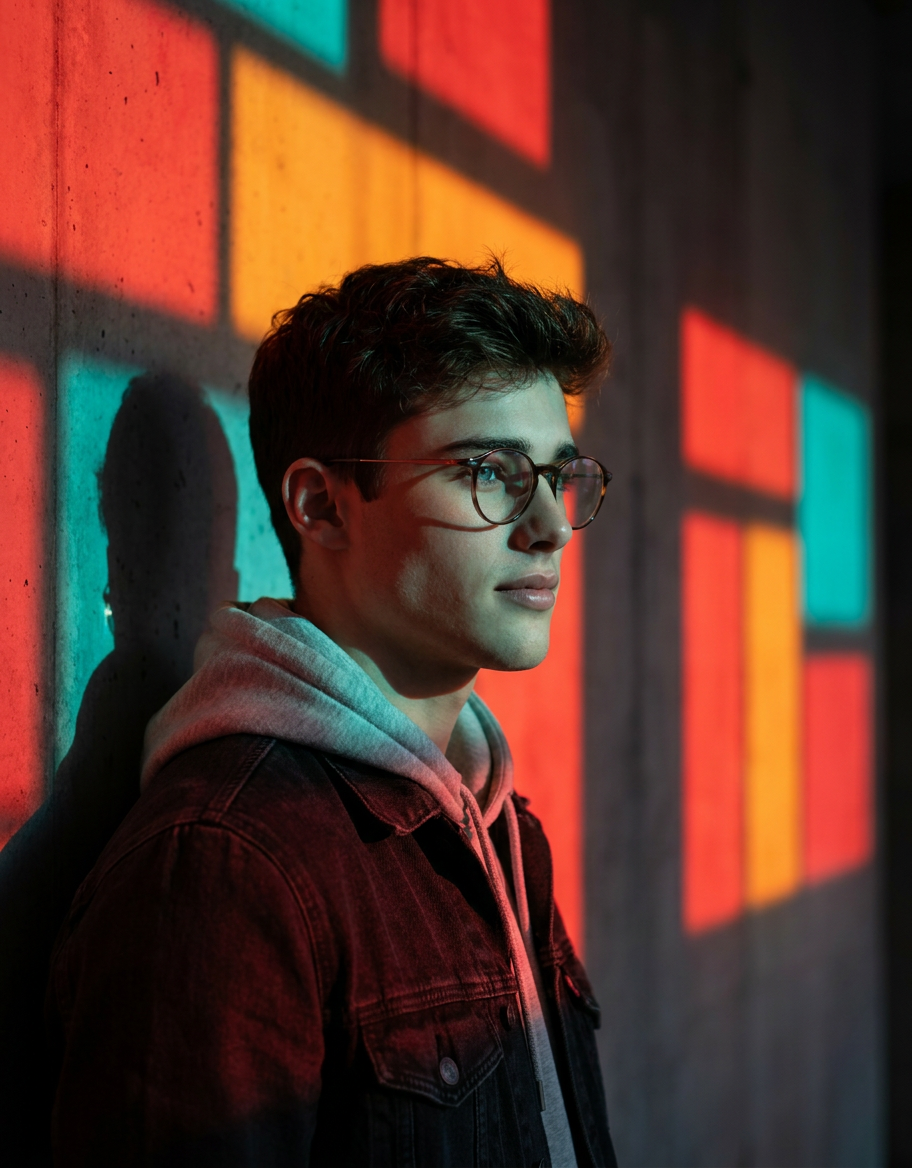
Geometric Window Light Color
- Model
- Nano Banana Pro
- Image
- 912 × 1168 px
Prompt
Cinematic portrait of a stylish young person wearing round glasses, standing beside a wall illuminated by bold geometric window light. Strong red, orange, and teal color contrast casting dramatic shadows across the face. Side profile pose, soft contemplative expression, sharp focus on facial features. High contrast lighting with hard-edged rectangular light shapes in the background. Moody atmosphere, artistic color blocking, modern editorial photography style. Shot on 85mm lens, f/1.8, ultra-detailed skin texture, shallow depth of field, dramatic rim lighting, 8K resolution.
Any aspect ratio
Overview
The Geometric Window Light Color template leverages advanced AI Image Editing capabilities to transform your portraits into cinematic masterpieces. Designed for modern editorial photography, it highlights strong color contrasts and dramatic lighting effects, making your images pop with artistic flair. This template operates with the cutting-edge AI Image Editor, ensuring ultra-detailed skins and sharp focus on facial features.
What It Does
This template skillfully integrates bold geometric window lights in your portraits, effectively casting dramatic shadows and enhancing mood through vibrant colors like red, orange, and teal. The use of high-tech AI processing ensures high contrast and detailed textures for a visually engaging result. Paired with our AI Image Generator, it can redefine the aesthetics of conventional photo editing.
Who It's For
Ideal for photographers, graphic designers, and digital artists focused on creating editorial-quality imagery. Whether you're working on a personal project or crafting professional art pieces, this template provides the tools to achieve stunning effects. Users looking to explore new artistic styles or enhance their portfolio will find this tool aligns well with their creative visions, especially in conjunction with the AI Profile Picture Generator.
Summary
The Geometric Window Light Color template is a powerful ally for anyone aiming to craft moody, editorial-style portraits. By utilizing bold color contrasts and detailed textures, this AI-driven tool ensures each photograph stands out with a modern, artistic appeal. Coupled with other image tools like our AI Photo Relighting, it can elevate your work to professional standards.
How to Use
Choose the Template

Customize Your Inputs

Generate the Image

Use Cases
Editorial Photography
- Create covers for fashion magazines
- Develop content for advertising campaigns
Artistic Portraiture
- Craft gallery-worthy images
- Experiment with artistic styles
Social Media Content
- Design visually compelling Instagram posts
- Boost engagement with eye-catching photos
Best Practices
Select High-Resolution Images
Start with a high-resolution photo to maximize detail and clarity in the final output.Experiment with Color Blocking
Adjust the color contrast settings to find the right balance for your image's theme.Leverage Depth of Field
Utilize the depth of field to draw attention to the subject's facial features, enhancing the cinematic quality.