Talk Show Set
- Model
- Nano Banana 2
- Image
- 768 × 1375 px
Prompt
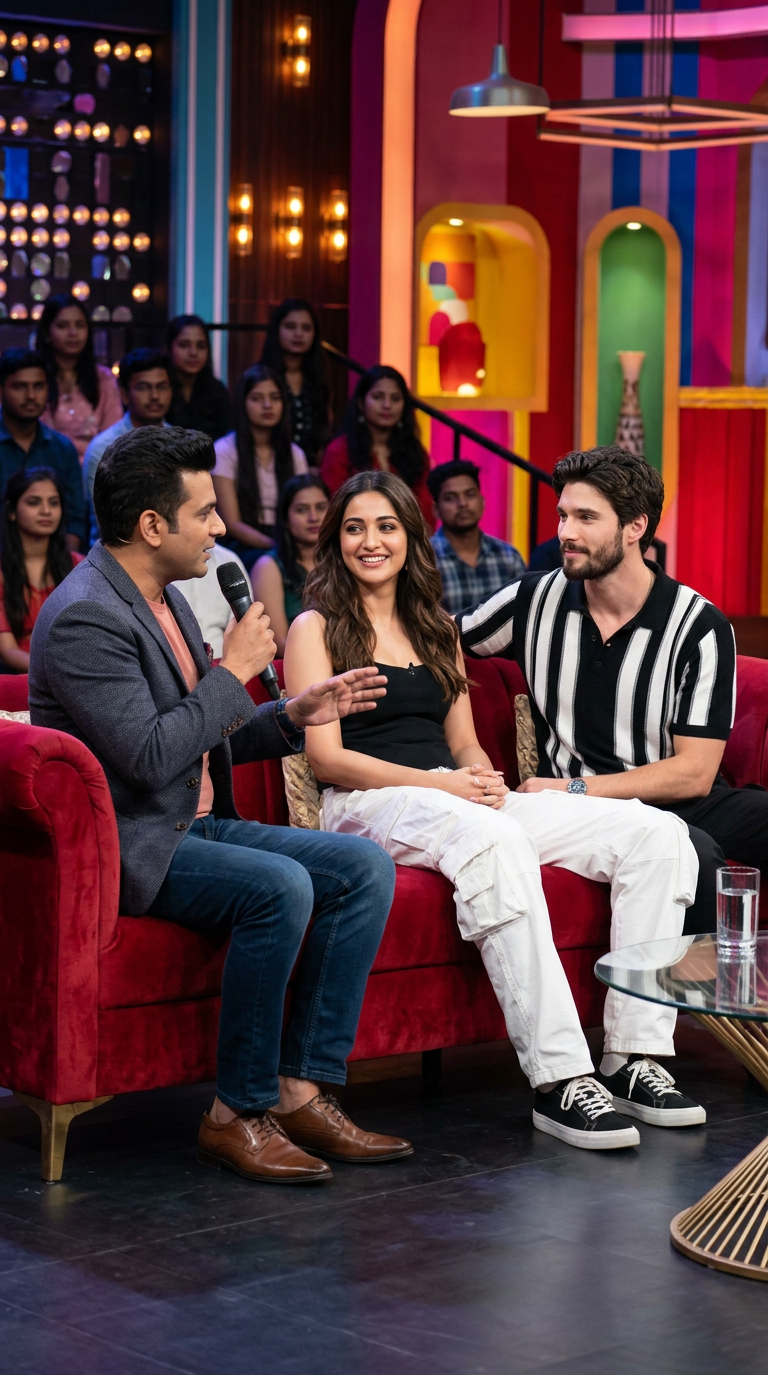
A high-quality, professional photograph of a vibrant, colorful Indian television talk show set. On the left, a male host with short dark hair and a neat beard sits in a golden-orange armchair, holding a black microphone, talking and looking towards his guests. He wears an olive green jacket over a white t-shirt, dark blue jeans, and clean white sneakers. On a plush red velvet couch in the center, a young South Asian man with a well-groomed beard and stylishly styled dark hair sits smiling. He is wearing a black and white vertically striped zip-up polo shirt, loose white cargo pants, and white sneakers. Sitting next to him on the same red couch is a beautiful Indian actress with long, wavy dark hair, wearing an elegant black sleeveless top. In front of the couch is a sleek glass coffee table with a gold metal frame, holding a glass of water and a glass bowl filled with colorful fresh fruits like apples, oranges, and bananas. The background is a brightly lit, multi-tiered studio set with warm string lights, colorful panels, and a blurred, seated studio audience watching the show. Shot with a professional DSLR camera, shallow depth of field, vibrant colors, cinematic studio lighting, highly detailed.
Any aspect ratio
Overview
The Talk Show Set template brings the vibrant atmosphere of an Indian television talk show right to your digital canvas. Utilizing the nano-banana-2 model in the AI Image Editor, this template allows you to create dynamic and visually stunning scenes with detailed imagery and high color fidelity.
What It Does
This template enables you to modify a virtual talk show set, adding lifelike human figures and realistic studio settings. Adjust elements such as wardrobe, lighting, and set design to craft professional-quality images suitable for promotional materials or creative projects. You can further enhance these images using the AI Image Upscaler for higher resolution outputs.
Who It's For
Designed for video producers, content creators, and advertisers seeking an authentic television studio aesthetic. If your project involves creating product videos or dynamic ad content, this template offers the perfect backdrop for compelling visual storytelling.
Summary
The Talk Show Set template is your gateway to constructing highly detailed and vivid images of television talk shows. With this powerful tool, you can easily articulate your creative vision, whether for media, publishing, or marketing purposes.
How to Use
Choose the Template

Customize Your Scene

Generate Your Image

Use Cases
Media Production
Marketing Campaigns
Creative Projects
Best Practices
Focus on Lighting
Leverage the cinematic studio lighting aspect of the template to create realistic, eye-catching visuals.Use High-Resolution Images
For the best results, pair with the AI Image Upscaler to enhance image detail and quality.Precision in Details
Pay close attention to the attire and set elements to maintain the authenticity of a talk show environment.