Movie Night
- Model
- Nano Banana 2
- Image
- 832 × 1270 px
Prompt
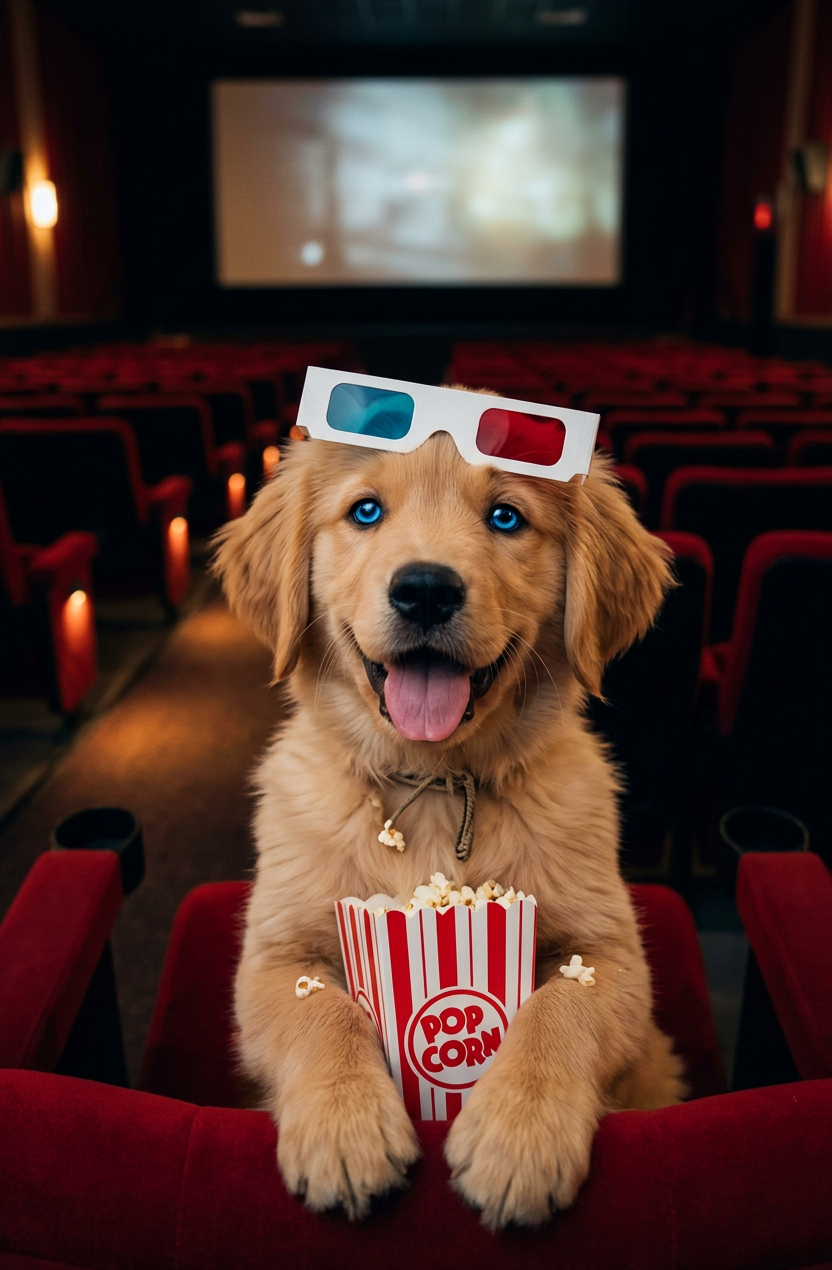
A funny and detailed photo of a subject enjoying a movie inside a theater. The subject has bright blue eyes and is sitting in a red cinema seat, holding a striped box of popcorn in its paws. It is wearing white paper 3D glasses on its head. The background shows empty rows of red movie seats in dim, warm theater lighting, creating a cinematic look.
Any aspect ratio
Overview
The "Movie Night" template, powered by the AI Image Editor, is designed to craft humorous and detailed images that capture the joy of a cinematic experience. Built on the efficiency of the nano-banana-2 model, this template allows for a customizable photo creation that captures the essence of enjoying a movie in a theater.
What It Does
This template utilizes advanced AI capabilities to edit images, focusing on creating a lifelike movie-night scene. With prompts that direct the details, it highlights subjects with bright blue eyes, red cinema seats, and classic popcorn boxes. The background enhances the cinematic feel, ensuring that the final output is both amusing and atmospheric.
Who It's For
This tool is perfect for film enthusiasts, event organizers, and marketers looking to design personalized video ads or memorable invitations with a filmic flair. It's also ideal for digital artists who aim to create engaging content for social media or promotional campaigns.
Summary
Transform mundane photos into captivating cinematic moments with the "Movie Night" template. Easily adjust the attributes to match your vision, utilize it for eCommerce ads, or simply create unique movie invitations. The combination of the AI Video Generator and intuitive design ensures a high-quality output that captures the spirit of a movie night.
How To
Choose the Template

Customize Your Inputs

Generate and Download

Use Cases
Cinematic Invitations
- Design detailed and humorous invitations
- Incorporate personal touches like movie preferences
Social Media Promotions
- Align with themed marketing campaigns
- Engage audience with vibrant visuals
E-commerce Product Showcases
- Highlight movie-related products
- Create thematic pages for a retail boost
Best Practices
Refine Your Prompt
Ensure your prompt includes specific details to capture the essence you want. Think about lighting, props, and the overall mood.Utilize High-Resolution Inputs
Uploading high-quality images will enhance the template's output, providing clearer, sharper results.Experiment with Themes
Try different movie genres or themes to see how they affect the final image output and engage your audience in novel ways.