AI Image Editor · IMG_4533.jpeg
- Model
- Nano Banana 2
- Image
- 895 × 1200 px
Prompt
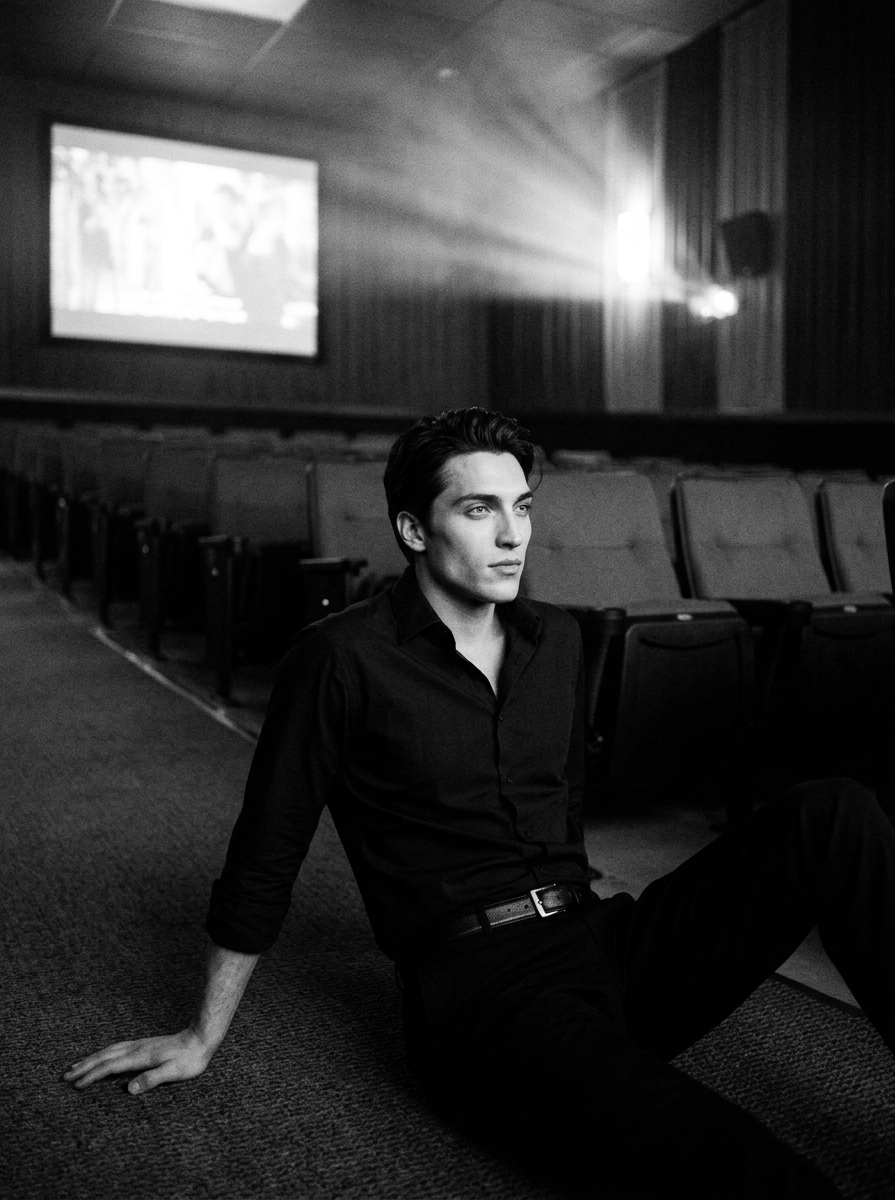
Black and white documentary photograph inside an almost empty cinema hall, a single subject sitting on the floor facing a glowing screen, symmetrical aisle leading lines, deep shadows in seats, projector light haze, quiet atmosphere, moderate grain, 50mm look, controlled but not polished, documentary sense of solitude in public space.
Any aspect ratio
Overview
The AI Image Editor · IMG_4533.jpeg template is your go-to solution for transforming images into captivating visual narratives. The model behind this template is nano-banana-2, finely tuned to enhance detail and atmosphere in your imagery. Ideal for creating a mood of subtlety and depth, it allows you to bring a compelling documentary style to your visual projects.
What It Does
This template takes a black and white documentary photograph and imbues it with a rich, cinematic quality. By emphasizing elements like projector light haze and deep shadows in seats, it carefully manages to maintain a quiet yet engaging atmosphere. Perfect for achieving a controlled but unrefined look, it enhances a sense of solitude in public spaces.
Extend this experience even further by integrating your edits into moving content with our Image to Video tool, ensuring your final video resonates with the documentary documentary feel desired.
Who It's For
This AI Image Editor template is perfect for photographers, filmmakers, and videographers who aim to create a sense of intimacy and isolation in public settings. Ideal for storytelling through imagery, it supports creative professionals looking to enhance their work with depth and emotion.
Enhance your edits with the flexibility to swap out elements or subjects using our Face Swap tool, providing even further creative freedom.
Summary
The AI Image Editor for IMG_4533.jpeg provides a streamlined approach to crafting visually stunning content. Its use of nano-banana-2 ensures nuanced detail and controlled environments, making it an essential asset for creatives focused on capturing documentary-like solitude.
Pair your image editing with body replacements to achieve a cohesive look across visuals using the Body Swap product.
How To
Choose Your Template

Customize Your Inputs

Generate Your Image

Use Cases
Film Festival Entries
- Achieve cinematic quality for short films
- Create depth and atmosphere in film stills
Documentary Projects
- Convey narrative without words
- Enhance historical or thematic elements
Educational Material
- Visual aid for history lessons
- Cultural and societal presentations
Best Practices
Prioritize Lighting
Emphasize the light source and its effects on the scene to create a realistic and inviting atmosphere.Maintain Natural Shadows
Use shadows to add depth and intrigue without losing clarity or important details in the image.Balance Grain and Clarity
Ensure the grain effect enhances the mood without overwhelming the finer details of the image.