Theater
- Model
- Nano Banana 2
- Image
- 921 × 1152 px
Prompt
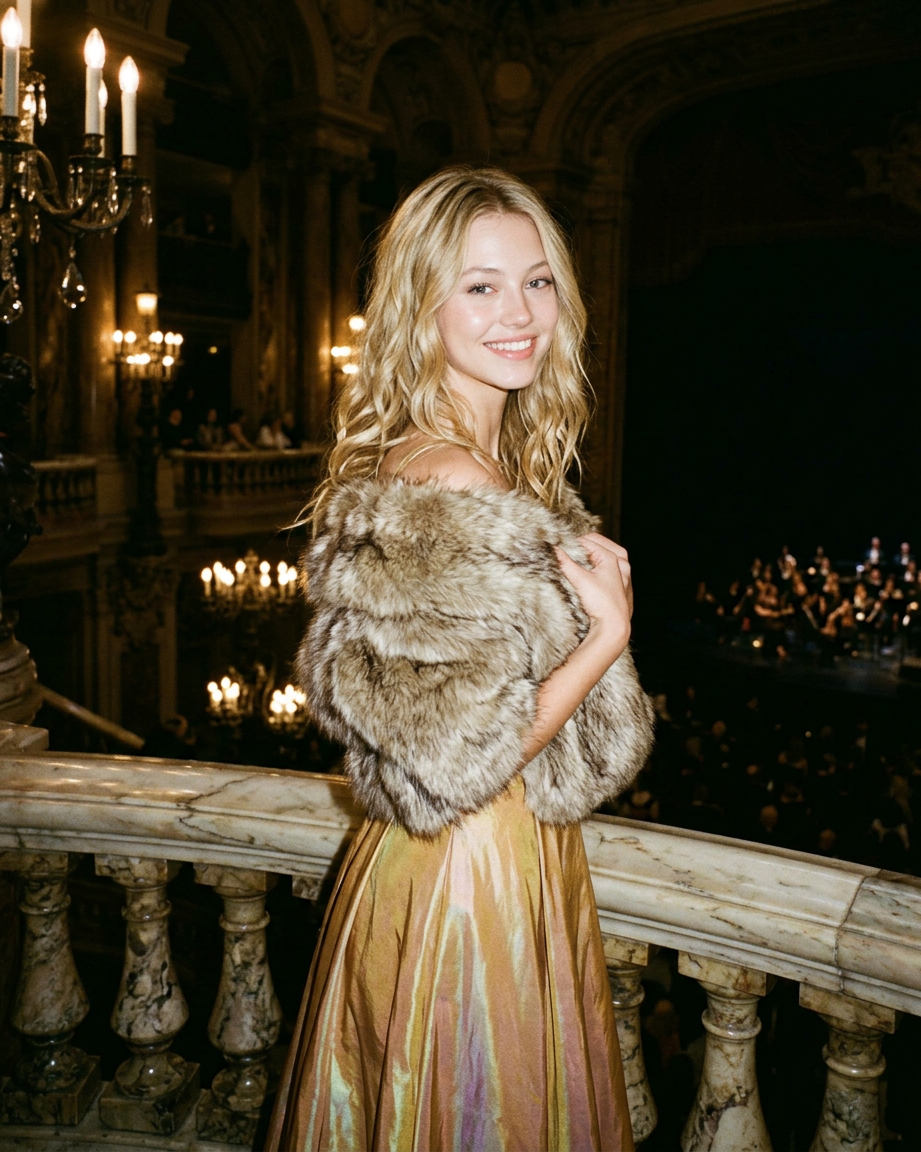
An atmospheric flash shot: a subject stands by the marble balustrade of a historic theater balcony in a relaxed, elegant pose, wearing a form-fitting evening gown with a soft golden sheen and a white fur cape. The theater's opulent interior, with arches, chandeliers, and tiered balconies, is visible behind the camera; the sharp flash highlights the textures of the fur, dress, and marble, creating a grainy, cinematic, and expensive atmosphere.
Any aspect ratio
Overview
Step into the grandeur of historic theater aesthetics with the Theater AI Image Editor template. Designed with the nano-banana-2 model, this template allows you to transform your images into opulent, cinematic scenes that echo the luxuriant vibes of a classical theater setting. Highlight textures, bring out atmospheric details, and create a high-end visual style with a few simple clicks.
What It Does
The Theater template enhances images by focusing on the richness and textures of grand theater settings. It sharpens details like marble textures and fur, while accentuating the opulence of interior elements such as chandeliers and tiered balconies. Utilize this AI Image Editor to craft a grainy, cinematic atmosphere that makes your visuals stand out.
Who It's For
This template is perfect for photographers, social media influencers, and creative professionals looking to add a touch of glamour to their images. Whether you're working on a high-fashion shoot or creating content for luxury brands, the Theater template provides the tools to elevate your imagery with an exclusive edge. Explore further personalized touches with our AI Profile Picture Generator.
Summary
Capture the essence of luxury and dramatic lighting in your photography projects using the Theater template. By enhancing the theatrical elements of your scenes, you can create striking visuals that convey a sense of sophistication and style. For broader applications, check out the AI Product Photography tool to bring a similar aesthetic to your promotional materials.
How To
Choose the Template

Customize Your Image

Generate and Download

Use Cases
Fashion Photography
- Highlight textures and fabric details
- Create atmospheric depth in portraits
Luxury Brand Content
- Enhance product appeal
- Craft opulent backgrounds
Social Media Highlights
- Draw attention with rich visual details
- Boost engagement through unique styling
Best Practices
Focus on Textures
Emphasize details like fur and marble to create a rich, tactile feel.Play with Lighting
Adjust lighting elements to simulate a dramatic flash effect that complements your scene.Blend Background Elements
Incorporate theater elements seamlessly into the background to maintain focus on your subject.