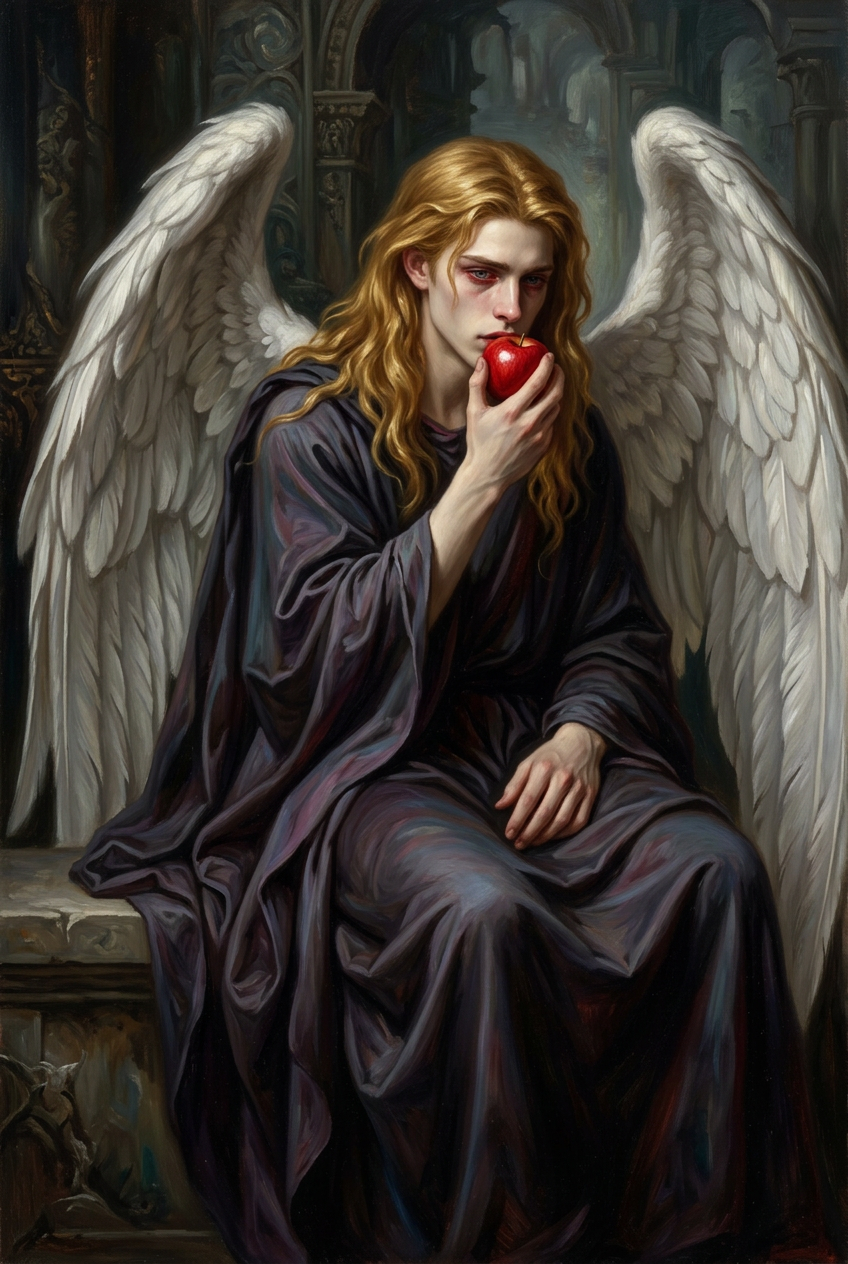
Temptation of the Fallen Halo
- Model
- Nano Banana 2
- Image
- 848 × 1264 px
Prompt
Oil painting of the subject as a somber angel, full-body vertical composition, seated with long flowing golden hair, pale skin, and red-rimmed blue eyes, holding a red apple to the lips. Draped in dark flowing robes with large textured white wings. Classical dark fantasy, pre-Raphaelite-inspired style, dramatic chiaroscuro lighting, deep shadows and soft highlights. Muted blacks and grays contrasted with golden hair and vivid red apple, subtle purple and blue tones in eyes and shadows. Intricate detailing, moody, melancholic, highly refined painterly finish.
Any aspect ratio
Overview
"Temptation of the Fallen Halo" invites artists and creators to explore a mystical narrative through a Pre-Raphaelite-inspired artwork. This AI Image Editor template turns your subject into a classical, somber angel, using rich visual elements to craft a distinct and captivating piece.
What It Does
Designed to transform images with intricate details, this template utilizes the nano-banana-2 model to deliver highly refined, painterly finishes. It creates a harmonious blend of chiaroscuro lighting, muted tones, and subtle color contrasts, bringing your compositions to life with a dramatic flair.
Who It's For
Ideal for digital artists, illustrators, and creators interested in classical themes and intricate details. Whether you're crafting imagery for mood boards, book covers, or fantasy art collections, this template provides the tools to refine your vision with precision and style.
Summary
This template serves as a compelling starting point for those looking to produce art that resonates with depth and emotion. By applying a carefully structured artistic approach, it ensures your creations maintain consistency with classical dark fantasy aesthetics.
How-To
Choose the Template

Customize Your Vision

Generate Your Art

Use Cases
Fantasy Art Collections
- Create gallery-worthy artwork
- Attract potential buyers or clients
Book Cover Design
- Align with thematic elements
- Boost sales by appealing to niche markets
Illustrative Storytelling
- Set mood and tone with visual depth
- Engage audiences with richly detailed panels
Best Practices
Focus on Detail
Ensure that the subtleties in texture and color enhance the overall mood, paying special attention to the interplay of shadows and highlights.Use Customized Inputs
Adapt the preset image characteristics to suit your needs while maintaining the template's atmospheric elements.Experiment with Color Balance
Adjust the colors to match your creative vision, especially when integrating varied light sources or complementary themes.