AI Image Editor · 1000016009.jpg
- Model
- Nano Banana 2
- Image
- 843 × 1264 px
Prompt
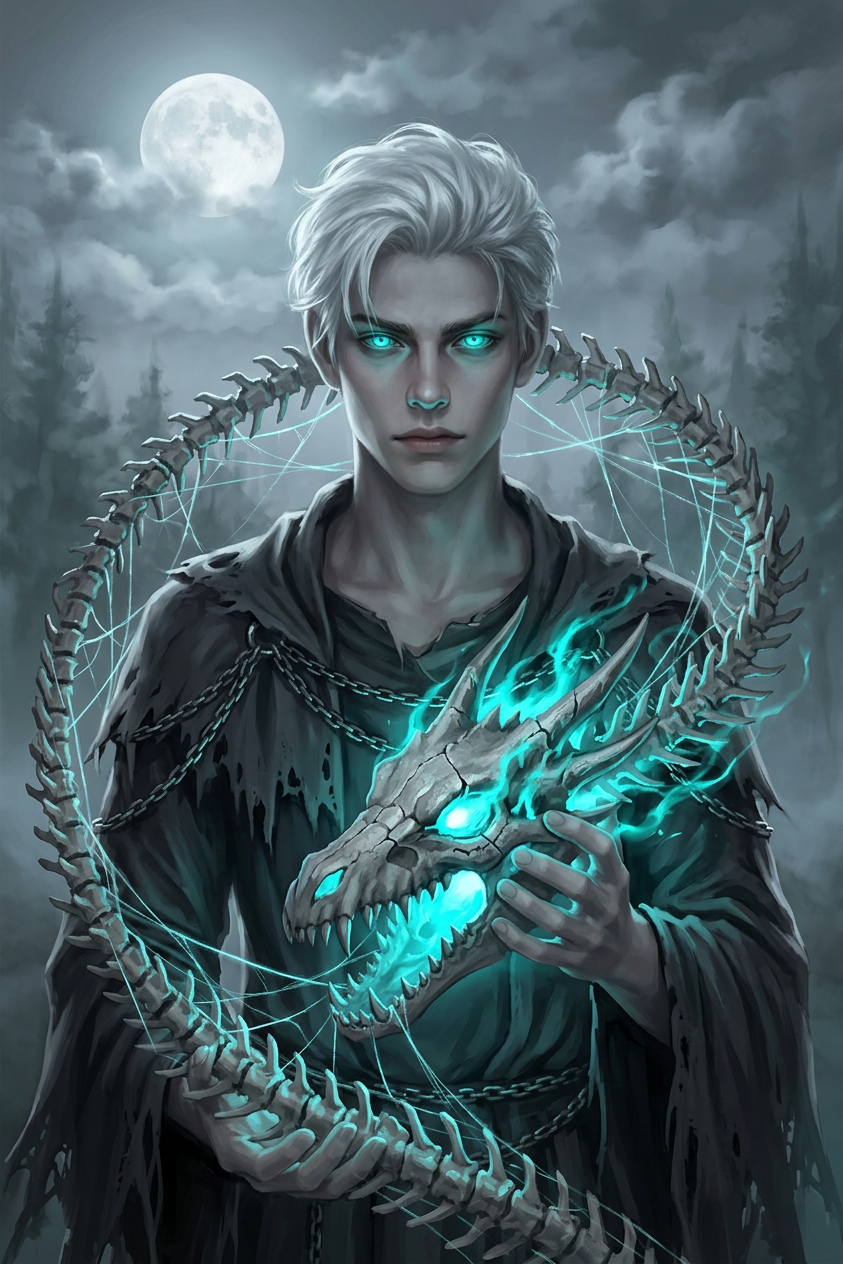
Haunting dark fantasy portrait of the subject with pale skin, white hair, and glowing cyan eyes, wearing tattered dark robes with chain details. Holding a dragon skull emitting cyan energy, encircled by a swirling skeletal spine threaded with glowing web-like strands. Full moon behind drifting clouds, dramatic moonlit lighting with intense cyan glow. Cool palette of grays, blues, and cyan, highly detailed digital painting, melancholic, mystical, atmospheric.
Any aspect ratio
Overview
The AI Image Editor template is designed for creators looking to craft visually striking images with intricate details and rich, atmospheric elements. This template leverages the power of nano-banana-2 model to generate highly detailed fantasy portraits.
What It Does
This AI Image Editor lets you create a hauntingly beautiful portrait with a dark fantasy theme. With features such as detailed depictions of mystical elements and dramatic lighting, this template turns your input into a digital painting that reflects a melancholic yet mesmerizing aura. For those interested in manipulating images, our AI Image Editor provides comprehensive editing capabilities.
Who It's For
This template is ideal for digital artists, fantasy enthusiasts, and content creators who want to incorporate captivating visual elements into their projects. It is also a perfect fit for users looking to develop mood boards with a fantasy or mystical theme, allowing for precise aesthetic control.
Summary
Delivering art that combines the mystical and the melancholic, this AI Image Editor template can capture elements like atmospheric lighting, detailed clothing, and stunning backgrounds. Whether you're updating your project with new visuals or exploring creative ways to express narrative themes, this tool integrates seamlessly with other creative tools to expand your creative possibilities.
How To
Choose Your Template

Customize Your Inputs

Generate and Download

Use Cases
Fantasy World Building
- Role-playing game characters
- Fantasy novels
- Illustrated storyboards
Mood Boards and Concept Art
- Interior design inspiration
- Thematic storytelling aids
Branded Campaigns
- Promotional material
- Social media campaigns
Best Practices
Focus on Details
Pay attention to small details like lighting and texture to fully realize the fantasy theme.Balance Colors
Use the highlighted cyan and grayscale palette to maintain a consistent mood.Experiment with Elements
Don't hesitate to adjust accessory elements like the dragon skull or moonlit background for better composition.