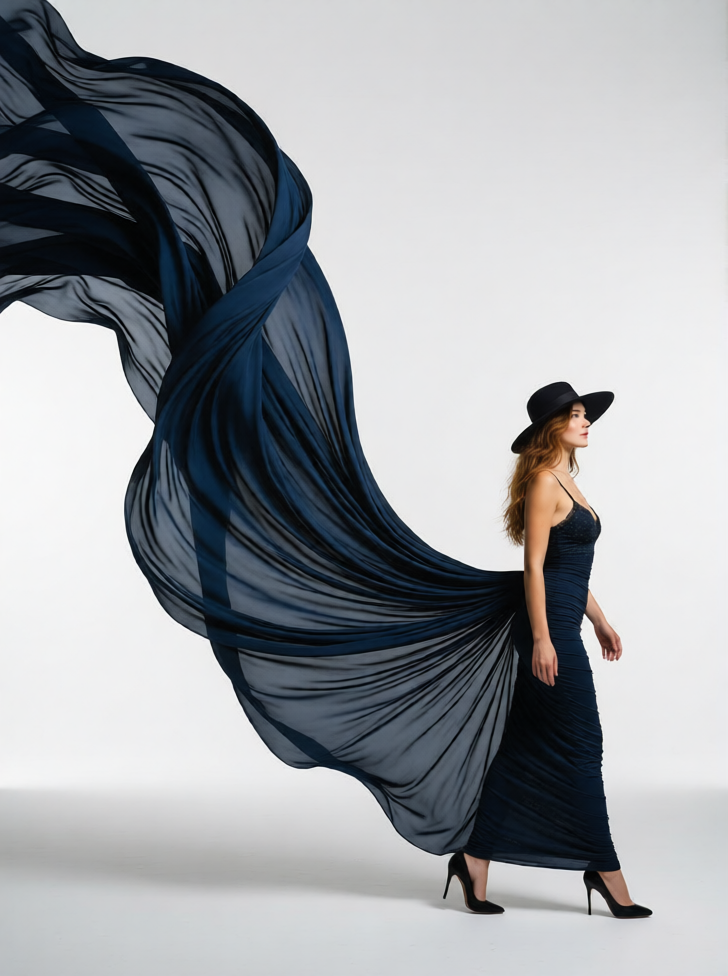
Sculpted Flow Elegance
ai-image-editor
Any aspect ratio
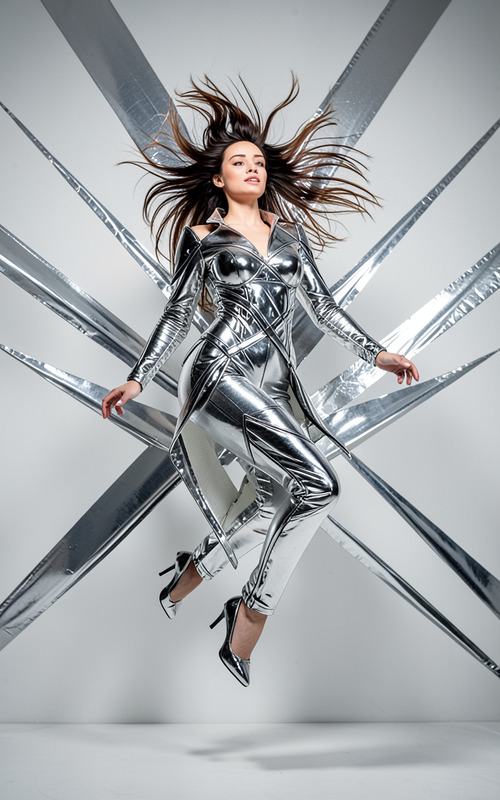
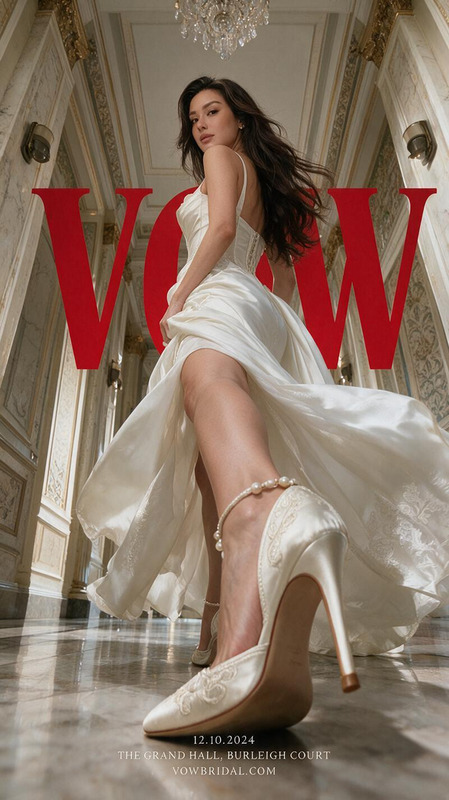
A high-fashion portrait of a subject, positioned in the lower-right quadrant following the rule of thirds. The subject is mid-stride or turning slightly away, head tilted as if looking toward an immense flowing fabric. The subject has long dark hair under a hat, wearing high heels and a form-fitting dress that matches the color of the fabric. The dress transitions into a massive, sculpted, organic fabric structure that sweeps from the bottom right, curves through the center, and peaks near the top left, acting as a dominant leading line. The setting is a seamless, featureless ground with a clean, void-like studio effect, contrasted by the grand, dramatic fabric form. Highly dynamic composition, cinematic, high-fashion, ultra-detailed.
AI Image Editor Template: Transform Any Image Into Production-Ready Creative
Use this AI Image Editor–powered template to rapidly edit, enhance, and repurpose any image for marketing campaigns, product launches, content creation, or prototyping. Start from this preset, then remix it in a few clicks to build your own reusable workflow inside Magic Hour.
What You Can Do With This Template
This template is built on the AI Image Editor and is designed to help you:
Clean up and refine images
Remove distractions, fix small issues, and polish visuals for landing pages, ads, or product shots. If you need more targeted removal, you can also use the dedicated AI Remover or Remove Object from Photo tools.Change or generate new backgrounds
Instantly recontextualize a subject—swap messy backgrounds for studio-style scenes or on-brand environments. For complex or entirely new scenes, pair this with the AI Background Generator or Image Background Remover.Enhance quality and sharpness
Upscale low‑res assets and restore clarity for web, social, or print use with the AI Image Upscaler or Unblur Image. This is especially useful for old assets or user-generated content.Edit faces and people in images
Subtly adjust faces, improve portraits, or tailor identity-based visuals with the AI Face Editor, AI Face Generator, or AI Headshot Generator. For full-body fashion content, use the Full Body Generator or AI Outfit Generator.Adapt one visual into many variants
Quickly spin up on-brand variations of a single asset for A/B testing, regional campaigns, or channel-specific crops using the AI Photo Generator or AI Image Generator.
This template is ideal for marketers, founders, designers, and content teams who need fast, consistent image editing that stays close to brand standards without involving a full design pipeline every time.
How to Remix This Template in Magic Hour
You can treat this page’s template as a starting point for your own reusable editor. To create your own version inside Magic Hour:
Open the AI Image Editor
Go to the AI Image Editor. Upload any source image: product photo, portrait, social post, illustration, or mockup.Apply the core edit from this template
- Use the image editor to clean up the shot (remove objects, fix small artifacts, crop, etc.).
- If your goal is stylistic transformation, generate alternative looks using AI Art Generator or AI Illustration Generator and refine them with the editor.
Chain in specialized tools as needed
Depending on your use case, layer in additional tools:- Brand / Marketing Creatives
- Social and ad creatives: Thumbnail Maker, Album Cover Generator, Book Cover Generator, AI Logo Generator
- On-brand styles: AI Fashion Generator, AI Clothes Changer
- People & Identity
- Profiles and avatars: Avatar Generator, AI Selfie Generator
- Experimental transformations: Gender Swap
- Restoration & Cleanup
- Old or damaged media: Old Photo Restoration, Photo Colorizer
- Watermark & object cleanup: Watermark Remover, AI Remover
- Brand / Marketing Creatives
Save and reuse your editing flow
Once you have a combination of edits that works (e.g., background change + upscaling + light face retouching), save that workflow as your own template in Magic Hour. You can then repeatedly apply the same “recipe” to new images to keep results consistent across campaigns.Extend images into video and motion (optional)
If you want to turn your final images into animated assets:- Convert stills to motion with Image to Video
- Create animated GIFs with AI GIF Generator
- Turn portraits into talking avatars with AI Talking Photo
- For full video workflows, explore Text to Video, Video to Video, Animation, Face Swap Video, Lip Sync, and Video Upscaler.
High-Impact Use Cases for This Template
1. Performance marketing and ads
- Create multiple visual variants of a hero image for A/B testing.
- Remove distracting elements, unify color tones, and align everything with brand guidelines using the AI Image Editor plus AI Background Generator.
- Generate platform-specific creatives (e.g., YouTube thumbnails with Thumbnail Maker, social tiles with AI Meme Generator).
2. Product and ecommerce imagery
- Cleanly isolate products from their original background with the Image Background Remover.
- Drop them into lifestyle scenes, studio environments, or seasonal setups with the AI Image Editor and AI Background Generator.
- Enhance resolution for marketplaces or print with the AI Image Upscaler.
3. Founders and personal branding
- Generate or refine professional-looking headshots using AI Headshot Generator and then adjust minor details in the AI Image Editor.
- Create consistent avatars across platforms with Avatar Generator and AI Face Editor.
- Turn one portrait into multiple “scenes” for content, decks, and landing pages.
4. Content, education, and storytelling
- Quickly create editorial or illustrative images using AI Art Generator, then refine them to match your article or deck’s visual language.
- Build themed series: comics with Comic Book Generator, fantasy maps with Fantasy Map Generator, D&D visuals with DND AI Art Generator, manga panels with AI Manga Generator.
- Create sketches or line art from photos using Photo to Sketch and then color or enhance them via the Image Editor.
5. Experimental, creative, and niche workflows
- Generate unique characters with AI Character Generator, Animated Characters Generator, or AI Anime Generator, and polish them in the AI Image Editor.
- Design tattoos with AI Tattoo Generator, logos with AI Logo Generator, icons with AI Icon Generator, or optical illusions with Optical Illusion Generator.
- Build stylized worlds: Dark Fantasy AI, Architecture Generator, AI Interior Design Generator, Graffiti Generator.
Why Use Magic Hour’s AI Image Editor for This Workflow?
Across modern creative and marketing pipelines, generative image editing is used to:
- Speed up iteration cycles from days to minutes
- Reduce dependency on manual retouching for routine tasks
- Standardize visual quality across distributed teams and campaigns
- Unlock experimentation (styles, environments, compositions) without full reshoots
By starting from this template and then remixing it into your own version, you effectively codify a repeatable “image workflow” that your team can rely on—without worrying about the underlying model details.
If you’re building campaigns, a product, or an internal content engine, this AI Image Editor template gives you a practical base you can adapt, combine with other Magic Hour tools, and scale into a full creative system.