Gala Carpet
- Model
- Flux 2 Klein
- Image
- 576 × 1024 px
Prompt
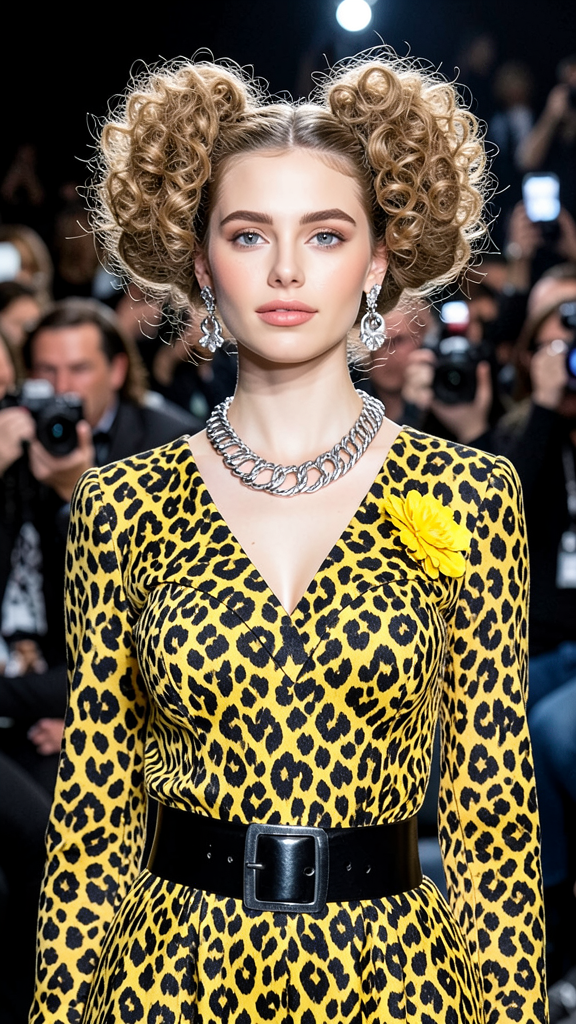
A high-fashion event portrait of the subject with voluminous curly hair styled into two dramatic puffs. Preserve exact facial features and identity from the reference image. The subject wears a black-and-yellow leopard print outfit featuring a heart-shaped design and a yellow flower accent. Statement silver earrings, a chunky silver necklace, and a wide black belt complete the look. A blurred crowd of photographers fills the background. Soft flattering lighting, glamorous runway-event atmosphere, and editorial fashion styling.
Any aspect ratio
Overview
The Gala Carpet template is your go-to solution for creating stunning high-fashion event portraits with a focus on editorial fashion styling. Utilizing the powerful Flux-2-Klein model, this AI Image Editor effortlessly transforms any image into a glamorous runway scene. Perfect for designers and artists looking to elevate their visual narrative.
What It Does
The Gala Carpet template specializes in transforming the subject's portrait into a high-end fashion editorial image. It maintains the subject's facial identity while styling their hair into two dramatic puffs and dressing them in a standout leopard print outfit. The background is populated with blurred photographers, offering a genuine runway-event atmosphere. For those interested in similar enhancements, explore our AI Clothes Changer to modify outfits creatively.
Who It's For
This template is designed for fashion designers, stylists, and photographers aiming to showcase their work with a glamorous touch. Whether preparing for a campaign or enhancing portfolio images, the Gala Carpet template offers an unbeatable tool for elevating fashion presentation. For enhancing facial features specifically, see our AI Face Editor.
Summary
The Gala Carpet template transforms your images into high-fashion editorial portraits. With attention to detail and cutting-edge AI, it adds a touch of glamour to any image, making it ideal for the fashion industry. Leverage additional tools like the Image to Video service to bring your editorial visions to life in dynamic formats.
How To
Choose Gala Carpet Template

Customize Your Image

Generate Your Portrait

Use Cases
Fashion Campaigns
- Create eye-catching visuals
- Develop cohesive fashion narratives
Social Media Promotion
- Build a distinctive online presence
- Engage your audience with dramatic visuals
Fashion Portfolio Development
- Focus on editorial style
- Highlight your design aesthetic
Best Practices
Select High-Quality Reference Images
Choose sharp, high-resolution images to maximize the template's editing potential.Pay Attention to Details
Align tiny elements like accessories and hair to the specifics outlined in the prompt for accuracy.Experiment with Lighting
Try different lighting styles to see how they impact the overall runway atmosphere.