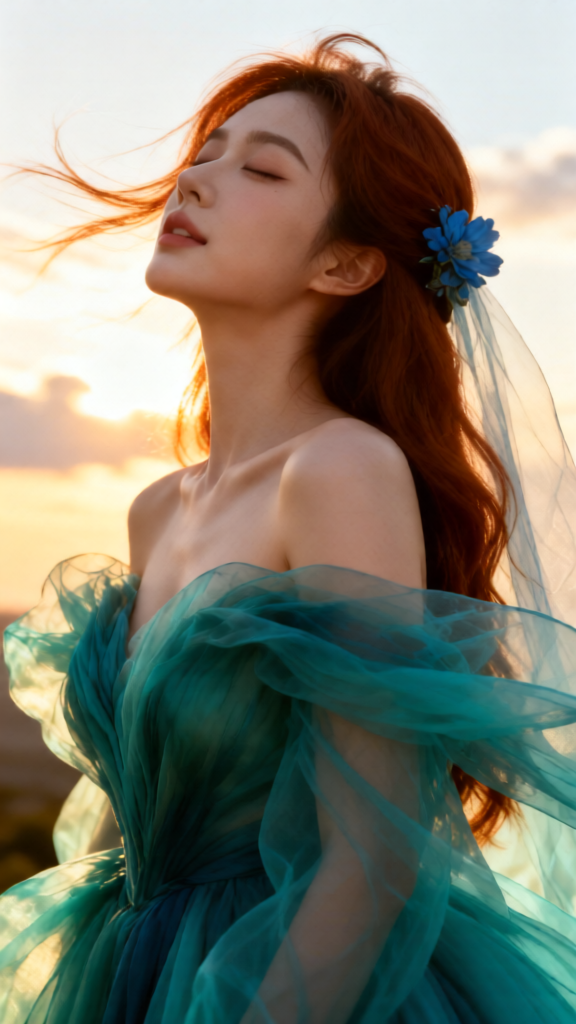
Golden Hour Wind Veil
- Model
- Qwen Edit
- Image
- 576 × 1024 px
Prompt
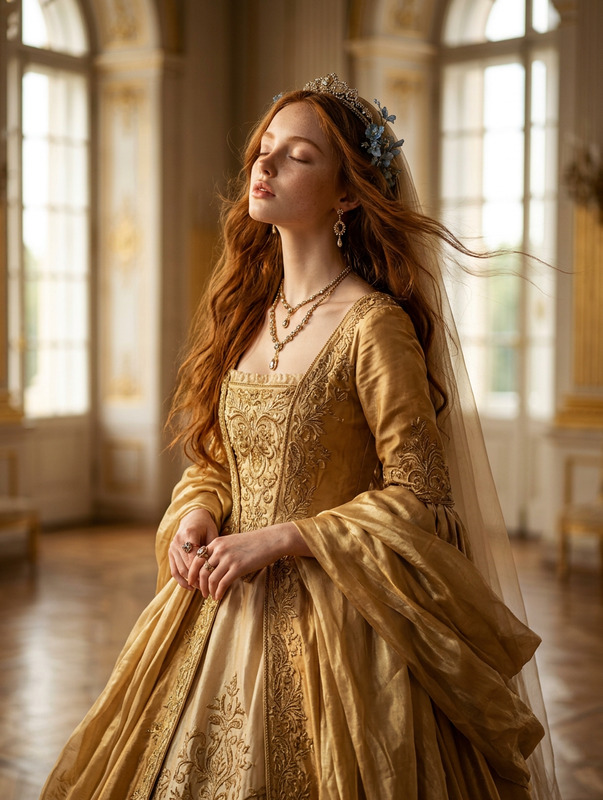
The subject has long reddish-brown hair swept back by the wind, with a delicate blue floral accessory near a sheer veil. The subject is looking upward with eyes closed, showing a peaceful yet intense expression. The subject wears a dramatic, flowing teal and turquoise gown with ethereal, billowing fabric. The subject is illuminated by warm golden hour light, with a bright sky and soft clouds behind, creating a cinematic and emotional atmosphere.
Any aspect ratio
Overview
Experience the enchanting glow of sunset with the Golden Hour Wind Veil template, powered by the qwen-edit model. This AI Image Editor template is meticulously crafted to capture striking visual narratives enriched by warm golden hour lighting. Ideal for evoking emotions and storytelling through imagery, it adds depth and charm to your projects.
What It Does
The Golden Hour Wind Veil template applies exquisite golden hour lighting effects to your subjects, focusing on intricate details like a delicate veil and a flowing gown. With the integration of elements such as wind-swept hair and serene expressions, this tool helps create a visually captivating and cinematic scene. This is ideal for crafting compelling images that resonate emotionally with your audience. Enhance your photos with sophisticated hues, textures, and unique elements using this template.
Who It's For
Perfect for photographers, digital artists, and content creators who aim to immerse their audience in a mesmerizing visual experience. Whether you're working on a fashion shoot, a personal project, or commercial photography, this template provides the tools needed to bring your vibrant visions to life. It's also suitable for anyone looking to expand their creative toolkit with AI-powered photo editing capabilities.
Summary
With the Golden Hour Wind Veil, enhance your photos to reflect the enchanting allure of sunset moments. Make your creations stand out by using sophisticated design elements available in this template. This tool not only refines your photographic outputs but also adds a unique flair that aligns with diverse artistic and professional needs.
How to Use
Choose Your Template

Customize Your Image

Generate and Download

Use Cases
Product Launch Imagery
- Bring out the elegance in new product photos
- Use emotional lighting to connect with audiences
Fashion Photography
- Enhance garment textures and colors
- Add dynamic, flowing fabric effects
Social Media Content
- Capture attention with stunning visuals
- Create consistent brand aesthetics
Best Practices
Adjust Lighting Carefully
When using the template, ensure the golden hour light does not overpower other elements. Balance is key to maintain the mood without losing focus on the subject.Focus on Detail Enhancement
Utilize the template's capabilities to highlight intricate details such as the fabric and floral accessories, which add depth to the overall image.Maintain Subject Authenticity
While enhancing your images, ensure that the changes remain true to the subject’s original appearance to maintain authenticity.