Crimson Room Ravens
- Model
- Nano Banana 2
- Image
- 1408 × 768 px
Prompt
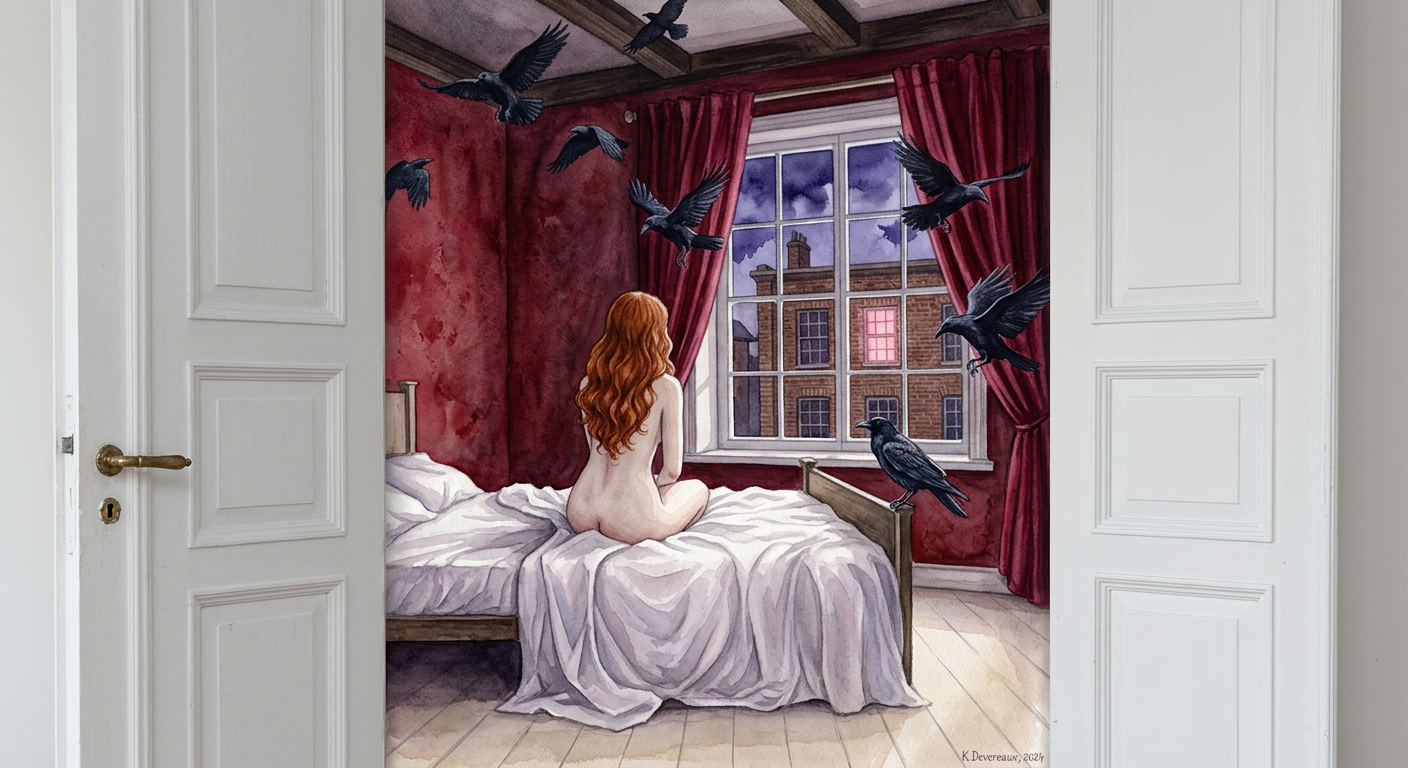
Surreal atmospheric watercolor painting framed through open white double doors, frame-within-frame composition. A subject seen from behind with long wavy ginger-red hair, pale skin, sitting quietly on the edge of a bed with rumpled white sheets, gazing out a large window. Nude figure posed calmly and still. Room filled with flying black ravens in motion, some near ceiling, some diving through deep crimson curtains, one landing on the bed. Outside window shows a brick building with one glowing pink-lit window under dark twilight sky. Deep red textured walls, pale beige wooden floor, soft diffused evening light, melancholic gothic mood. Traditional watercolor/gouache style with visible brushstrokes, pigment bleeds, matte paper texture, high detail, storybook aesthetic.
Any aspect ratio
Overview
The "Crimson Room Ravens" template leverages the capabilities of the AI Image Editor and the nano-banana-2 model. This template captures the viewer's imagination with its surreal and atmospheric watercolor scene, designed for high-detail storytelling and artistic applications.
What It Does
This template transforms input images into a mesmerizing composition that features a nude figure, ravens, and a gothic-styled room. It meticulously integrates watercolor brushstrokes and pigment textures for an authentic storybook aesthetic, perfect for projects that aim for a melancholic yet captivating visual experience.
Who It's For
"Crimson Room Ravens" is ideal for artists, illustrators, and designers who want to explore gothic or surreal themes in their projects. It's also beneficial for content creators looking to enhance media such as AI Product Photography or AI Profile Picture Generator with a unique visual touch.
Summary
This template provides users with a high degree of customization for generating detailed, atmospheric environments. Utilize it to augment personal art collections, marketing visuals, or as part of a broader narrative in digital media projects.
How-To
Choose the Template

Customize Your Inputs

Generate and Download

Use Cases
Artistic Projects
- Create surrealism-inspired portfolios
- Develop storybook illustrations
Digital Content Creation
- Design captivating social media posts
- Enhance marketing campaign visuals
Character Design
- Craft imaginative character backstories
- Visualize novel settings
Best Practices
Focus on Color Harmony
Ensure that the colors you choose complement the template’s existing palette to maintain aesthetic consistency.Emphasize Subject Positioning
The subject's positioning can drastically affect the composition's mood—experiment with different placements to find the perfect balance.Layering and Depth
Incorporate various elements with careful layering to add depth and intrigue to your image.