Messy room
- Model
- Nano Banana 2
- Image
- 1408 × 768 px
Prompt
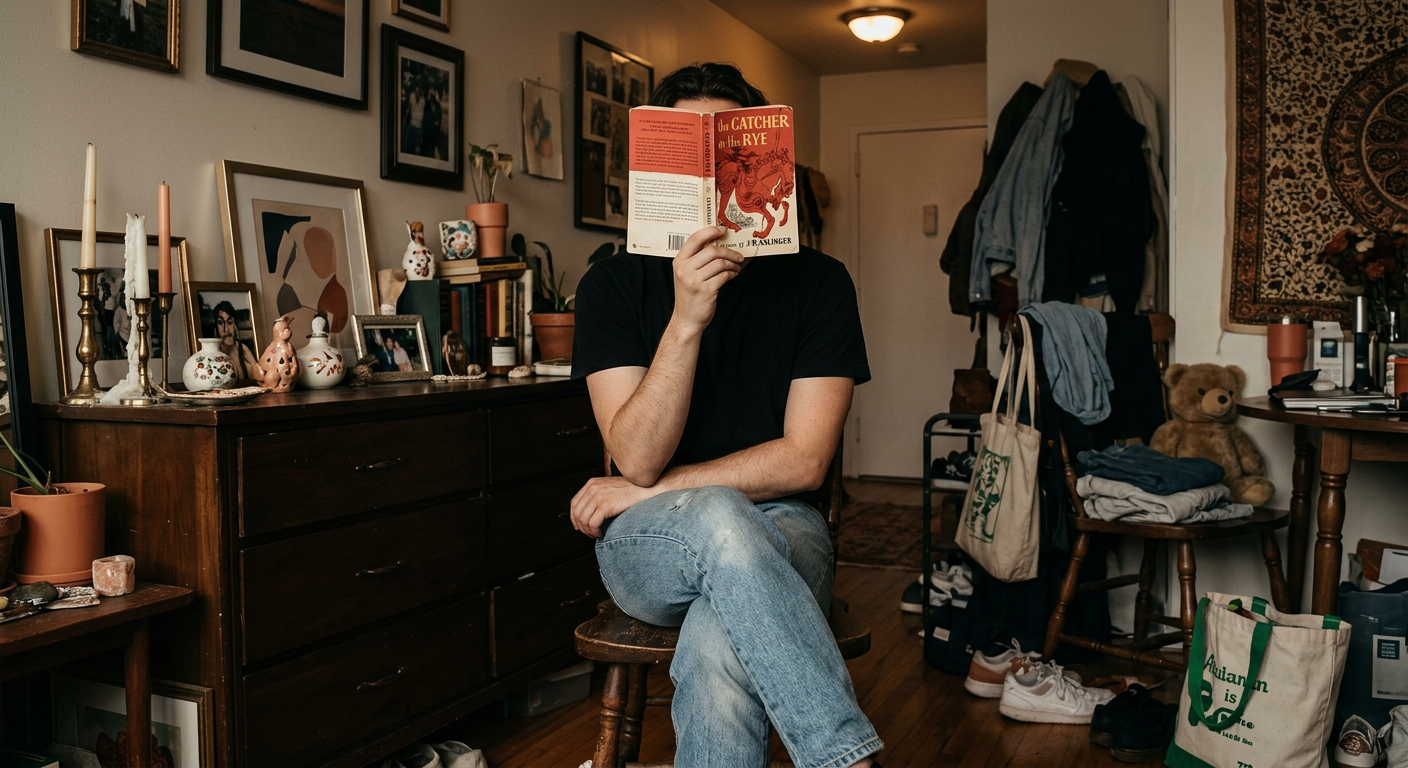
A straight-on medium shot depicts an unidentified person seated on a dark stool amidst an eclectic room, holding an open book titled "The Catcher in the Rye" by J.D. Salinger, obscuring their face. The individual is casually dressed in a black T-shirt and light blue denim jeans, with legs crossed and arms resting on their knees. Behind them is a wooden dresser cluttered with various eclectic items including candles, framed art, and decorative trinkets. The space is packed with diverse objects like clothes hanging, a plush toy on a wooden chair, and bags on the floor, contributing to a warm, lived-in feel. The lighting from above is dim and warm, creating soft shadows and a cozy atmosphere. The composition is busy, with a wide depth of field capturing all elements in sharp focus, giving the image a vignette of nostalgic interior life. HEX VALUES: ["#0a0605", "#342118", "#1d110d", "#9d9285", "#c7a089", "#413c38", "#886753", "#877b6f", "#704534", "#502c1e", "#645951", "#aa836b", "#debaa2", "#b83e26"]
Any aspect ratio
Overview
Step into a world of creative expression with the Messy Room AI Image Editor template. It gives you the tools to transform mundane settings into captivating scenes infused with eclectic charm. Perfect for bringing stories to life, this template captures the essence of a cozy, lived-in space with a nostalgic flair.
What It Does
The Messy Room template utilizes the AI Image Editor capabilities of the nano-banana-2 model to enable detailed and artistic image reimaginings. By using this template, users can enhance and manipulate room scenes to convey a warm and inviting atmosphere, complete with a vintage aesthetic.
The template is particularly adept at maintaining a wide depth of field, ensuring that all elements—from framed art to scattered clothing—are captured in sharp detail, enhancing the narrative quality of your image.
Who It's For
This template is ideal for content creators, interior designers, and storytellers who wish to add depth and nuance to their visual narratives. It's perfect for those who want to enhance scenes with a personalized touch, making it especially useful for building intriguing backgrounds in AI Talking Photos or enhancing animated settings in Image to Video projects.
Summary
Whether you're working on content for social media, creating promotional material, or simply uploading to a creative portfolio, the Messy Room AI Image Editor template provides the flexibility and detail you need. With this tool, you can craft evocative images that resonate with viewers, offering a snapshot of narrative-rich environments.
How to Use
Choose the Template

Customize Your Inputs

Generate and Download

Use Cases
Interior Design Mockups
- Visualize eclectic room arrangements
- Showcase product placements in lived-in settings
Creative Storytelling
- Develop characters through their living spaces
- Use images for book covers or illustrations
Social Media Content
- Produce visually rich Instagram posts
- Curate content for lifestyle blogs
Best Practices
Maintain Focus
Ensure the objects in the scene contribute to the story. Each item should have a purpose, whether to add to the ambiance or to reflect the character's personality.Experiment with Color
Leverage the provided HEX values to play with colors that enhance the mood and theme of your setting.Check Depth of Field
When customizing, maintain a consistent depth of field to ensure that all elements remain in focus, essential for a busier composition.