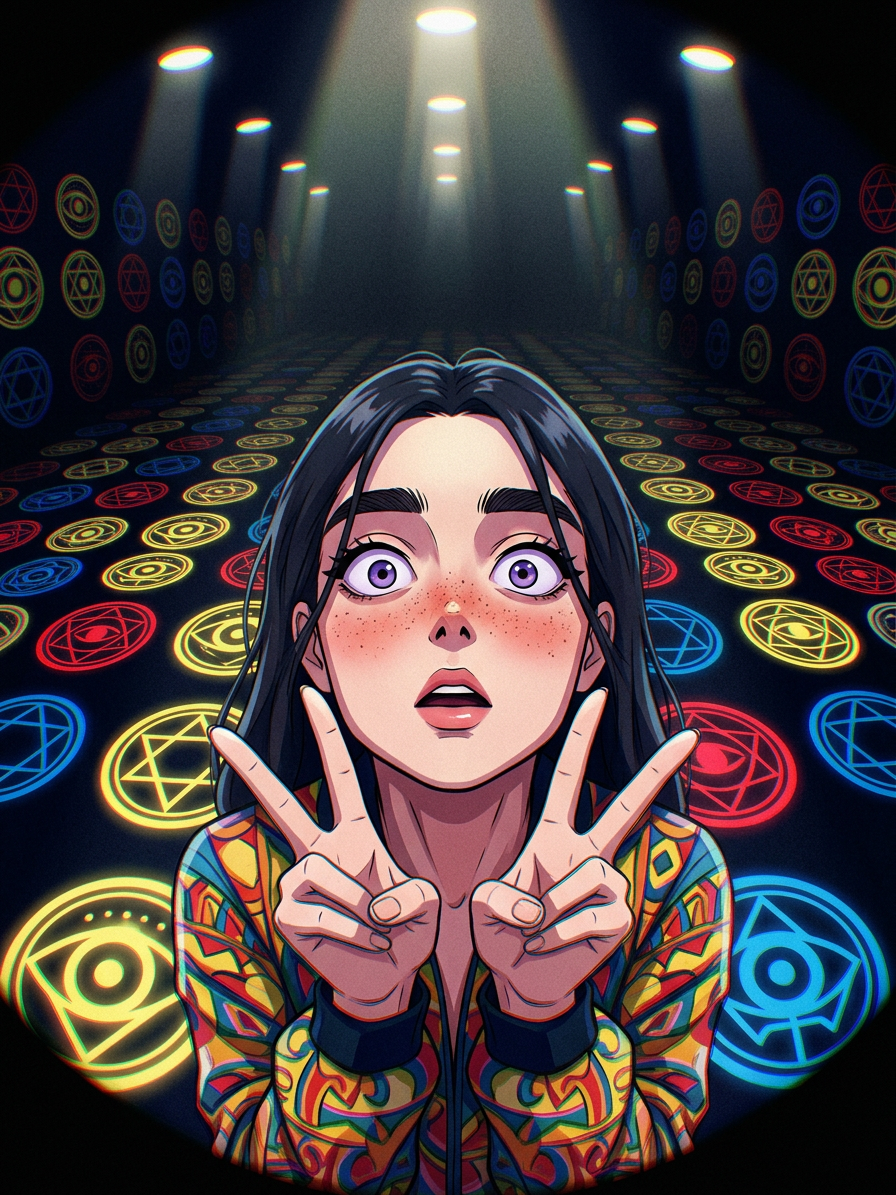
Surreal Fisheye Symbol Room
- Model
- Nano Banana 2
- Image
- 896 × 1195 px
Prompt
Subject depicts anime style with dark hair and wide purple eyes, showing a surprised expression while making a double peace sign, wearing a colorful patterned jacket. Scene uses a low-angle view with strong fisheye distortion, centered composition. Background shows an endless dark room filled with rows of large circular symbol-like forms in yellow, red, and blue, lit by bright overhead lights. Mood is mysterious, surreal, slightly eerie, with a dark palette and vibrant accents. Grainy texture and chromatic aberration effects.
Any aspect ratio
Overview
Enter the world of AI-enhanced creativity with the "Surreal Fisheye Symbol Room". This unique AI Image Editor template brings an anime-inspired character to life, set in a mysterious and surreal environment. The distinctive fisheye distortion adds a dynamic perspective that captures the eye and fires the imagination.
What It Does
This template leverages the Nano Banana-2 model to transform your ideas into captivating visuals. With a focus on anime aesthetics, it integrates dark hair, wide purple eyes, and double peace sign gestures into a scene filled with colorful patterns and fisheye distortion. The background's symbolic forms and chromatic aberration effects enhance the mysterious mood.
Who It's For
Ideal for illustrators, concept artists, and creative storytellers who wish to explore surreal and dynamic compositions in their work. Whether you're crafting content for an anime project, designing unique visual stories, or adding a creative twist to ecommerce ads, this template is your go-to tool for innovative visuals.
Summary
Embrace the intricacies of anime style within a distorted symbolic realm using the "Surreal Fisheye Symbol Room" template. Perfect for challenging conventional design limits, this AI-powered tool provides a comprehensive canvas for image-to-video, concept development, and more.
How To
Choose the Template

Customize Your Design

Generate the Image

Use Cases
Anime Art Projects
- Incorporate into manga-style stories
- Use for animated series concepts
- Ideal for character design showcases
Creative Visual Campaigns
- Use in advertising for unique product promotion
- Enhance social media posts with striking images
Storyboard and Concept Design
- Integrate into film or game storyboards
- Use in concept art presentations
Best Practices
Experiment with Textures
Maximize the impact by experimenting with grainy textures and chromatic aberration to enhance the mysterious atmosphere.Refine Character Features
Pay attention to character expressions and gestures, as these are focal points in surreal compositions.Balance Colors
Ensure vibrant colors in the scene are well-balanced to maintain the mood without overwhelming the viewer.