AI Image Editor · Recolor the ceramic collection
- Model
- Krea 2
- Image
- 1024 × 1024 px
Prompt
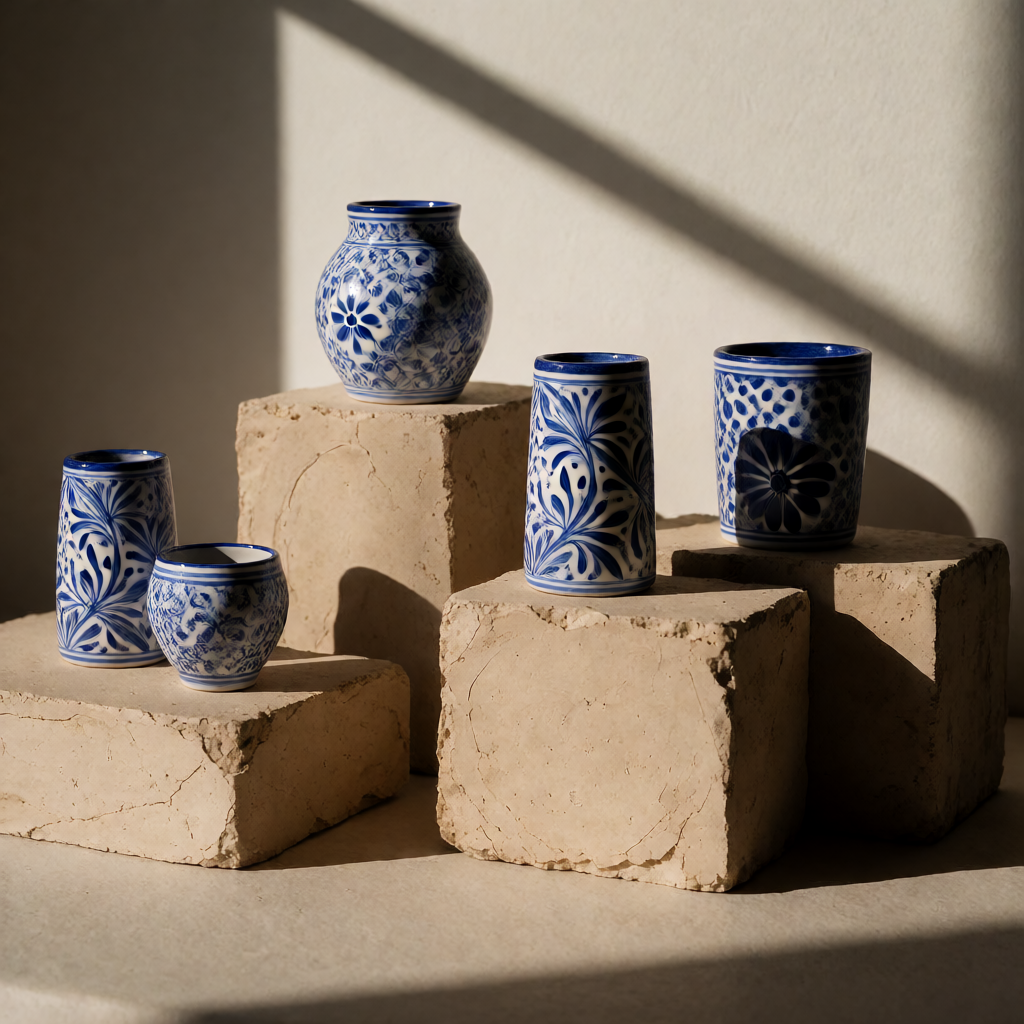
Recolor the ceramic collection in cobalt blue and white with delicate hand-painted patterns, museum-quality lighting, and the same shapes and arrangement.
Any aspect ratio
Overview
The "AI Image Editor · Recolor the Ceramic Collection" template allows you to transform images of ceramics by adjusting their color palette. Utilizing the AI Image Editor, this tool brings your ceramics to life with cobalt blue and white tones, alongside delicate hand-painted patterns.
What It Does
This template leverages the power of the krea-2 model to recolor ceramic items, adding intricate cobalt blue designs against a white backdrop. The generated images feature museum-quality lighting while preserving the original shapes and arrangements. This can elevate your product photography, creating visuals that captivate customers across different platforms.
Who It's For
Designers, marketers, and e-commerce professionals will find this template invaluable. Whether you're revamping a catalog for a ceramics collection or crafting stunning product imagery, the capability to seamlessly alter colors and patterns ensures your visuals are nothing short of spectacular. You might also explore the AI Product Photography tool for additional enhancements.
Summary
Incorporating the "AI Image Editor · Recolor the Ceramic Collection" template into your workflow can redefine how you present ceramic products. By maintaining high fidelity to original designs, it supports creative marketing efforts and boosts sales. To further refine these images, consider using the AI Image Upscaler for the best resolution possible.
How to Use
Choose Template

Customize Colors

Generate and Download

Ideal Use Cases
E-commerce Catalogs
- Create appealing visuals without reshooting products.
- Expand color options for ceramics without inventory costs.
Marketing Materials
- Develop striking ads for ceramics.
- Design themed brochures and flyers.
Interior Design Showcases
- Offer clients a variety of color schemes to better match decor.
- Visualize prototype designs.
Best Practices
Detail Orientation
Ensure your prompt clearly articulates desired color and pattern details to take full advantage of the model's capabilities.Lighting Consideration
Use museum-quality lighting options within the prompt for best results, keeping shadows and highlights natural yet striking.Consistent Branding
Align color choices with your existing brand identity for seamless integration across all marketing and product content.