Midnight Frost
- Model
- Nano Banana Pro
- Image
- 848 × 1264 px
Prompt
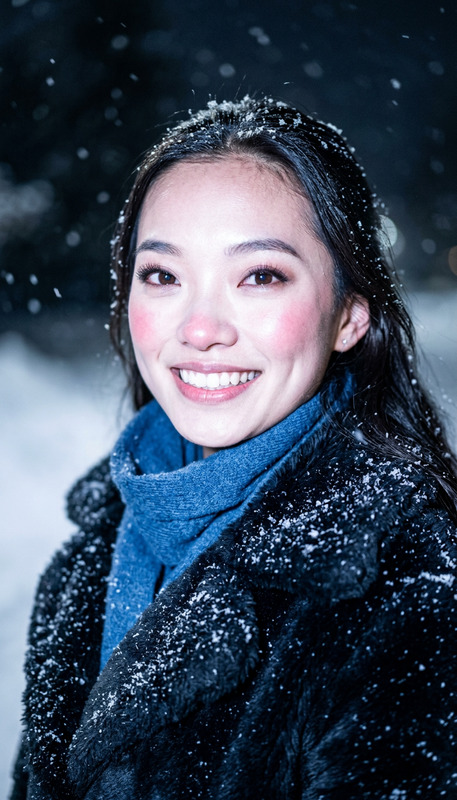
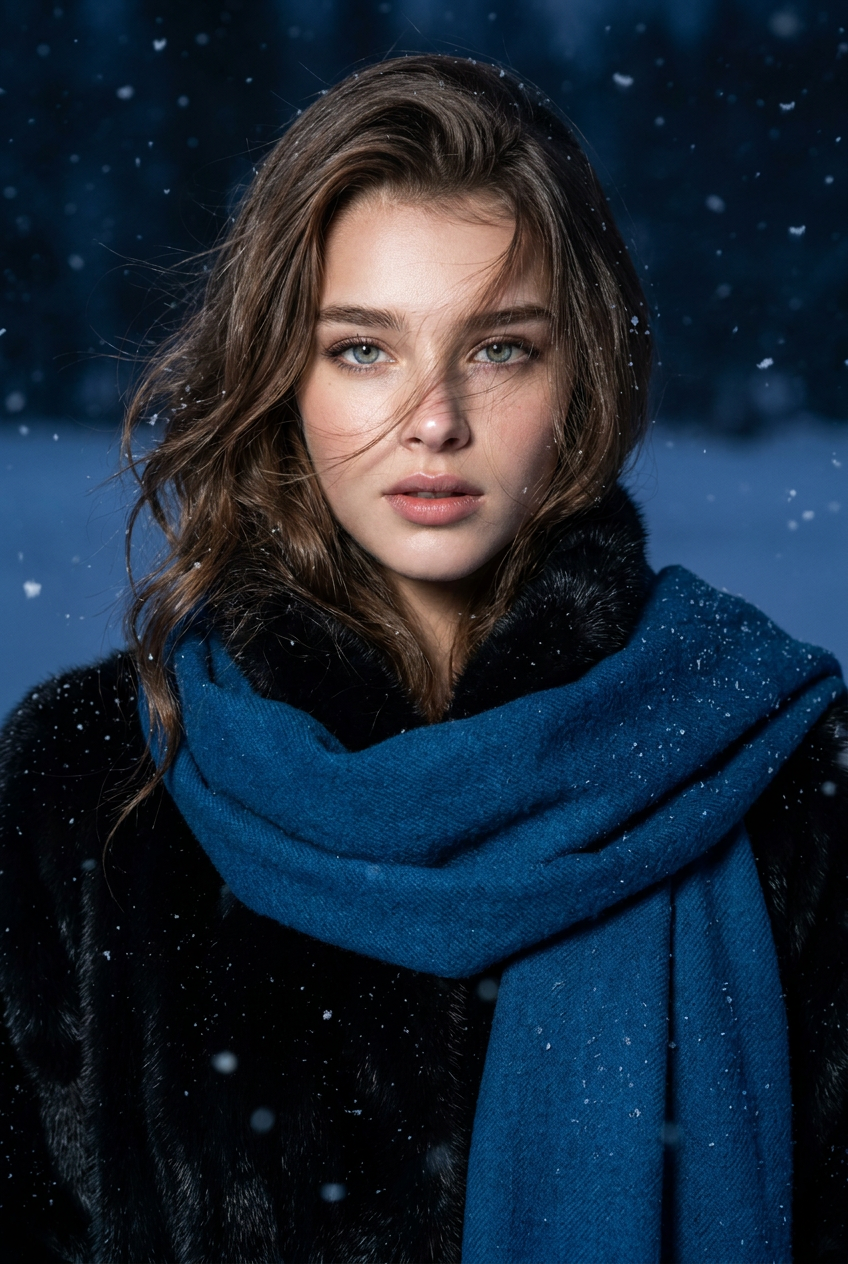
{“Hint”: Use the attached image to accurately reproduce the subject's facial features. Create a nighttime flash, cinematic, 8K resolution portrait. Hair is slightly blown by the wind, falling across the face. The eyes convey a story; the flash highlights the face. A large, jewel-blue wool scarf hangs down, revealing a winter black mink coat. Please reproduce the facial features, hairstyle, and expression in the reference photo as faithfully as possible.“Style”: Cinematic, photorealistic, 8K resolution, detailed skin texture, flash, rich colors.“Focus”: Accurately reproduce the face, hairstyle, and expression in the reference photo.“Light”: Nighttime flash, emphasizing facial contours.“Composition”: Close-up portrait, upper body visible, hair falling on both sides of the face.“Clothing”: Winter black mink coat. Smooth, glossy fur, large blue scarf.“Scene”: Heavy snowfall, winter snowfield.“Tone”: Blue, cool tones, rich colors.}
Any aspect ratio
Overview
Midnight Frost is an AI Image Editor template designed to transform your photos into stunning, cinematic portraits with an atmospheric nighttime feel. Crafted using the advanced nano-banana-pro model, this template specializes in creating detailed and photorealistic images that preserve the unique characteristics of the original subject. Add a touch of drama and elegance to your photos with rich colors and detailed textures.
What It Does
The Midnight Frost template focuses on producing high-resolution images, emphasizing facial contours and deep, rich colors. It includes elements like a jewel-blue scarf and a winter black mink coat to create a distinct winter narrative. With its focus on flash lighting and detailed skin textures, this template enhances the subject's features while adding a cool, cinematic tone to the scene. Ideal for close-up portraits, it introduces a heavy snowfall scene, capturing both the intensity and beauty of winter.
Who It's For
This template is perfect for photographers and designers looking to add a cinematic flair to their portraits. Whether you're working on product photography, fashion editorials, or profile picture creation, Midnight Frost enables a transformation that maintains the integrity of the original image's facial features. It's designed for those who seek professional-level edits without the need for complex tools or extensive editing experience.
Summary
Utilizing Midnight Frost means leveraging advanced AI capabilities to create breathtaking visual experiences. Compatible with a variety of AI Image Editors, this template ensures your portrait work stands out with spectacular detail and composition. Perfect for projects that demand high-quality and photorealistic results, it brings out the best in each photo by highlighting expressive elements and intricate textures.
How to Use Midnight Frost
Choose Midnight Frost Template

Customize Your Inputs

Generate and Download

Use Cases
Fashion Editorials
- High-detail fashion shoots
- Emphasis on clothing textures
- Edit with cool-tone aesthetics
Cinematic Portraits
- Film-style lighting
- Expressive character captures
Advertising Campaigns
- Appealing ad imagery
- Precise brand portrayal
Best Practices
Focus on Authenticity
Ensure the template settings maintain the true likeness of the person in the reference image. This results in a more compelling and genuine portrait.Experiment with Lighting and Textures
Adjust lighting such as the nighttime flash effects to see how it accentuates the facial features and provides a unique atmosphere.Balance Color Tones
Control color saturation and tones to keep them complementary, especially with the cool hues and rich colors integral to this template's aesthetic.