1920s bar
- Model
- GPT Image 2
- Image
- 1024 × 1024 px
Prompt
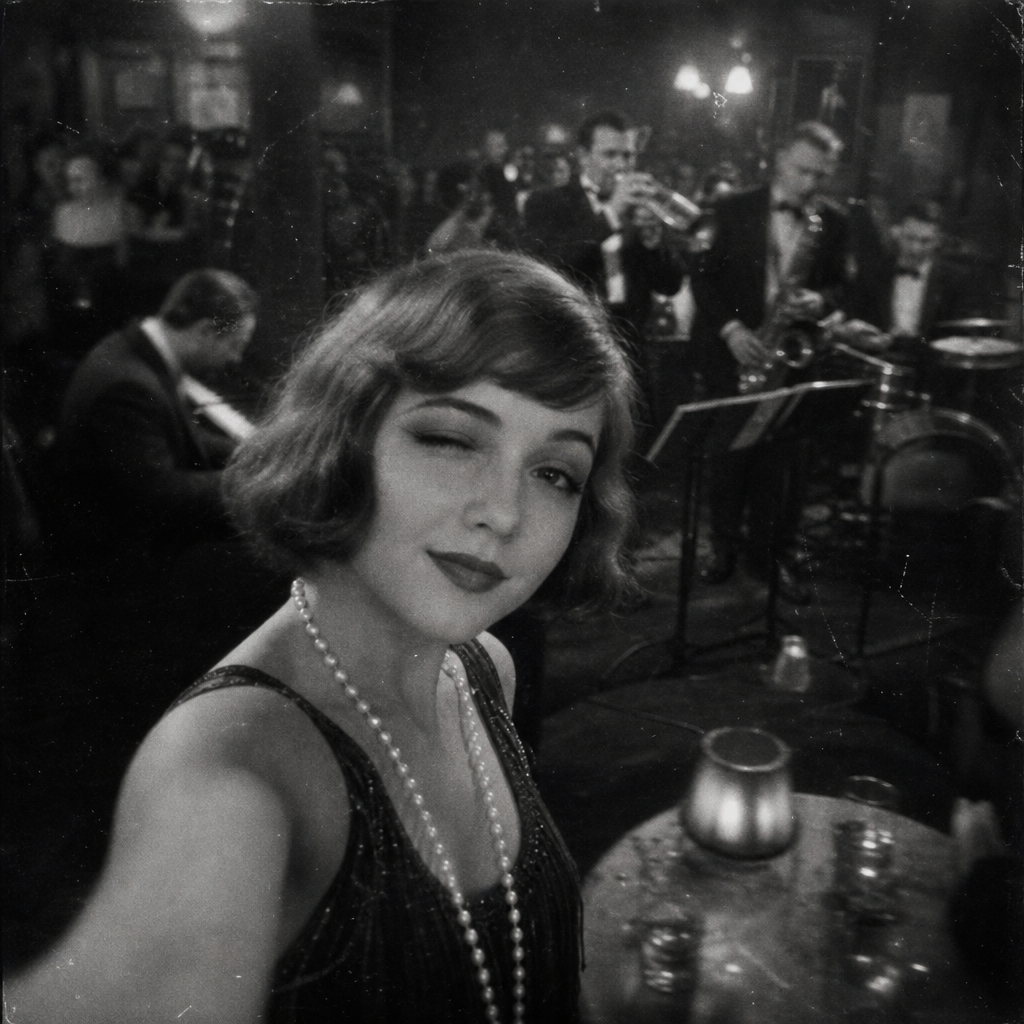
A grainy, black and white 1920s photograph taken from a 'selfie' angle. A flapper girl with a bob haircut and a pearl necklace is winking at the camera. In the background, a lively jazz band is playing in a smoky speakeasy. The image should have film grain, scratches, and a slight motion blur to simulate early handheld photography
Any aspect ratio
Overview
Step into the past with our "1920s Bar" template, powered by AI Image Editor and the gpt-image-2 model. Experience the charm of the roaring twenties with a unique AI-assisted artistic touch that replicates a classic, grainy black-and-white photograph.
What It Does
This template transforms your image prompts into vintage-style 1920s photographs. The AI applies authentic effects, such as film grain, scratches, and motion blur, to create the illusion of an era-appropriate snapshot, featuring a flapper girl and a bustling jazz band in a smoky speakeasy setting.
Who It's For
Perfect for anyone looking to recreate the nostalgic feel of the 1920s, this template attracts designers, history enthusiasts, and content creators. Whether you're crafting a historical project or enhancing a period piece, the "1920s Bar" template offers a distinctive, vintage aesthetic.
Summary
The "1920s Bar" template leverages the power of AI to bring past aesthetics to life. Dive into a world of jazz, speakeasies, and charismatic flapper girls. For those interested in exploring similar styles or functionalities, the Image to Video and AI Photo Relighting tools offer fantastic complementary uses.
How To
Select the Template

Customize Your Image

Generate and Save

Use Cases
Historical Projects
- Museum exhibits
- Historical documentaries
- Educational materials
Marketing and Branding
- Vintage-themed campaigns
- Unique social media visuals
- Brand storytelling
Personal Enjoyment
- Creative social media posts
- Photo albums
- Art pieces
Best Practices
Optimize Your Prompt
Be specific with your descriptions to capture the desired era-accurate elements. Mentioning the right elements like flapper dresses or jazz instruments can enhance authenticity.Use High-Quality Inputs
Start with clear, high-resolution images to ensure the best quality output after editing and applying effects.Experiment with Effects
Don't hesitate to adjust film grain and scratches to match the desired vintage look closely. Each project may require different levels of these effects.