Lace
- Model
- Qwen Edit
- Image
- 728 × 912 px
Prompt
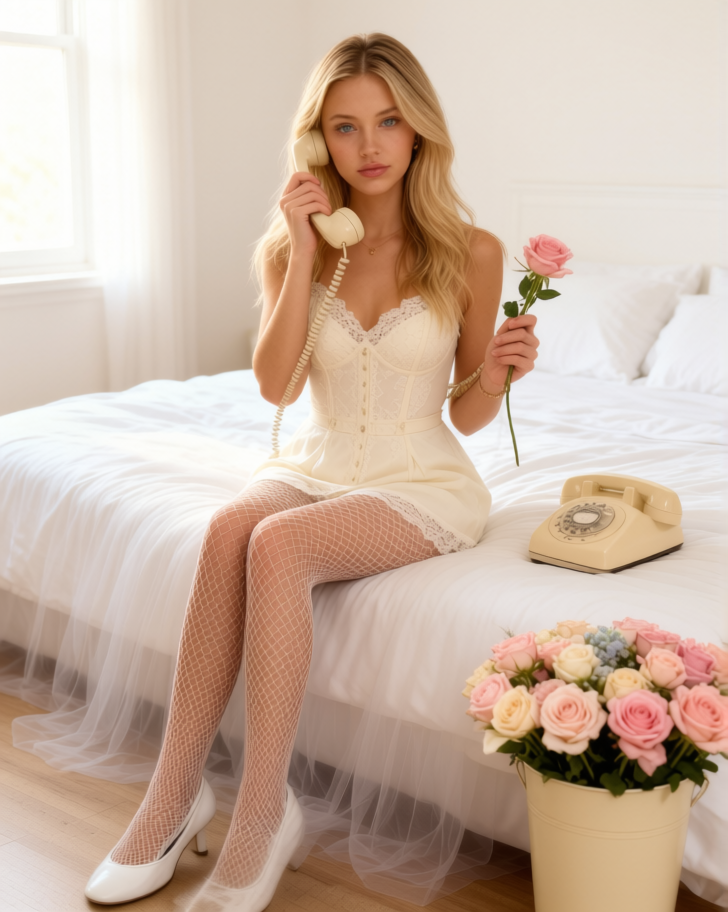
A super-realistic vertical fashion editorial shoot in a bright bedroom: a character sits on the edge of a bed with white linens and tulle, holding a vintage telephone receiver to her ear and a rose in her other hand, next to a cream-colored telephone and a bucket of pastel roses. Soft daylight from a window on the left, 85mm, shallow depth of field, focus on the face and outfit; an off-white structured mini-look with lace, fishnet tights, and white shoes.
Any aspect ratio
Overview
The "Lace" template offers a sophisticated editing platform with AI Image Editor capabilities, utilizing the advanced qwen-edit model. Perfect for refining images, this template focuses on bringing fashion editorials to life with precise details and stylish compositions.
What It Does
By leveraging the AI Image Editor, "Lace" transforms your images into stunning fashion editorials. Capturing the subtle nuances of a vintage setting, it emphasizes critical elements like the subject's expression and attire. The template uses a specific prompt to ensure that the end result is a high-quality, realistic image with a professional finish.
Who It's For
"Lace" is ideal for fashion photographers, content creators, and editors seeking to enhance their image aesthetics. It's perfect for those who value precision and artistic control in retouching and styling their photo shoots. This template is also beneficial for professionals focused on creating elegant presentations for fashion portfolios or product placements.
Summary
Enhance your fashion imagery with the "Lace" template. Utilize qwen-edit to achieve a realistic and detailed photo finish. This tool assists photographers and creators in elevating their work to capture the exquisite essence of styled fashion scenes.
How To
Choose Your Template

Customize Your Inputs

Generate Your Image

Use Cases
Fashion Editorials
- Detailed garment and accessory focus
- Stylish ambiance creation
E-commerce Product Images
- Professional-quality backgrounds
- Focused product detailing
Social Media Campaigns
- Cohesive brand imagery
- Increased visual appeal
Best Practices
Focus on Details
Utilize the shallow depth of field to highlight key elements such as facial expressions and outfit details.Balance Lighting
Ensure image lighting complements the styled setting to enhance realism and mood.Tailor the Prompt
Modify the prompt to better fit the thematic goal of your photo shoot. Consider adjustments in attire and accessories for a personalized touch.