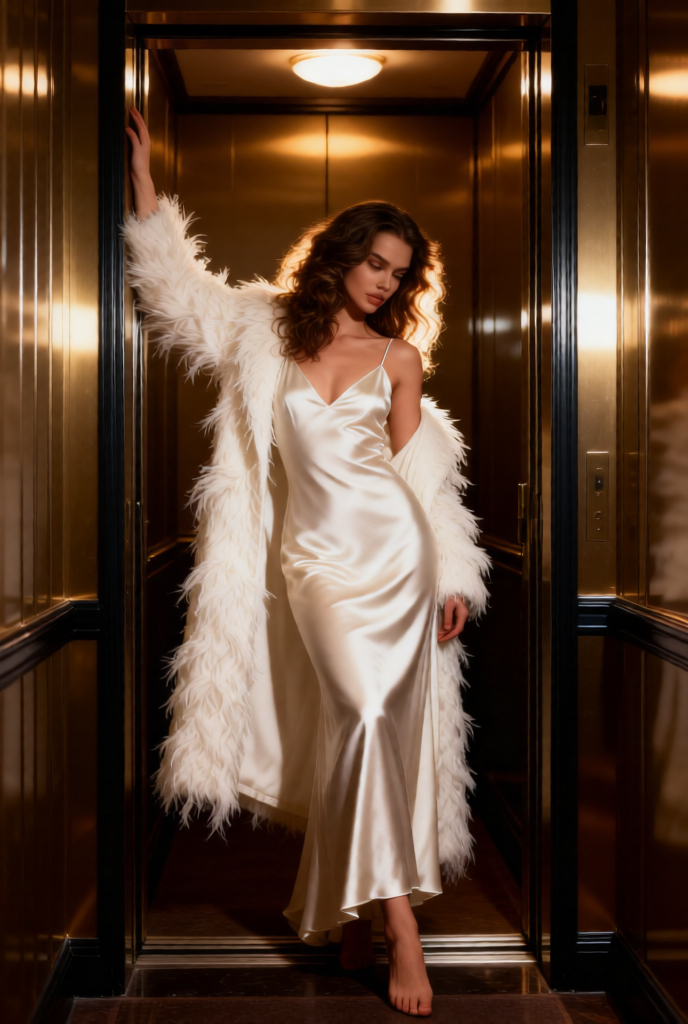
Elevator Velvet Muse

Elevator Velvet Muse

ai-image-editor

1 clip
7 uses

Any aspect ratio

Prompt

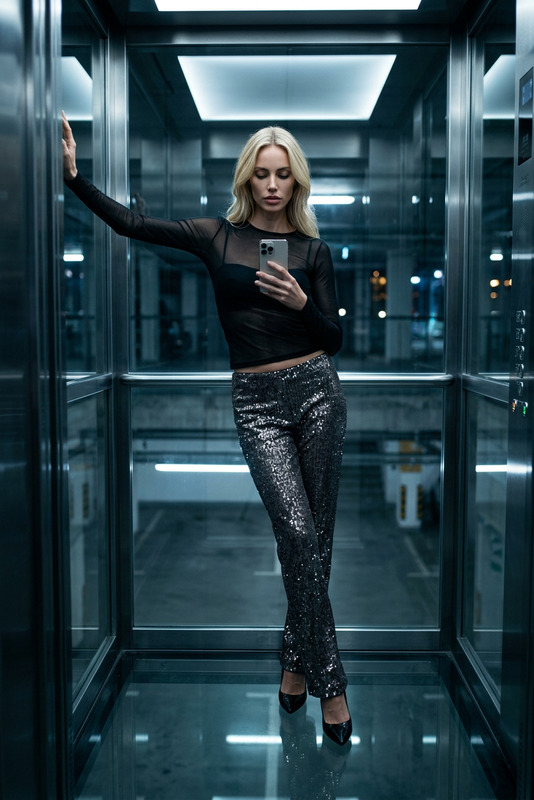
Subject: A glamorous woman posing dramatically inside an elevator in a hotel corridor, filling most of the frame. She wears a floor-length white or ivory satin slip dress with a glossy finish, V-neckline, thin straps, and a form-fitting drape, paired with an ankle-length luxurious white coat featuring delicate feathery textures. Pose is slightly angled with one foot stepping out of the elevator, right arm extended upward resting on the door frame, head tilted down to the right with a soft, seductive gaze. Setting features dark muted gold or bronze reflective panel walls with vertical lines and dark trim. Lighting: warm overhead elevator light highlighting her hair, the sheen of the satin dress, and feather textures, creating subtle reflections on metallic surfaces. Style: high fashion, vintage glamour, cinematic, luxurious and dramatic atmosphere, photorealistic, high detail.

AI Image Editor Template: Instantly Clean Up Product Photos for High-Converting Listings

Turn rough product shots into polished, on-brand images in minutes. This AI Image Editor template is built for founders, marketers, and creators who need production-quality visuals without a full design team.

Use it to:

  • Remove distracting backgrounds and objects
  • Clean up lighting, colors, and minor flaws
  • Standardize your catalog with consistent, professional-looking images
  • Prepare assets for ecommerce, ads, decks, and social

You can use this template as-is, or quickly remix it inside Magic Hour to fit your exact brand and workflow.


What This Template Is Best For

This template is optimized for:

  • Ecommerce product photos (Amazon, Shopify, Etsy, marketplaces)
  • Ad creatives (Meta, Google, TikTok, X)
  • Pitch decks and landing pages
  • Social posts and thumbnails
  • Portfolio and case study visuals

Typical use cases:

  • Remove cluttered backgrounds and replace them with clean, neutral, or branded ones
  • Erase unwanted objects, logos, or text from the scene
  • Fix small visual issues (wrinkles, dust, reflections, shadows)
  • Create multiple visual variations from a single base photo

If you need to go beyond simple edits and generate new visuals from scratch, combine this template with tools like the AI Image Generator or AI Photo Generator.


How to Remix This Template in Magic Hour

You can either start from this template or build your own version in a few steps:

  1. Open AI Image Editor
    Go to the AI Image Editor. This is the core engine powering the template: it lets you edit, enhance, or transform existing images with AI rather than starting from text prompts alone.

  2. Upload Your Base Image

    • Use a product shot, lifestyle photo, or UGC image.
    • The cleaner the input (good lighting, clear subject), the better the AI output.
  3. Define the Edit You Want
    With this template, the most common edit patterns are:

    • “Remove the background and replace with a clean white studio background.”
    • “Remove all clutter and make the table and product look minimal, bright, and sharp.”
    • “Remove any logos or text and keep only the product.”
    • “Turn this into a consistent product image that matches an ecommerce catalog.”
  4. Iterate and Save Variants

    • Run multiple edits on the same base image to test different backgrounds, moods, or crops.
    • Save the variants that work best for your landing page, ad sets, or marketplace listing.
  5. Turn Your Remix into a Reusable Workflow
    Once you’ve got a version you like, you can treat it as your “house style” and apply similar edits to the rest of your catalog, keeping your brand visuals consistent across product lines, campaigns, and channels.


Power-User Workflows: Going Beyond Simple Edits

For more advanced visual systems, you can pair this template with other Magic Hour tools:

  • Generate Net-New Product Shots

    • Use the AI Image Generator or AI Art Generator to create initial product concepts or mockups.
    • Then refine them with the AI Image Editor to match your actual brand guidelines and presentation style.
  • Turn Edited Images into Short Promo Videos

  • Create High-Resolution Hero Images

    • Use the AI Image Editor template to get your composition right.
    • Then upscale with the AI Image Upscaler for web banners, large hero images, or print.
  • Polish and Restore Brand Assets

  • Object and Background-Level Control


Example Remix Ideas for Creators and Teams

To adapt this template to your own workflow, you can:

  • Ecommerce / DTC Brands

    • Use AI Image Editor to make all product photos share the same angle, background type, and lighting style.
    • Generate seasonal or campaign-specific backgrounds using AI Background Generator and apply them to your existing catalog.
    • Create GIFs of rotating or “unboxing” views from static photos via AI GIF Generator.
  • Performance Marketers

    • Rapidly create multiple variations of a winning creative: different crops, background colors, and visual treatments while keeping the same core product and layout.
    • Turn your strongest edited images into talking ads or UGC-style content using AI Talking Photo and AI Voice Generator.
  • Startups and Agencies

    • Use AI Image Editor to normalize client assets from mixed sources so pitch decks, case studies, and websites feel cohesive.
    • Build branded illustrative styles with the AI Illustration Generator and refine final details with this template.
    • Create custom icons or logos using the AI Icon Generator or AI Logo Generator, then edit them for specific placements.
  • Content Creators & Creators-as-Founders

    • Batch-edit thumbnails with consistent framing and color styles, then optionally refine them via the Thumbnail Maker.
    • Build consistent personal branding across avatars, profile photos, and cover images with Avatar Generator, AI Face Editor, and this template for final cleanup.

Related Templates and Tools You Can Explore

If you like what this AI Image Editor template does, you may want to remix or combine it with:


Why Use Magic Hour for Image Editing?

Magic Hour is designed for busy, technical-leaning teams who care about speed, flexibility, and brand safety:

  • Production-ready outputs: Clean, sharp assets suitable for real campaigns, not just experiments.
  • Composable tools: Start from this AI Image Editor template, then layer in generators, video tools, and upscalers as your needs grow.
  • Creator-friendly: You don’t need to be a designer or prompt expert; you can start from templates, remix, and iterate.

To get started, open the AI Image Editor, upload your first image, and use this template as a blueprint. Then iterate until you’ve created a reusable, on-brand editing workflow that fits your team and your product.

More Like This

Insufficient credits