Miniature Comic Makers
- Model
- Nano Banana 2
- Image
- 843 × 1264 px
Prompt
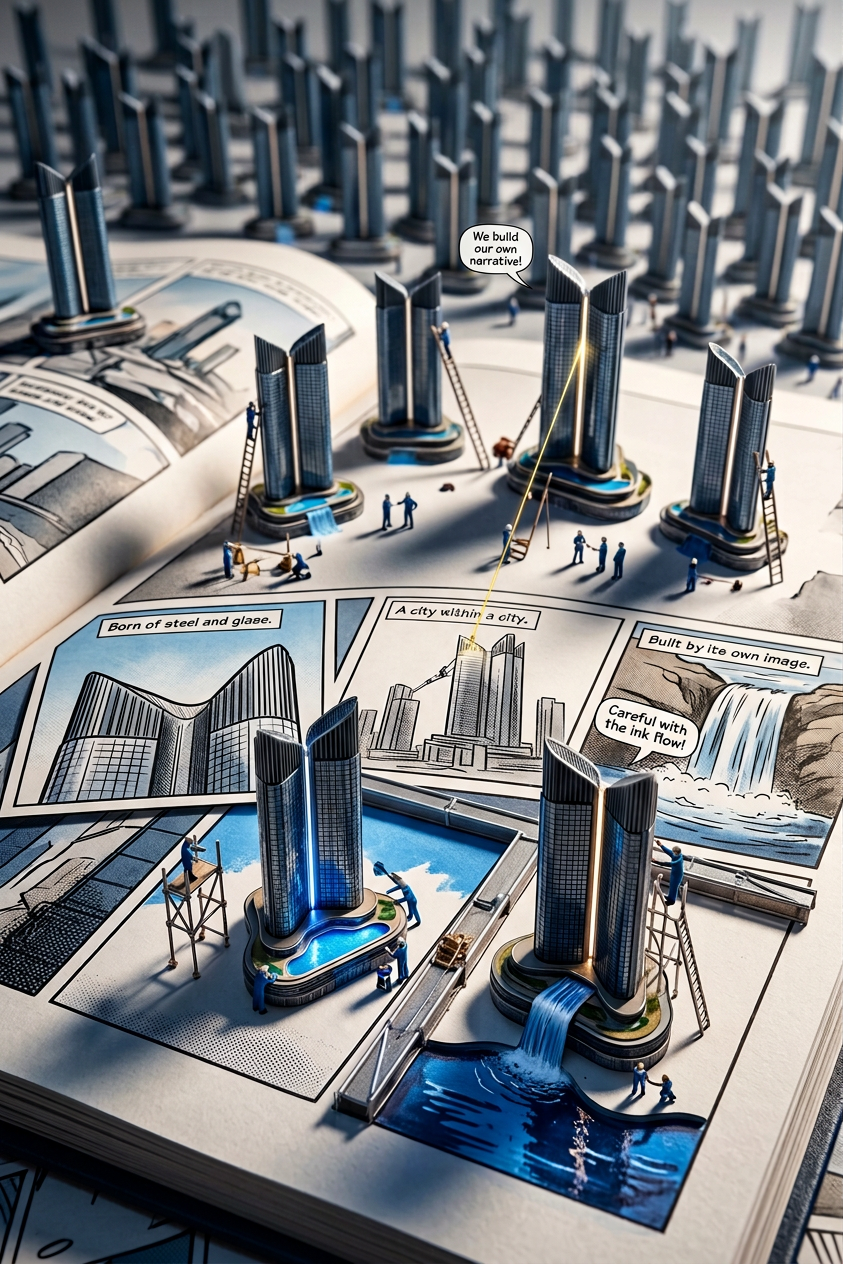
Cinematic macro toy-photography scene of the uploaded reference character multiplied into many identical miniatures, all preserving exact identity (face, proportions, eyes, silhouette—no drift or redesign), working together on a giant open comic book that tells their own story. The comic book becomes a construction site where mini versions draw panels, paint scenes, climb panel borders like scaffolding, direct action, and physically interact with the pages as if building the narrative in real time. Low-angle 90–100mm macro shot with strong depth compression (no wide-angle distortion), diagonal composition with leading panel lines, off-center framing and slight edge cropping for realism. Extremely shallow depth of field: one or two foreground workers in sharp focus, mid-ground softer, background heavily blurred. Hard cinematic top-left lighting with sharp shadows, subtle rim light, ink reflections, and no flat lighting. Visible paper fibers, ink texture, printed imperfections, and raised panel borders enhance macro realism.
Any aspect ratio
Overview
The Miniature Comic Makers template takes your character imagery to new creative heights by transforming them into a dynamic miniature world. Using the power of AI, this template allows you to construct intricate scenes where your multiplied character miniatures bring a comic book to life as they work on its pages. This process is perfect for creators aiming to blend storytelling with visual artistry.
What It Does
This template harnesses the capabilities of the AI Image Editor using the nano-banana-2 model. It maintains consistent character identity and preserves every detail of the original personality as it populates a cinematic toy-photography scene. The generated visuals have a cinematic depth made possible by a macro shot setting that enhances realism with subtle details like ink texture and hard lighting.
Who It's For
Designed for creative professionals, illustrators, and storytellers, this template suits anyone looking to create compelling visual narratives or intricate storytelling visuals. It is ideal for those involved in comic book creation, digital art, and multimedia storytelling who want visuals that hold viewers’ attention.
Summary
The Miniature Comic Makers template is an innovative tool for generating vivid and engaging visuals that merge realistic miniature photography with comic storytelling. The AI Image Editor not only ensures character consistency but also brings a detailed scene with depth and interaction, perfect for story-driven visuals.
How-To

Customize

Generate

Use Cases
Visual Storytelling
- Comic book panels
- Digital storytelling
- Enhanced online content
Character Development
- Character storytelling
- Visual character dossiers
Marketing and Promotions
- Advertising campaigns
- Promotional videos
Best Practices
High-Quality Images
For the best outcome, provide high-resolution images of your character to maintain detail.Prompt Details
Enhance the scene by carefully adjusting the prompt to include specific interactive elements or desired moods.Lighting Consideration
When setting up the scene, consider adjusting lighting props to add depth and realism similar to real-world macro photography setups.
Frequently asked questions
More Like This