Elegant Quote Card
- Model
- Nano Banana 2
- Image
- 1376 × 768 px
Prompt
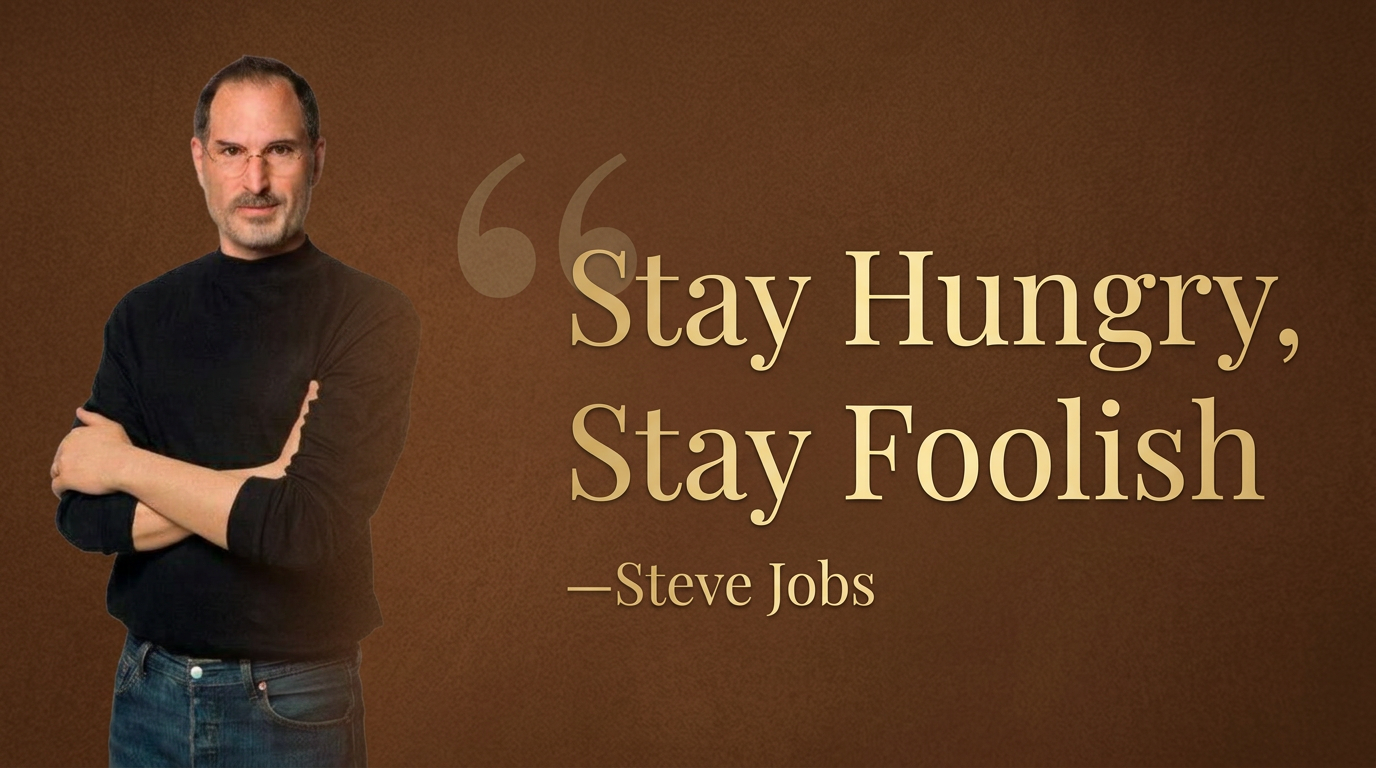
"A wide celebrity quote card, brown background, serif pale gold text {""Stay Hungry, Stay Foolish"" with small text ""—Steve Jobs""}, a large faint quotation mark before the text, portrait on the left, text on the right, text occupying 2/3 of the image, portrait occupying 1/3, with a gradient transition effect on the portrait"
Any aspect ratio
Overview
The Elegant Quote Card template allows you to create visually appealing quote cards perfect for sharing on social media. Utilizing the sophisticated capabilities of the AI Image Editor, this template provides a sleek design with a brown background and serif pale gold text. Ideal for professionals and content creators looking to convey messages with style, this template is powered by the advanced nano-banana-2 model.
What It Does
Transform your quotes into captivating images that grab attention. The Elegant Quote Card template incorporates a portrait and text with a balanced layout — 1/3 of the image is occupied by the portrait, while the text fills the remaining 2/3. A gradient transition effect enhances the portrait, adding a professional touch. You can adjust the quote and portrait for unique customization, ensuring each card resonates with your audience.
Who It's For
This template is ideal for social media managers, influencers, and creative professionals who want to enhance their online presence. It's also perfect for educators, coaches, and motivational speakers who wish to visually represent inspiring quotes. Whether you're crafting content for Instagram, LinkedIn, or a presentation, the Elegant Quote Card elevates your message.
Summary
The Elegant Quote Card template is your go-to solution for creating stunning quote visuals. By leveraging our AI Image Editor and the powerful nano-banana-2 model, you gain access to a tool that combines ease of use with powerful design elements for optimal social media engagement.
How to Use
Choose the Template

Customize Your Card

Generate and Download

Use Cases
Social Media Campaigns
- Instagram promotional posts
- LinkedIn thought leadership content
Motivational Speakers
- Event flyers
- Presentation slides
Educators and Coaches
- Classroom materials
- Workshop handouts
Best Practices
Choose High-Quality Portraits
Ensure the portrait used is of high resolution to maintain clarity in the final image.Balance Text and Image
Keep text concise to ensure it fits well within the 2/3 space allocated, maintaining the design's harmony.Test Different Gradient Effects
Experiment with gradient settings to create the most visually pleasing transition on the portrait.