Lantern of the Forgotten Gate
- Model
- Nano Banana 2
- Image
- 843 × 1264 px
Prompt
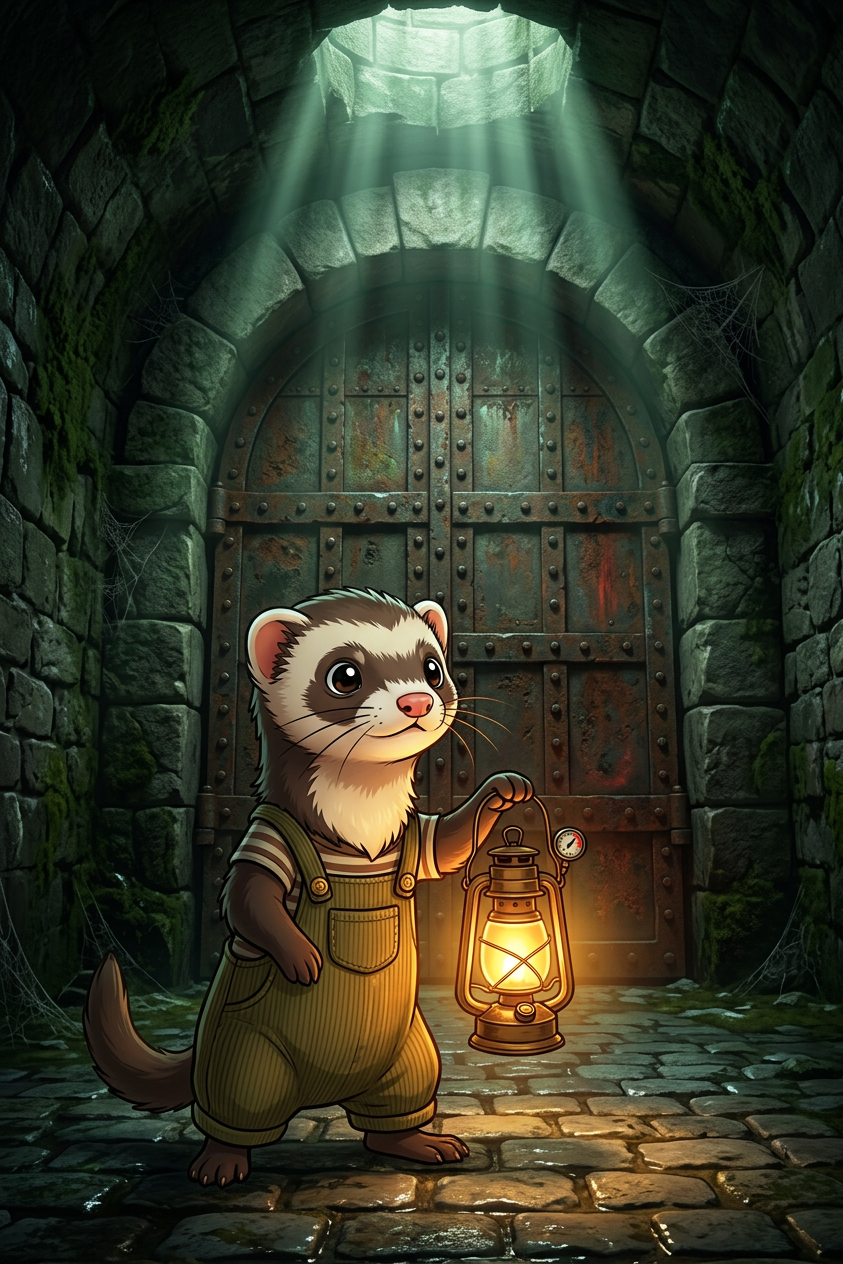
Cute wide-eyed cartoon portrait of the subject wearing overalls, holding a glowing lantern, cautiously approaching a massive ancient bolted metal door in a dark underground stone tunnel. Anime-inspired character with realistic environment, dramatic lighting with strong overhead rays and warm lantern glow, mysterious slightly eerie mood, dark green/gray/brown palette with subtle red accents, cobblestone floor, arched ceiling, soft volumetric light
Any aspect ratio
Overview
The Lantern of the Forgotten Gate template in the AI Image Editor offers creators a unique blend of anime-inspired illustration with realistic lighting and settings. This template is designed to produce captivating still images perfect for storytelling and showcasing intricate environments. Ideal for projects requiring dramatic light effects and a mysterious, slightly eerie atmosphere.
What It Does
By leveraging the capabilities of the AI Image Editor, this template crafts detailed cartoon portraits set against the backdrop of an ancient underground tunnel. The scene is enriched with dynamic lighting effects, including a warm glow from the lantern and dramatic overhead light rays, all rendered in a soft volumetric style. Expect a harmonious blend of anime character artistry with a realistic environment.
Who It's For
This template is perfect for digital artists, content creators, and storytellers looking to inject a sense of wonder and mystery into their work. It's also an excellent choice for those producing AI-generated videos who want to create compelling visual narratives featuring vividly detailed characters and settings.
Summary
The Lantern of the Forgotten Gate template offers a balanced mix of creativity and technical detail, making it an ideal choice for projects requiring enhanced visual storytelling. Utilize this tool to craft scenes that captivate audiences with both the charm of anime characters and the intrigue of ancient environments. Enhance your storytelling with realistic, dramatic, and mysterious settings, pushing the boundaries of what traditional text-to-video transformations can offer.
How to Use
Choose the Template

Customize Your Scene

Generate and Download Your Image

Potential Use Cases
Immersive Storytelling
- Graphic novels
- Storyboards
- Social media campaigns
Content Marketing
- Blog post illustrations
- Video thumbnail enhancements
- Email marketing visuals
Game Development
- Concept art
- In-game cutscenes
- Character bios
Best Practice Tips
Focus on Lighting Effects
Highlight the template's dramatic lighting by emphasizing the lantern's glow and overhead rays in your scene.Blend Characters Seamlessly
Ensure character designs harmonize with the environment for a coherent and immersive visual.Utilize Subtle Accent Colors
Incorporate red accents subtly to enhance the visual intrigue and depth of your images.