Tightrope Circus Dream
- Model
- Nano Banana 2
- Image
- 843 × 1264 px
Prompt
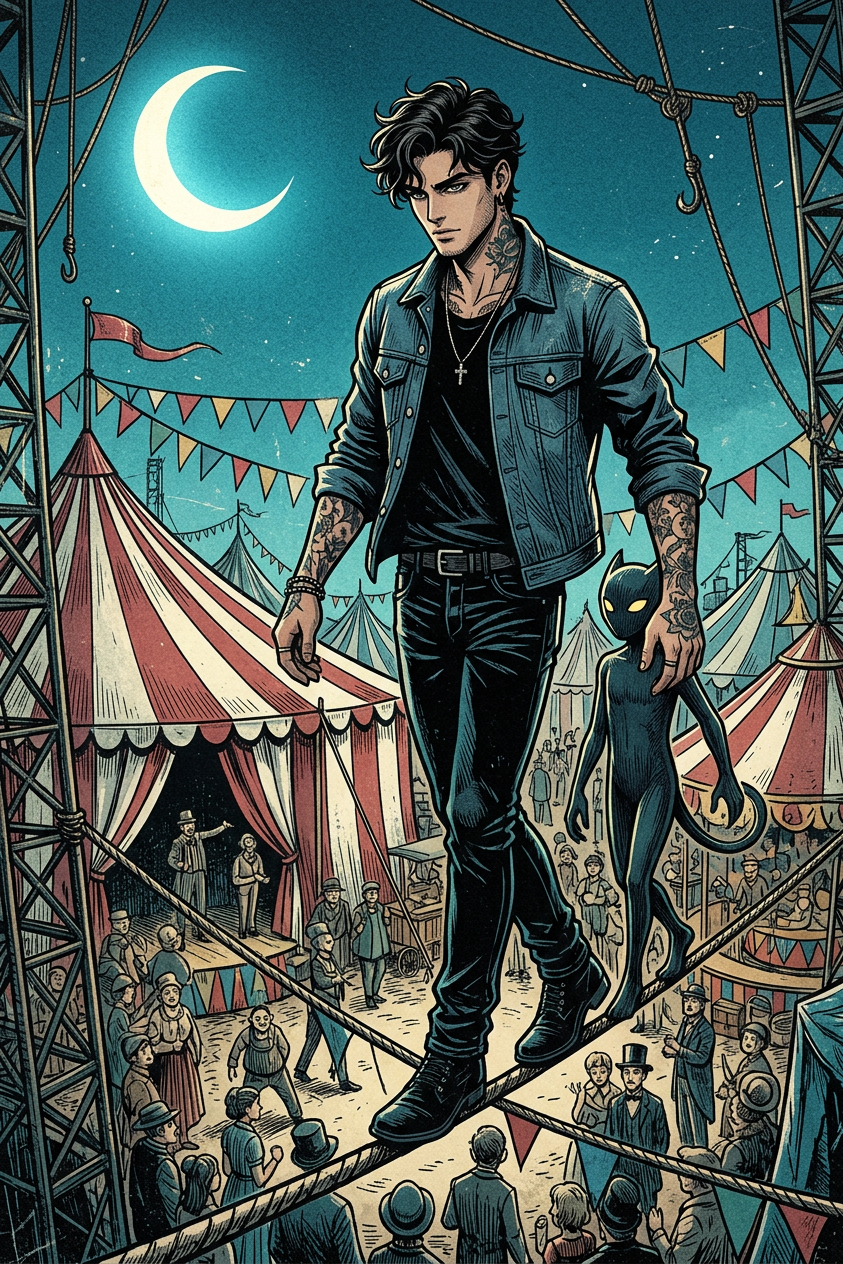
Subject depicts anime style, full body balancing on a tightrope above a chaotic vintage circus. A dark companion with yellow eyes walks alongside on the rope. Below features red and white striped tents, colorful bunting, and intricate rigging. A bright crescent moon appears in a deep teal-blue sky. Style blends detailed anime with woodblock print, using textured grain. Lighting shows dark dramatic shadows with bright highlights, creating a mysterious, whimsical mood. Dominant colors include deep teal blue, black, white, and muted red and yellow, with intricate patterns suggesting controlled chaos.
Any aspect ratio
Overview
Dive into the enchanting world of the Tightrope Circus Dream template. This AI Image Editor, powered by the nano-banana-2 model, brings a unique blend of anime-style art and woodblock print effects. Transform your visuals with dramatic shadows and vivid highlights, creating a whimsical yet mysterious flair.
What It Does
The Tightrope Circus Dream template lets you craft visually stunning images that merge anime aesthetics with detailed woodblock print textures. The scene captures a full-body character balancing diligently on a tightrope across a vintage circus, accompanied by a companion. The imagery is enriched with deep hues and intricate patterns, offering a controlled chaotic feel.
This template leverages AI to deliver a seamless fusion of AI Image Editor capabilities, allowing for custom manipulation of color schemes, lighting, and textural patterns.
Who It's For
This template is perfect for artists, designers, and creators seeking to infuse their work with a dreamlike circus aesthetic. It's particularly suited for those in the gaming, anime, and fantasy illustration sectors, or anyone aiming to produce captivating, otherworldly imagery.
Marketing professionals can utilize this for creating distinctive and eye-catching visuals that stand out in promotions and digital media.
Summary
Incorporating the Tightrope Circus Dream template into your projects can significantly elevate your creative output. By using the advanced features of the AI Image Editor, you can refine every detail to align with your artistic vision. Explore other transformative tools like the AI Clothes Changer to further customize your character designs.
How to Use
Choose the Template

Customize Your Scene

Generate Your Image

Use Cases
Fantasy Illustrations
Game Art
Marketing Visuals
Best Practices
Experiment with Lighting
Adjust the lighting to create contrasting shadows and highlights that emphasize the circus theme's mystery.Play with Textures
Incorporate woodblock textures for a distinctive look that adds depth and vintage appeal to your artwork.Color Harmony
Stay within the suggested color palette to enhance the mood and maintain visual coherence.