Over the Shoulder View
- Model
- Nano Banana
- Image
- 768 × 1344 px
Prompt
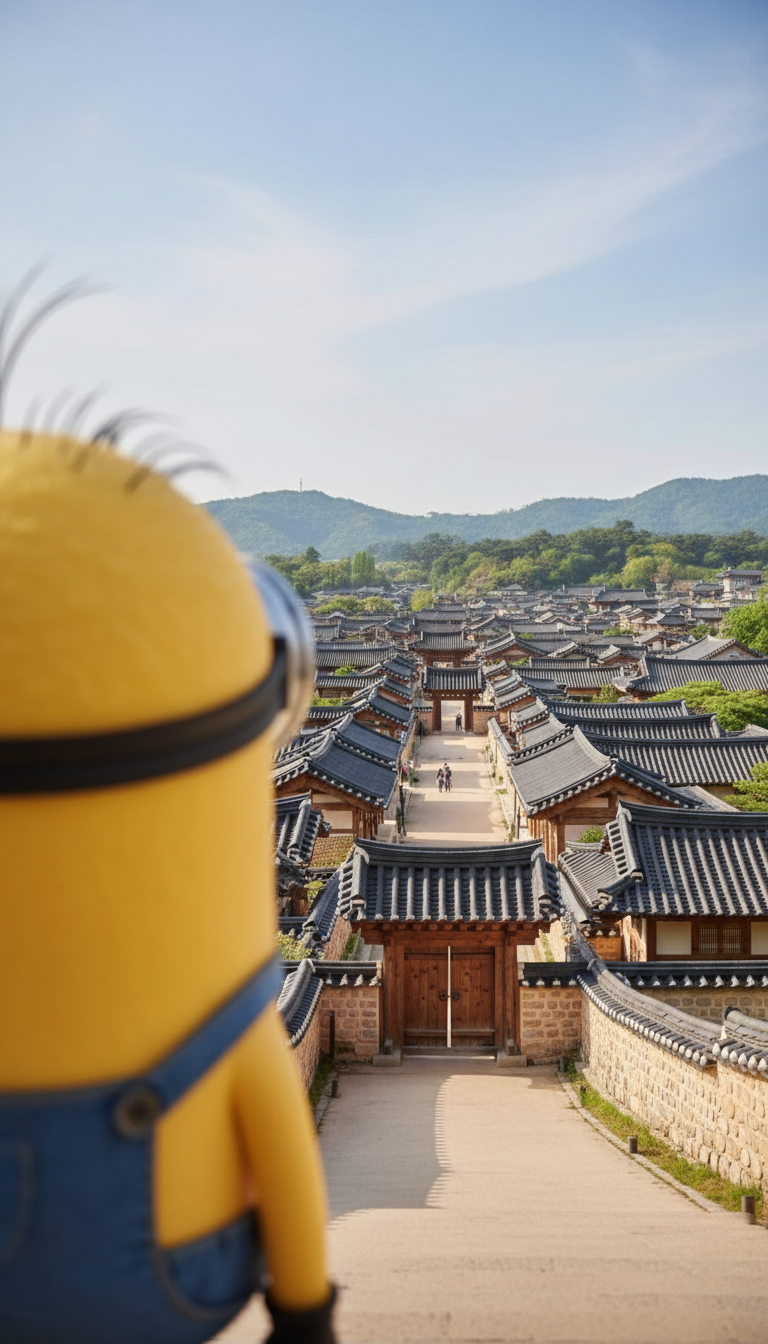
Over-the-shoulder shot from behind the subject’s left shoulder, hair and shoulder framing the left side. Subject in foreground, looking out toward a Hanok village stretching ahead. Village is the main focus, shallow depth of field, photorealistic, natural light.
Any aspect ratio
Overview
Capture stunning, detailed views with the Over the Shoulder View template, designed specifically for creating immersive scenes using the AI Image Editor. This template leverages the power of the nano-banana model to produce a photorealistic perspective from behind a subject's shoulder, ideal for storytelling and scene-setting in visuals.
What It Does
This template expertly crafts an over-the-shoulder view by positioning the subject in the foreground and focusing on a Hanok village in the background. The template provides a shallow depth of field and natural lighting that emphasizes the landscape details while maintaining realistic visual qualities. The AI identifies and crafts the framing using the hair and shoulder of your subject, creating a seamless photorealistic result.
Who It’s For
The Over the Shoulder View template is ideal for content creators, filmmakers, and photographers looking to enrich their projects with dynamic composition. It's perfect for those producing explainer videos or crafting evocative storytelling through images, offering a professional edge.
Summary
Utilize the Over the Shoulder View template to transform your visual projects into compelling narratives. With detailed scene development using the AI Video Generator capabilities and vibrant realism driven by the AI Image Editor, this template ensures your visual storytelling is both impactful and visually stunning.
How To
Choose Your Template

Customize Your Scene

Generate and Output

Use Cases
Filmmaking
- Create first-person perspectives
- Enhance scene connection with viewers
Photography
- Craft narrative-rich images
- Highlight subject while focusing on background scenes
Explainer Videos
- Facilitate better understanding
- Engage viewers with dynamic visuals
Best Practices
Select the Right Subject Positioning
Ensure the subject's shoulder and hair effectively frame the image to maintain the viewer's focus on the main scene.Optimize Lighting Conditions
Adjust natural lighting settings for the desired ambiance, enhancing the template's photorealistic qualities.Use Proper Framing
Leverage the template's ability to naturally emphasize background scenes by correctly arranging the subject in the foreground.