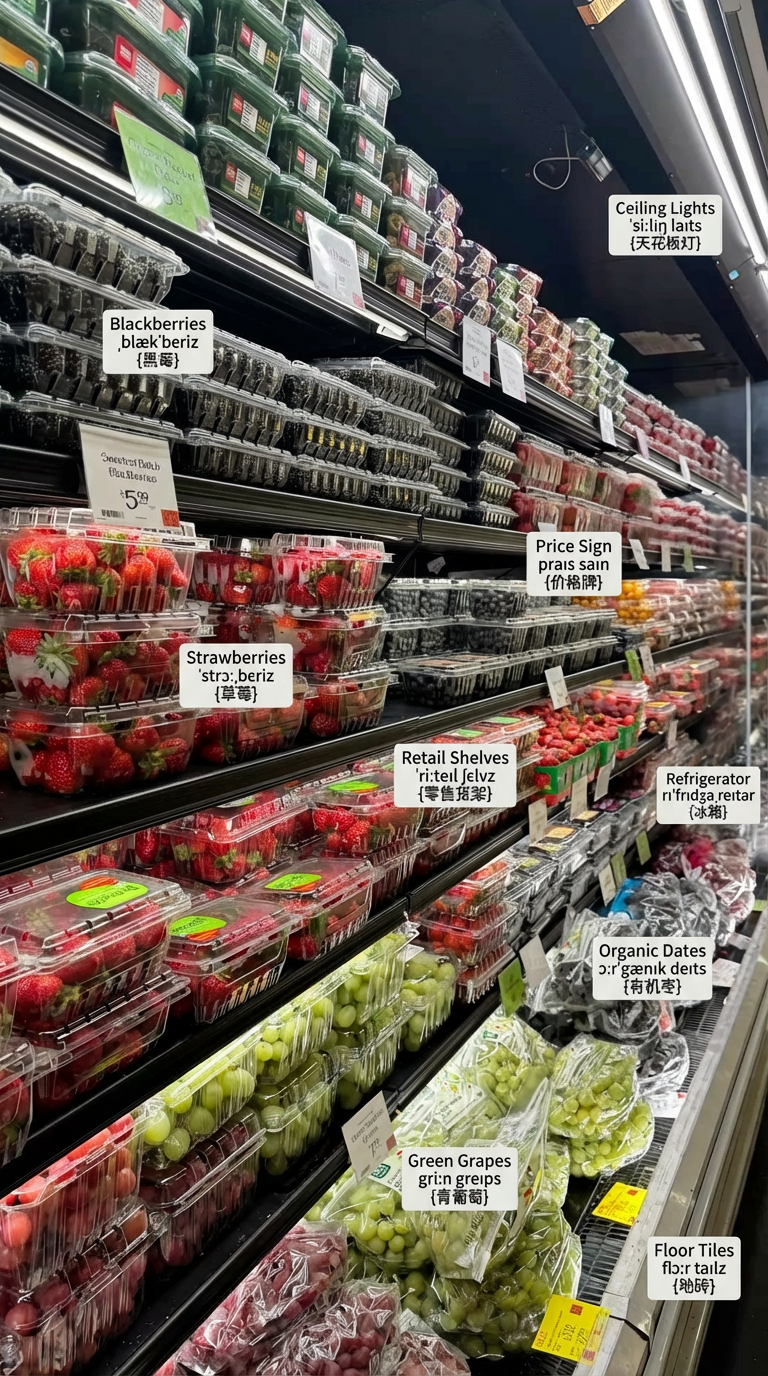
Labeled Shop Scene Educational Diagram
- Model
- Nano Banana Pro
- Image
- 768 × 1376 px
Prompt
Photorealistic, high-detail shop interior scene with natural lighting, showing a fully stocked retail store with shelves, cashier counter, products, shopping baskets, glass entrance door, refrigerator section, floor tiles, ceiling lights, and signage; every visible object is labeled in English with three lines per label (English word, IPA pronunciation, {Chinese} translation), integrated as clean floating annotations; cinematic composition, sharp focus on main objects, shallow depth of field, educational diagram style combined with realistic photography.
Any aspect ratio
Overview
The Labeled Shop Scene Educational Diagram template is designed for creating photorealistic and engaging educational visuals. By leveraging the nano-banana-pro model, this template integrates high-detail imagery with educational annotations. It's perfect for developing learning materials that incorporate both visual clarity and informative text.
What It Does
This template generates high-quality images of retail scenes, complete with essential shop elements such as shelves, a cashier counter, and product displays. Every object in the scene is annotated with easy-to-read English labels, phonetic IPA pronunciations, and Chinese translations. This dual-language feature supports both language learners and educational content creators.
Using the capabilities of the AI Image Editor, it allows for detailed adjustments to the scene composition, lighting, and focal elements, ensuring each generated image serves its intended educational purpose.
Who It's For
The template is ideal for educators, visual content creators, and language instructors who require high-detail, labelled images for lessons or instructional materials. It's also suitable for designers seeking to enhance their resources with AI Image Generator capabilities to produce realistic, annotated images that stand out in quality and pedagogical value.
Summary
The Labeled Shop Scene Educational Diagram template offers a robust tool for creating photorealistic annotated educational diagrams. By integrating advanced AI Image Editor functionalities with clear, concise labeling, it meets the needs of professionals in education and content creation fields aiming to deliver insightful and engaging visuals.
How to Use
Choose the Template

Customize the Scene

Generate and Export

Use Cases
Educational Flashcards
- Annotated shop scenes for vocabulary building.
- Dual-language labeling for bilingual education.
Marketing & Merchandising Visualization
- Visualize store layouts and product placements.
- Use in training materials for retail staff.
Language Learning Aids
- Supports phonetic and translation learning.
- Engage students with realistic scenarios.
Best Practices
Focus on Key Visuals
Ensure the most educationally significant objects are in sharp focus while using shallow depth of field for background elements.Consistency in Labeling
Keep labeling consistent in format and style to avoid confusion and enhance learning outcomes.Optimize Lighting
Adjust natural lighting to highlight key scene components, ensuring that all labeled elements remain visible and easy to read.