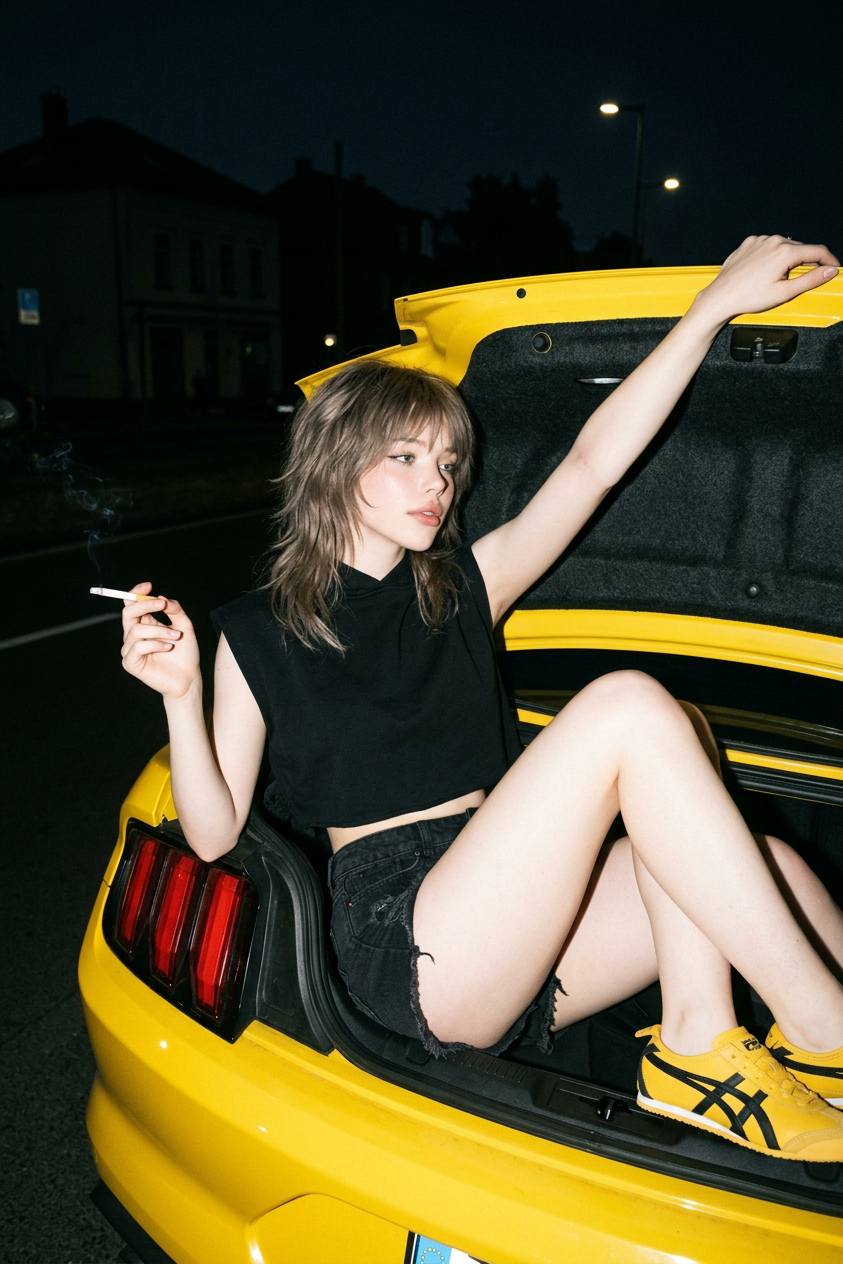
Edgy Trunk Night Portrait
ai-image-editor
Any aspect ratio
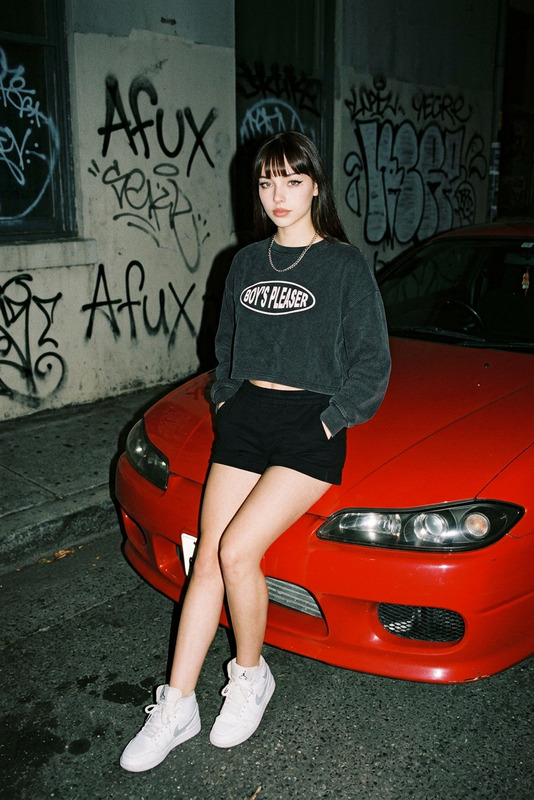
Preserve facial features from reference image, long ash-brown wolf cut hair, relaxed dreamy side gaze. Wearing sleeveless cropped black hoodie with high collar, distressed black denim shorts with frayed hem, and yellow Onitsuka Tiger Mexico 66 sneakers. Lying in the open trunk of a bright yellow sports car with legs bent and crossed, right arm stretched upward, left hand holding a lit cigarette. Dark outdoor night setting with faint building silhouettes, high-angle shot, hard direct flash, 35mm film grain, edgy mysterious candid mood.
AI Image Editor Template: Professional Image Cleanup & Visual Refinement
Use this template to quickly clean up, enhance, and refine any image with the AI Image Editor. It’s designed for creators, marketers, developers, and product teams who need production-ready visuals without manual Photoshop work.
What this template is for
This AI Image Editor template is optimized for:
- Removing unwanted objects, people, text, or logos
- Cleaning up screenshots, product shots, and UI mockups
- Polishing marketing visuals, pitch decks, and landing page imagery
- Fixing small visual issues (artifacts, distractions, clutter)
- Iterating on creative concepts without re-shooting or re-designing
You can use it on:
- Product photos for e‑commerce and SaaS
- Brand and campaign assets
- Social media and ad creatives
- App screenshots and UI/UX presentations
- Content marketing visuals and blog images
For more specialized workflows, you can also pair this template with tools like:
- AI Background Generator for new backdrops
- AI Image Upscaler for higher resolution
- Image Background Remover for cleaner cutouts
- Remove Object from Photo when object removal is the main task
How to use this template in Magic Hour
- Open the template in Magic Hour (from the template gallery).
- Upload the image you want to refine (photo, screenshot, design, mockup, etc.).
- Use the AI Image Editor’s brush and selection tools to highlight what you want to remove, fix, or adjust.
- Describe the edit in natural language — for example:
- “Remove the person in the background and fill with wall.”
- “Erase the watermark and continue the texture.”
- “Clean up the clutter on the desk but keep the laptop.”
- Generate and review the result, then iterate: refine your selection, adjust your prompt, or layer multiple edits until it looks right.
- Download the final image and reuse the same template as a repeatable editing workflow.
Because this is a template, you can quickly remix it for different use cases:
- Save multiple versions for “Product Cleanup,” “Slide Polish,” or “Social Media Fixes.”
- Duplicate the template and change the example prompts to match your team’s brand or content guidelines.
- Share the remixed version with teammates so everyone uses a consistent, fast editing flow.
Remixing this template for your own workflow
To create your own version of this AI Image Editor template inside Magic Hour:
- Start from this template in the Magic Hour interface.
- Duplicate it to create a new custom template.
- Update the template name and description to reflect your use case, such as:
- “E‑commerce Product Cleanup Template”
- “Pitch Deck Image Polish Template”
- “Social Ad Visual Fix Template”
- Add example prompts for your team, like:
- “Remove background objects and keep only the product.”
- “Erase competitor logos and replace with neutral shapes.”
- “Clean stray cables and visual noise from workspace photos.”
- (Optional) Combine with other Magic Hour products in your workflow:
- After cleanup, generate variants with the AI Image Generator or AI Photo Generator
- Turn key images into short clips using Image to Video
- Create animated characters based on cleaned-up art using the Animated Characters Generator
This approach lets you standardize how your organization edits visuals, so non-designers can achieve consistent, on‑brand results.
Example use cases
1. Product & e‑commerce teams
- Clean backgrounds and remove studio clutter from product shots
- Remove old labels, stickers, or price tags
- Prepare consistent catalog imagery, then upscale with AI Image Upscaler
2. SaaS, startups & B2B marketing
- Polish UI screenshots for landing pages and investor decks
- Remove sensitive data from dashboards and analytics screenshots
- Refine hero images, then adapt them into thumbnails with the Thumbnail Maker
3. Content & social media teams
- Quickly fix distracting elements in photos and memes
- Clean up templates for repeat content formats
- Generate on‑brand visuals using AI Art Generator or AI Illustration Generator, then fine-tune them with this editor
4. Creators, designers & illustrators
- Remove stray lines, artifacts, or composition issues from concept art
- Clean hand-drawn scans before coloring
- Prepare graphic bases for transformations with:
Connect this template with other Magic Hour tools
For more advanced pipelines, combine this AI Image Editor template with:
Face & portrait workflows
- Cleanup portraits, then enhance them as professional photos with the AI Headshot Generator
- Refine selfies before transforming them using the AI Face Editor, AI Selfie Generator, or Gender Swap
- Use clean base portraits as input for Face Swap or Face Swap GIF
Video & animation
- Start from a polished image, then animate it with:
- Clean up character art, then turn it into motion content using AI Talking Photo or AI Voice Generator
Brand, product & marketing assets
- Clean up logos or icons before generating new versions with the AI Logo Generator or AI Icon Generator
- Prepare base artwork for:
Why use the AI Image Editor for this?
Traditional image editing requires manual masking, cloning, or retouching. Language-model–guided visual editing replaces most of that with:
- Natural language instructions instead of manual pixel edits
- Context-aware fills that understand lighting, textures, and perspective
- Fast iteration so you can test multiple variants without starting from scratch
AI-powered inpainting and outpainting techniques similar to those in modern diffusion models (as documented in work such as “High-Resolution Image Synthesis with Latent Diffusion Models” and “Plug-and-Play Diffusion Features for Text-Driven Image-to-Image Translation”) make it practical to do complex edits in seconds rather than minutes.
By building your own versions of this template around specific tasks—product cleanup, design polish, ad creative refinement—you can give your team a repeatable, low-friction way to get professional images without deep design expertise.
Related templates and flows you might remix with
If you like this AI Image Editor template, consider creating complementary templates using:
- Face Swap Video – use cleaned-up portraits as base assets
- Lip Sync – prepare clean character or face images before animating speech
- Video to Video – use edited stills as style references for video transformations
You can structure your Magic Hour workspace around a simple flow:
- Generate or capture base images.
- Clean and refine them with this AI Image Editor template (and its remixed variants).
- Extend into animation, video, or campaign assets using the related products above.
Use this template as your starting point, then remix and specialize it so anyone on your team—founders, marketers, PMs, and engineers—can reliably turn “good enough” visuals into polished, production-ready assets in a few clicks.