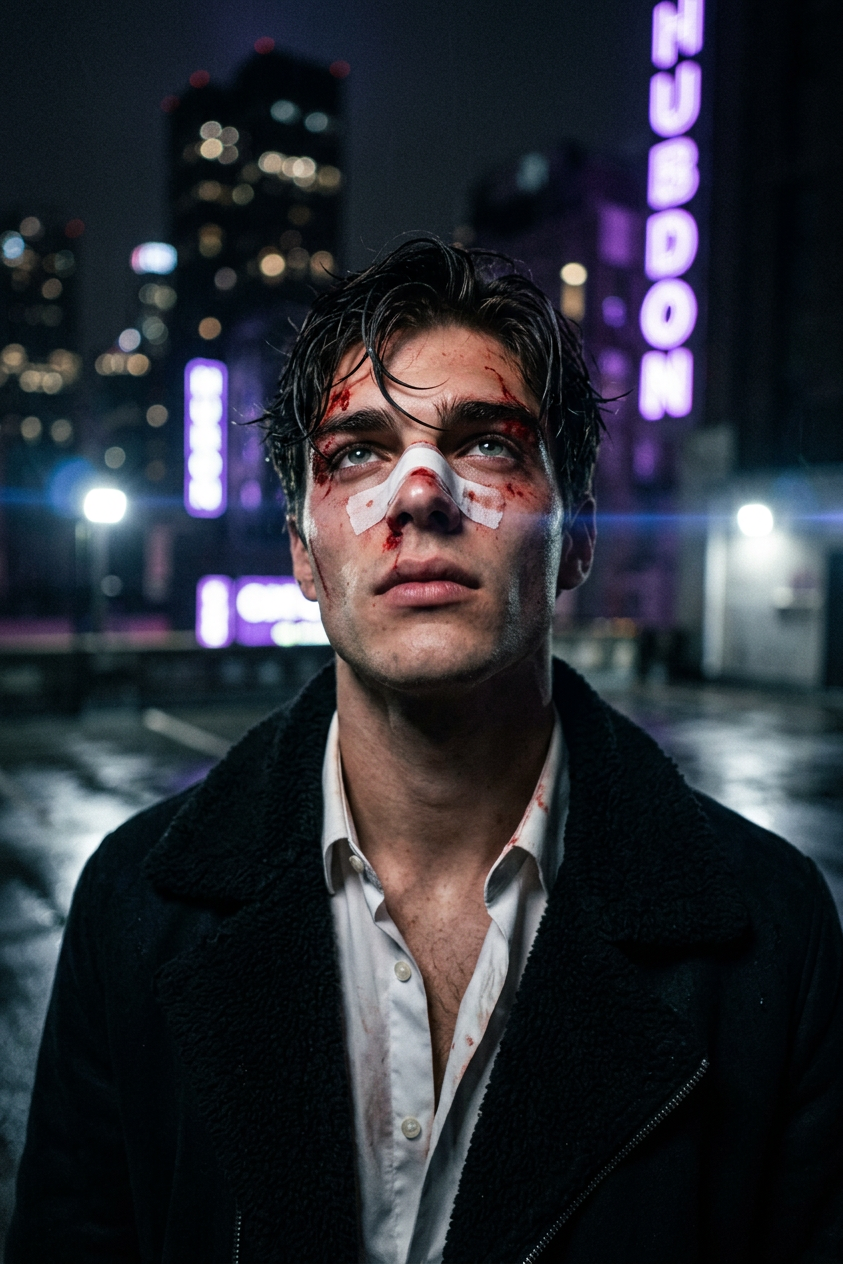
Neon Rooftop
- Model
- Nano Banana 2
- Image
- 843 × 1264 px
Prompt
[same identity anchor], close-up cinematic neo-noir editorial portrait of a young adult Caucasian subject with a slim build, damp hair, a bloodied face, and an intense upward gaze, standing on an urban rooftop at night. Wearing a dark minimalist jacket with a soft textured collar and a white medical bandage across the nose with fresh blood streaks. Centered composition, head slightly tilted back, eyes fixed upward, shallow depth of field, blurred rooftop and purple-blue city light bokeh, subtle neon lens flare, slight vignette, ambient neon lighting only, low fill light sculpting facial contours, dramatic shadows, wet blood sheen, matte fabric texture, medium cinematic film grain, raw emotional atmosphere, high-end fashion editorial, cinematic realism, premium magazine quality, ultra-detailed, sharp focus, clean composition.
Any aspect ratio
Overview
The Neon Rooftop template offers a powerful way to transform imagery into a striking, neo-noir editorial portrait using the AI Image Editor. Built on the robust nano-banana-2 model, this template captures the essence of dramatic nighttime cityscapes with neon lighting, creating compelling and emotionally charged visuals.
What It Does
Neon Rooftop crafts an ultra-detailed portrait with a cinematic atmosphere, capturing the delicate balance between shadow and light. The template expertly uses ambient neon lighting to highlight facial contours and delivers a magazine-quality image with a raw emotional appeal. Engage with urban aesthetics to achieve a professional editorial finish with sharp focus and medium cinematic film grain.
Who It's For
This template is perfect for fashion photographers and digital artists aiming to create high-end editorial visuals with strong narrative elements. It's also ideal for marketing professionals in the fashion industry who want to evoke emotions and capture attention with compelling urban portraits.
Summary
With Neon Rooftop, unleash the potential of urban settings in your portraits. This AI Image Editor template brings a neo-noir style to life, ideal for creating high-impact, editorial-grade visuals. Push creative boundaries with the AI Image Generator or further refine your designs with the AI Video Extender for dynamic storytelling.
How-To
Choose the Template

Customize Your Design

Generate and Download

Use Cases
Fashion Editorials
- Highlight urban themes
- Emphasize emotional narratives
- Integrate seamlessly into print and digital media
Advertising Campaigns
- Create alluring promotional materials
- Use for billboard and digital ad creatives
Personal Branding for Influencers
- Build a cohesive visual identity
- Engage followers with unique content
Best Practices
Focus on Lighting
Utilize ambient neon light to enhance facial features and create depth. Adjust lighting intensities to match the scene's mood.Capture Emotion
While modifying prompts or images, maintain the raw, emotional expression at the core to ensure engagement and authenticity.Experiment with Angles
Try different perspectives or head positions to capture diverse shadow effects and highlight the subject's features.