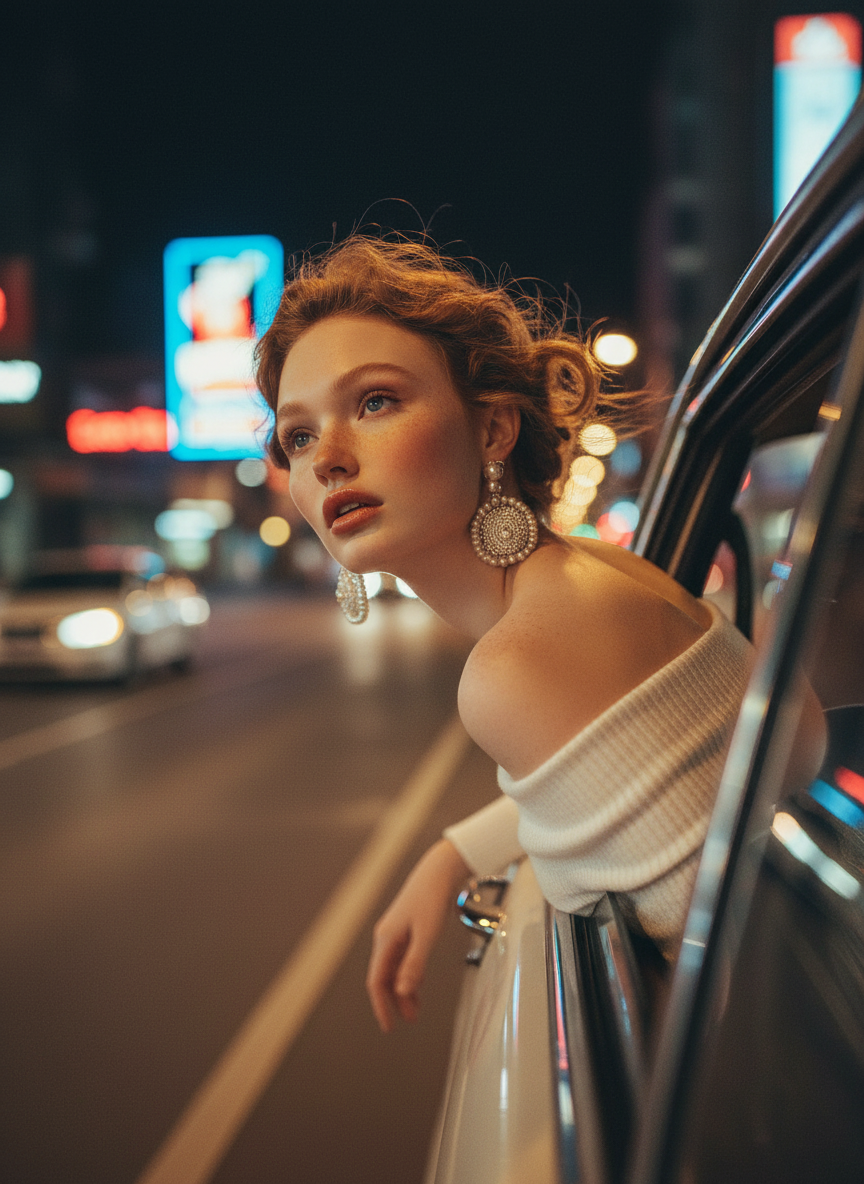
Vintage Night Wind Drive

Vintage Night Wind Drive

ai-image-editor

1 clip
3 uses

Any aspect ratio

Prompt

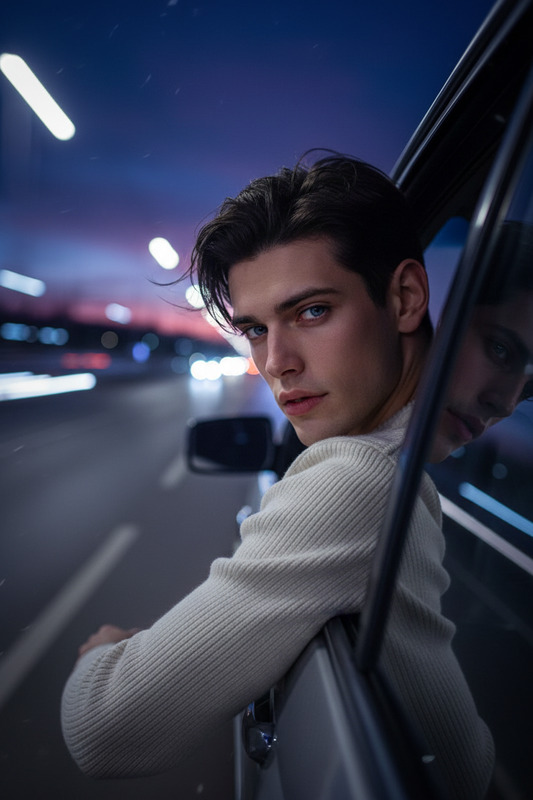
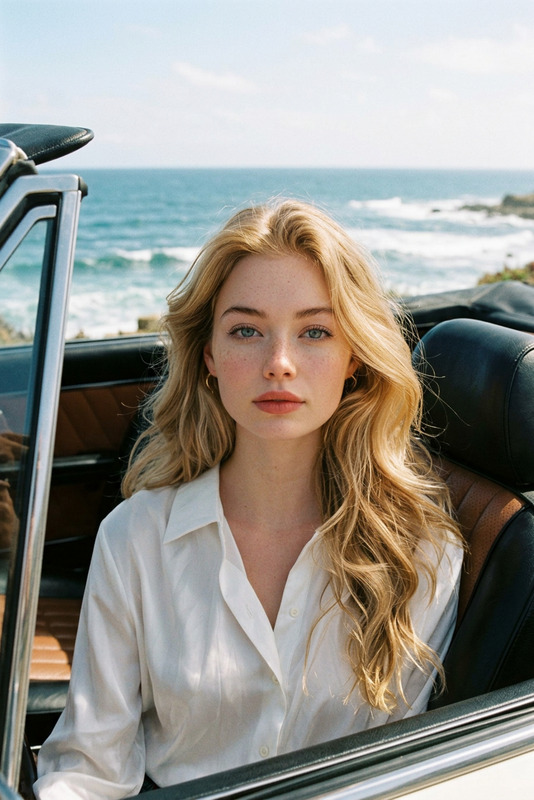
A subject wearing an off-shoulder white knitted top leans their upper back out of an open window of a moving vintage car at night. Warm soft vintage flash mixed with ambient streetlights illuminates the scene. Strong wind, heavy motion blur, streaked city lights, and blurred road shapes create a dreamy, melancholic atmosphere. Grainy analog film look (Kodak Portra 800 style), soft focus, low light, cinematic, atmospheric, ultra-realistic vintage photography mood.

AI Image Editor Template – Edit Any Image With Precision in Minutes

Transform, retouch, and reimagine your images directly in the browser with this ready‑to‑use AI Image Editor template. Whether you’re preparing creative for a campaign, iterating on product shots, or prototyping visuals for a product launch, this template gives you a fast, reproducible workflow you can remix for your own use cases.


What This Template Is Best For

This AI Image Editor template is designed for:

  • Marketers: updating campaign visuals, testing variants, adapting assets across channels
  • Founders & PMs: quickly mocking up product UI, landing pages, or pitch deck imagery
  • Designers & Creators: iterating on concepts, composites, and visual directions without opening heavy desktop tools
  • Developers: generating and refining visuals for docs, dashboards, or internal tools

Common use cases:

  • Clean up or enhance existing photos for web, social, or ads
  • Remove distracting objects and backgrounds from product or lifestyle shots
  • Replace backgrounds to localize creatives for different markets
  • Change clothing, style, or props for A/B testing campaigns
  • Turn a single key visual into multiple on‑brand variants

Under the hood, the template uses the AI Image Editor, which combines state‑of‑the‑art diffusion models with image understanding to let you edit complex scenes via simple text instructions and visual selections.


How to Use This Template in Magic Hour

You can either use this template as‑is or treat it as a starting point and remix it into your own workflow.

  1. Open the template in Magic Hour

    • Start from this template inside Magic Hour.
    • Upload the image you want to edit (product shot, portrait, marketing asset, UI screenshot, etc.).
  2. Describe the change you want

    • Use clear, specific text instructions like:
      • “Remove the person in the background and make the wall plain white.”
      • “Change the hoodie to a black zip‑up jacket.”
      • “Replace the background with a modern office.”
    • The AI Image Editor will interpret both the image and your prompt to generate edits.
  3. Fine‑tune with visual selections

    • Highlight or mask the region you want to modify (e.g. clothing, background, an object).
    • Keep prompts focused on what changes you want in that region (e.g. “turn this into a wooden desk,” “remove this logo”).
  4. Export and reuse

    • Download your edited image and reuse it across campaigns, pitch decks, websites, or product mockups.
    • Come back to this template whenever you need consistent, repeatable edits for a new batch of images.

Because this is a template, you don’t have to remember a complex workflow — just drop in your new asset and adjust the instructions.


How to Remix This Template Into Your Own

You can create your own version of this template in Magic Hour by:

  1. Defining your recurring task

    • Example: “Standardize all product photos on a clean studio background” or “Generate consistent LinkedIn‑style headshots from casual photos.”
  2. Starting from this template

    • Open the template and adjust:
      • The kind of image you upload (e.g. people, products, UI screenshots)
      • The type of edit you typically want (background changes, cleanup, style shifts)
  3. Saving your workflow as a reusable template

    • Once you find instructions that consistently produce the result you like, save it as your own reusable template inside Magic Hour.
    • Share that template with teammates so they can run the same edits without needing design skills.

You can chain AI Image Editor with other Magic Hour tools for more advanced pipelines. For example:


Advanced Use Cases for Professionals

For power users and teams, this template is a flexible building block:

  • Brand & Growth Teams

    • Localize imagery for different geos by swapping backgrounds, signage, or UI language.
    • Generate multiple creative variants from one master asset, then use performance data to refine prompts.
  • Product & UX

    • Quickly mock up product UI over real devices or backgrounds using AI Image Editor, then animate them with Video to Video or Text to Video.
    • Use edited visuals in onboarding flows, tutorials, or in‑product communication.
  • E‑commerce & DTC

  • Content & Social Teams

    • Turn edited images into looping content with the AI GIF Generator.
    • Generate on‑brand memes with AI Meme Generator, using this template to refine visual elements.
    • Prepare thumbnails with Thumbnail Maker, then fine‑tune them using AI Image Editor.

Related Magic Hour Tools You Can Combine With This Template

If you’re building more complete creative workflows, consider pairing this template with:

Using this template as the “edit” step in these pipelines lets you keep fine visual control even as you automate more of your content production.


Best Practices for Getting High‑Quality Edits

To get reliable, professional‑grade results from this AI Image Editor template:

  • Be explicit in your prompts

    • Specify color, material, lighting, and style when relevant:
      • “Matte black background with soft studio lighting”
      • “Natural daylight, minimal shadows, white seamless backdrop”
  • Edit in logical stages

    • Run one type of change at a time (e.g. clean up objects first, then change background, then adjust styling).
    • This makes it easier to compare outputs and lock in what works.
  • Use it as part of a repeatable flow

    • When you discover prompts that consistently work for your brand, save this as your own private template in Magic Hour.
    • Share that template internally so non‑designers can self‑serve edits without bottlenecking designers or agencies.

Who This Template Is For

This AI Image Editor template is optimized for:

  • Teams that need fast, on‑brand image iterations without overloading design
  • Founders and marketers who want to ship campaigns faster with tighter loops
  • Creators who need production‑ready visuals for platforms, products, or presentations

Open the template in Magic Hour, plug in your own images, and start remixing it into a workflow tailored to your product, brand, or use case.

More Like This

Insufficient credits