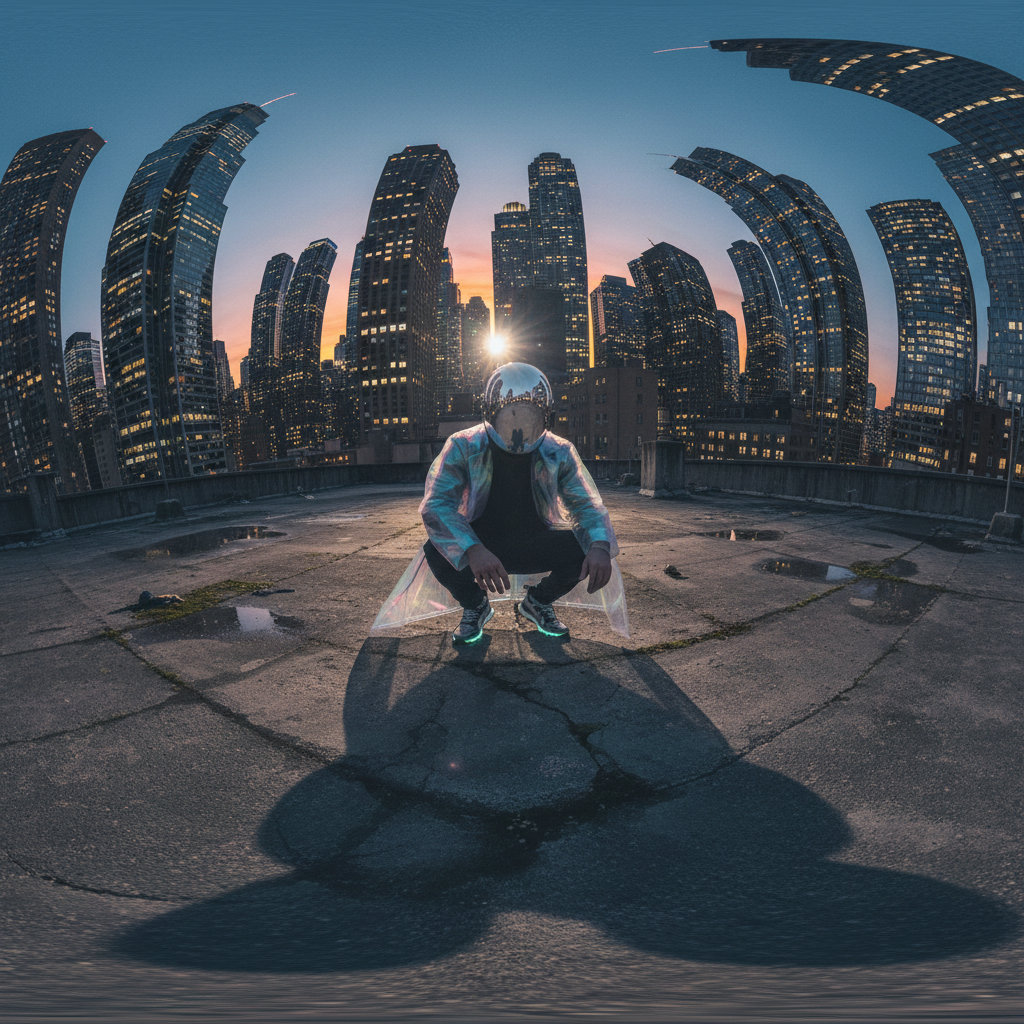
360 Rooftop Crouch Shot
ai-image-editor
Any aspect ratio
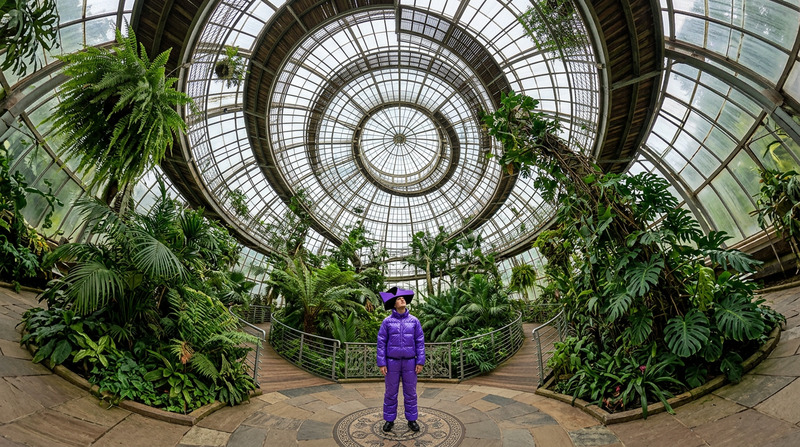
A 360-degree upward-facing shot of a subject crouching at the center of an urban rooftop at twilight. The subject wears a reflective helmet and a translucent flowing coat with tapered pants and sneakers. The city skyline curves upward into a tunnel-like distortion, with glowing windows and blue-orange ambient light. The subject’s shadow stretches and warps across the textured concrete. Soft lighting and natural details create a candid phone-style 360 aesthetic.
Tags
camera motionAI Image Editor Template: Turn Any Photo Into a Polished, On-Brand Asset
Use this AI Image Editor–powered template to transform raw photos into clean, ready-to-publish visuals in minutes. Whether you’re shipping a landing page, launching an ad campaign, refining product shots, or polishing investor decks, this template gives you a repeatable, remixable workflow inside Magic Hour.
What This Template Is For
This AI Image Editor template is designed for:
- Marketers & founders – Quickly clean up product photos, ad creatives, and social visuals without a designer.
- Developers & indie hackers – Generate consistent UI mockups, app store screenshots, and promo images for launches.
- Creators & agencies – Build reusable editing flows for client work (e‑commerce, UGC, thumbnails, and more).
It’s especially useful when you want to:
- Remove or replace messy backgrounds
- Fix small visual issues (unwanted objects, artifacts, distractions)
- Apply a consistent style or “brand look” across multiple images
- Upscale or sharpen existing visuals for higher-quality outputs
- Turn static images into assets you can later animate, swap faces on, or turn into video
All edits are powered by Magic Hour’s AI Image Editor.
How to Use & Remix This Template in Magic Hour
You can use this template as-is, or turn it into your own reusable editing system. Here’s a practical way to do it:
Open the AI Image Editor
Go to the AI Image Editor. Upload your base image (product shot, portrait, illustration, UI mockup, etc.).Define Your Editing Goal in Plain Language
Think of this template as a “starting prompt” for your workflow. For example:- “Clean white background, remove shadows, keep true-to-life product colors.”
- “Professional LinkedIn headshot, soft lighting, neutral background.”
- “Mobile app screenshot on gradient background, high contrast, crisp UI text.”
- “Social media promo image, vibrant colors, slightly cinematic feel.”
Apply Core Edits You’ll Reuse
With this template, you can systematically:- Remove clutter using Magic Hour’s AI Remover or Remove Object from Photo
- Clean or replace backgrounds via the Image Background Remover or AI Background Generator
- Sharpen and upscale images with the AI Image Upscaler
- Restore or enhance old assets using Old Photo Restoration or Unblur Image
Save Your Workflow by Remixing
Once you’ve run an image through this flow and like the result:- Duplicate or “remix” the template in Magic Hour
- Swap in new input images while keeping your same sequence of edits
- Use consistent prompts so every image matches your brand look
This is how you turn one-off AI edits into a reusable, production-ready pipeline.
Example Use Cases You Can Recreate
Use this template as a base, then remix it into more specialized flows:
1. Product Photos & E‑commerce Assets
- Start in AI Image Editor
- Clean background → remove props → enhance sharpness via AI Image Upscaler
- Optionally generate lifestyle scenes with AI Background Generator
- Use the same setup across your entire catalog for consistent branding.
You can pair this with:
- AI Fashion Generator for apparel concepts
- AI Clothes Changer to quickly produce variants without new photoshoots
2. Professional Profile & Team Headshots
- Clean up portraits with AI Face Editor
- Standardize style using AI Headshot Generator
- Use Photo Colorizer or Old Photo Restoration for legacy images
Remix this template into a “team headshot pipeline” you can run for every new hire or client.
3. Marketing Creatives & Thumbnails
- Design strong hero images using AI Art Generator or AI Image Generator, then refine with this template in the AI Image Editor.
- For YouTube or course content, pair this with Thumbnail Maker to generate click‑optimized visuals.
- For social content, combine with:
Your workflow: generate → edit/polish → resize/adapt for specific channels.
4. Brand & Product UI Visuals
- Generate or refine brand icons, logos, and UI imagery using:
- Then pass those assets into this AI Image Editor template to:
- Normalize backgrounds
- Align color palettes
- Sharpen small details before using them in apps, decks, or websites
Extending This Template Beyond Static Images
Once your images are cleaned and on-brand with the AI Image Editor, you can turn them into richer content in a few clicks:
Talking photos & avatars
- Use AI Talking Photo or AI Voice Generator to create explainers or pitch videos from a single portrait.
- Clone your own voice with AI Voice Cloner and sync to your edited image.
Face swaps & character content
- Turn polished images into short videos or GIFs with Face Swap or Face Swap GIF.
- Use Gender Swap, AI Face Generator, Avatar Generator, or AI Character Generator to design characters, then refine them in the AI Image Editor.
Image-to-video & animation
- Convert your edited image into motion with Image to Video or Text to Video.
- For creator-style content, you can later use templates like:
GIFs and lightweight social content
- Feed your edited images into the AI GIF Generator to quickly ship reaction GIFs, micro-ads, or social loops.
This is where the template becomes more than “image cleanup”—it becomes the first step in your content pipeline.
Advanced Ideas for Power Users
If you’re building serious workflows for a startup, agency, or product:
Standardize Inputs and Outputs
- Decide on standard image sizes, aspect ratios, and background types.
- Use this template to enforce those constraints across all assets.
- For resolution-sensitive outputs, always finish with AI Image Upscaler or Video Upscaler for motion content.
Create Domain-Specific Template Variants
Remix this base template for:- SaaS dashboard screenshots
- Marketplace product images
- Pitch deck illustrations
- Social ad sets (e.g., IG Story, LinkedIn carousel, X/Twitter posts)
- Content thumbnails via Thumbnail Maker
Combine With Specialized Generators
For specific verticals, you can chain tools with this template:- Gaming/fantasy: DND AI Art Generator, Fantasy Map Generator, Dark Fantasy AI
- Anime & manga: AI Anime Generator, AI Manga Generator, Disney AI Generator
- Architecture & interiors: AI Interior Design Generator, Architecture Generator
- Fashion & outfits: AI Outfit Generator, AI Fashion Generator
- Niche visuals: Graffiti Generator, AI Tattoo Generator, Optical Illusion Generator
Generate → refine in AI Image Editor with this template → reuse that exact flow across projects.
Tips for Better Results With AI Image Editing
Start with the highest-quality base you have
If your source is low-res, run it through Unblur Image or AI Image Upscaler first.Be explicit in your prompts
Describe desired lighting, background, style, and realism level in plain language. This helps the AI Image Editor match what you want.Think in systems, not one-offs
As soon as you like a result:- Save the flow as “Product images v1” / “Headshots v2”, etc.
- Remix this template into clearly named versions for your team.
Preserve brand consistency
Build separate versions of this template for:- “Investor deck visuals”
- “Performance ads”
- “Organic social content”
Each can share a core editing logic but differ in tone (e.g., minimalist vs. bold).
Related Tools You May Want to Combine With This Template
- AI Image Editor – Core tool behind this template
- AI Photo Generator – Generate photorealistic bases to then refine
- AI Art Generator – Create stylized scenes and illustrations
- AI Face Generator – Produce new faces, then polish them with this template
- AI Selfie Generator – Create on-brand selfies or avatars as inputs
- AI QR Code Generator – Generate scannable codes and then integrate them into edited marketing visuals
- Watermark Remover – Clean watermarked assets you own the rights to
- AI Meme Generator – Quickly ideate, then refine templates for campaigns
Use this AI Image Editor template as your baseline workflow: upload any image, run it through your standardized edits, then remix the flow to fit specific channels and use cases. Over time, you’ll develop a small set of reliable, high-leverage templates that keep your visual output consistent, fast, and on brand across everything you ship.