Train Glance
- Model
- Nano Banana 2
- Image
- 843 × 1264 px
Prompt
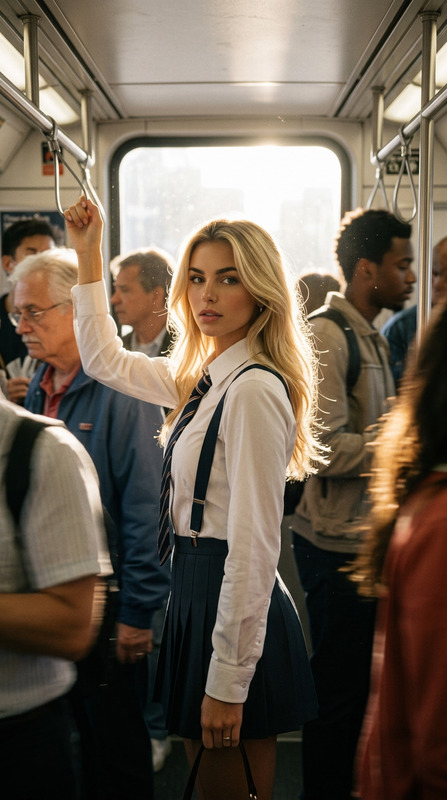
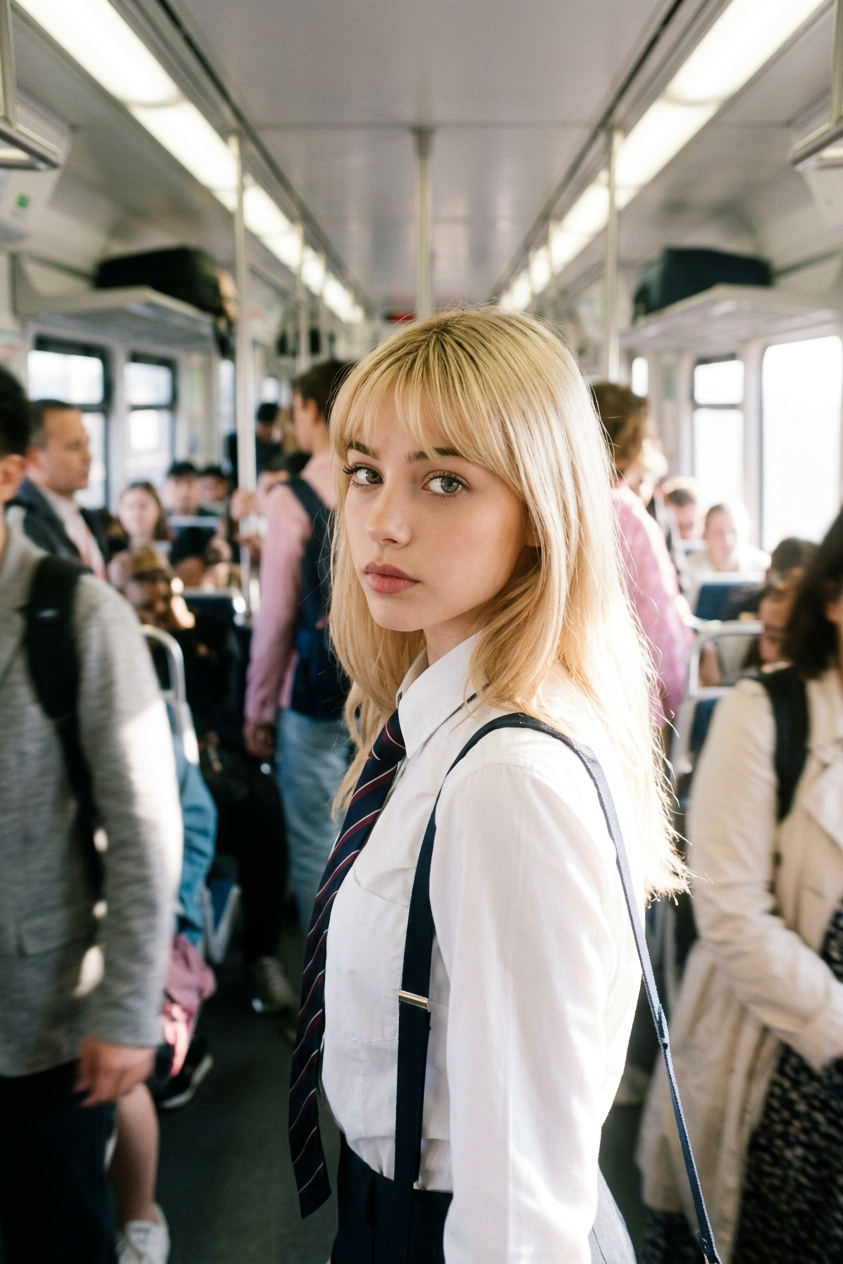
A beautiful blonde teenage girl standing inside a crowded train carriage, wearing a white shirt, striped tie, and dark suspenders. She turns around and looks directly at the camera while people move around her. Bright sunlight pours through the train windows behind her, creating strong backlighting, dreamy haze, glowing highlights, and soft lens flare. The surrounding crowd is blurred with motion, while her face remains gently in focus. Soft pastel tones, shallow depth of field, cinematic realism, emotional storytelling, memory-like atmosphere, youthful innocence, dreamy coming-of-age film aesthetic, Sofia Coppola inspired cinematography, 35mm film look, subtle grain, soft focus, ultra realistic, premium editorial photography.
Any aspect ratio
Overview
The Train Glance template offers a captivating approach to AI-assisted image editing, designed to evoke emotions and stories within a single frame. Built on the nano-banana-2 model, it captures the essence of cinematic realism and editorial photography trends. This template perfectly mimics the mesmerizing quality of light and motion found in coming-of-age films.
What It Does
With Train Glance, you can transform your images to embody a nostalgic filmic atmosphere. This AI Image Editor template enhances photos with strong backlighting and dynamic focus to highlight the main subject while softening details in the background. It replicates an ultra-realistic, 35mm film look with subtle grain, focusing on emotional storytelling and cinematic appeal.
Who It's For
This template is ideal for photographers and filmmakers seeking to add a touch of editorial elegance to their work. Perfect for creatives in advertising, film, or visual storytelling, the template helps produce images that resonate with those looking for a dreamy yet classic film aesthetic. It's equally suited for building personas or enriching social media narratives with AI-generated visuals.
Summary
Train Glance allows creators to enhance their images with evocative light, motion, and focus elements, replicating the timeless feel of cinematic realism. By applying super-realistic filters and a 35mm film look, it elevates ordinary photos into frames filled with emotional depth. Explore more tools like the AI Talking Photo for creating dynamic, lifelike media experiences.
How To
Choose Your Template

Customize Your Scene

Generate Your Image

Use Cases
Editorial Photography
- Achieve a nostalgic, film-like quality
- Highlight individual subjects with dynamic focus
Social Media Storytelling
- Enhance personal or brand storytelling
- Apply themes of youthful innocence and nostalgia
Film Poster Design
- Mimic the aesthetics of Sofia Coppola films
- Utilize strong backlighting for dramatic effect
Best Practices
Use Natural Lighting References
Recreate the natural sunlit atmosphere by referencing real life settings to guide your adjustment of brightness and haze.Highlight the Main Subject
Ensure your main subject is clearly in focus with vibrant details, while the background remains softly blurred to maintain cinematic style.Maintain Authenticity
Apply the 35mm film look sparingly to preserve image authenticity, enhancing without overpowering the original photo.