Paused
- Model
- Nano Banana Pro
- Image
- 848 × 1264 px
Prompt
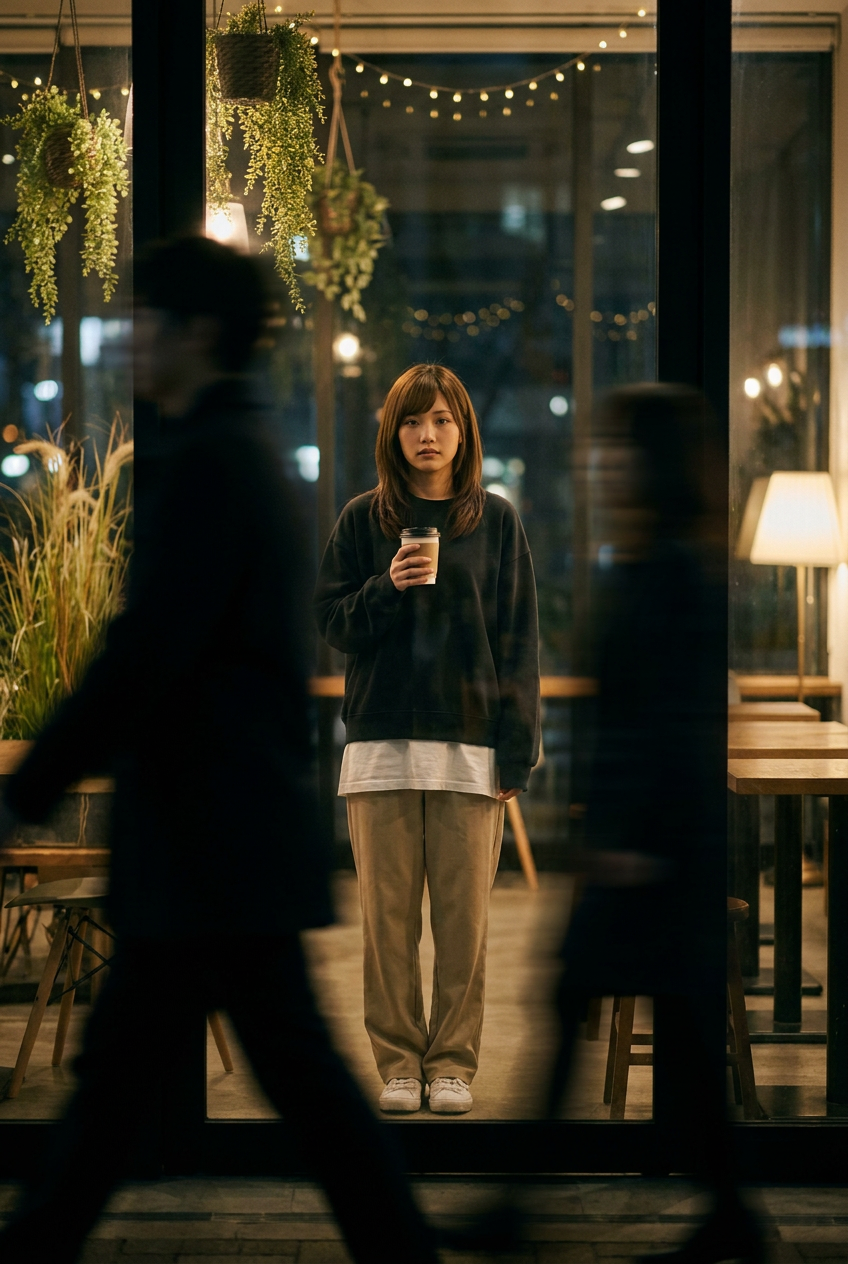
Create an ultra-realistic cinematic night photograph with a soft, emotional, and natural mood. REFERENCE & IDENTITY (STRICT) Use the uploaded reference image as a facial identity lock. The subject’s face must remain extremely close to the reference. Preserve exactly: Facial structure & bone anatomy Jawline, cheekbones, chin Eye shape, spacing, gaze Nose, lips, brow shape Skin tone & natural texture Hairline, hairstyle, density ❌ No beautification ❌ No stylization ❌ No face reshaping ❌ No identity drift Scene & Composition Shot from outside a glass café at night. The main subject is centered inside the café, standing still and facing the camera. In the foreground, a dark shadowy person walks past, rendered with strong horizontal motion blur, partially blocking the frame and creating depth. Only a narrow clear area reveals the subject sharply. Subject Young adult. Expression: natural, calm, slightly sad (not forced). Right hand holding a disposable coffee cup at chest height, left hand relaxed. Outfit Oversized dark sweatshirt Long white T-shirt underneath Loose beige trousers White sneakers Environment A warm night café with plants: hanging vines, tall grass-like plants, wooden tables, soft fairy lights, gentle reflections on the glass. Outside remains dark with soft city bokeh. Lighting & Mood Low-key cinematic lighting. Most of the scene is dark, with a soft warm glow around the subject only. Subtle contrast, film-style color grading, realistic shadows. Camera Style Eye-level, full-body framing, shallow depth of field. Foreground motion blur, subject in sharp focus. Natural film grain, 4K realism.
Any aspect ratio
Overview
The "Paused" template in our AI Image Editor suite uses the advanced capabilities of the nano-banana-pro model to create stunningly realistic night-time photography. This template focuses on rendering finely detailed facial features, ensuring your main subject retains every unique aspect of their identity while situated in a beautifully crafted setting.
What It Does
"Paused" meticulously preserves the facial structure and texture of your reference image. It establishes a cinematic scene from outside a glass café, capturing an emotional and natural atmosphere. The template ensures your subject remains sharply in focus, with motion blur adding depth and movement to the frame. Explore similar capabilities with our AI Talking Photo product for dynamic expressions.
Who It's For
This template is ideal for visual effects artists, photographers, and filmmakers seeking to create realistic portraits and scenes where subject identity is paramount. It's designed for users who demand continuity in identity along with a cinematic flair. Discover more about similar tools like the AI Photo Relighting to further enhance lighting conditions.
Summary
Use the "Paused" template to transport your reference image into a vividly detailed cinematic setting. Retain the essential qualities of the subject's facial identity while benefiting from a professional grade scene composition and lighting effects. For complete control over visual identity in a broader context, consider exploring our Image to Video tool.
How to Use

Customize

Generate

Use Cases
Gallery Prints
Film Pre-visualization
Album Covers
Best Practices
Reference Image Quality
Ensure your reference image is high resolution to capture finer details of facial features accurately.Lighting Adjustments
Experiment with lighting settings to achieve the best balance between the dark environment and the warm glow on the subject.Foreground Elements
Consider adding varying degrees of motion blur to the foreground object to experiment with depth and focus effects.