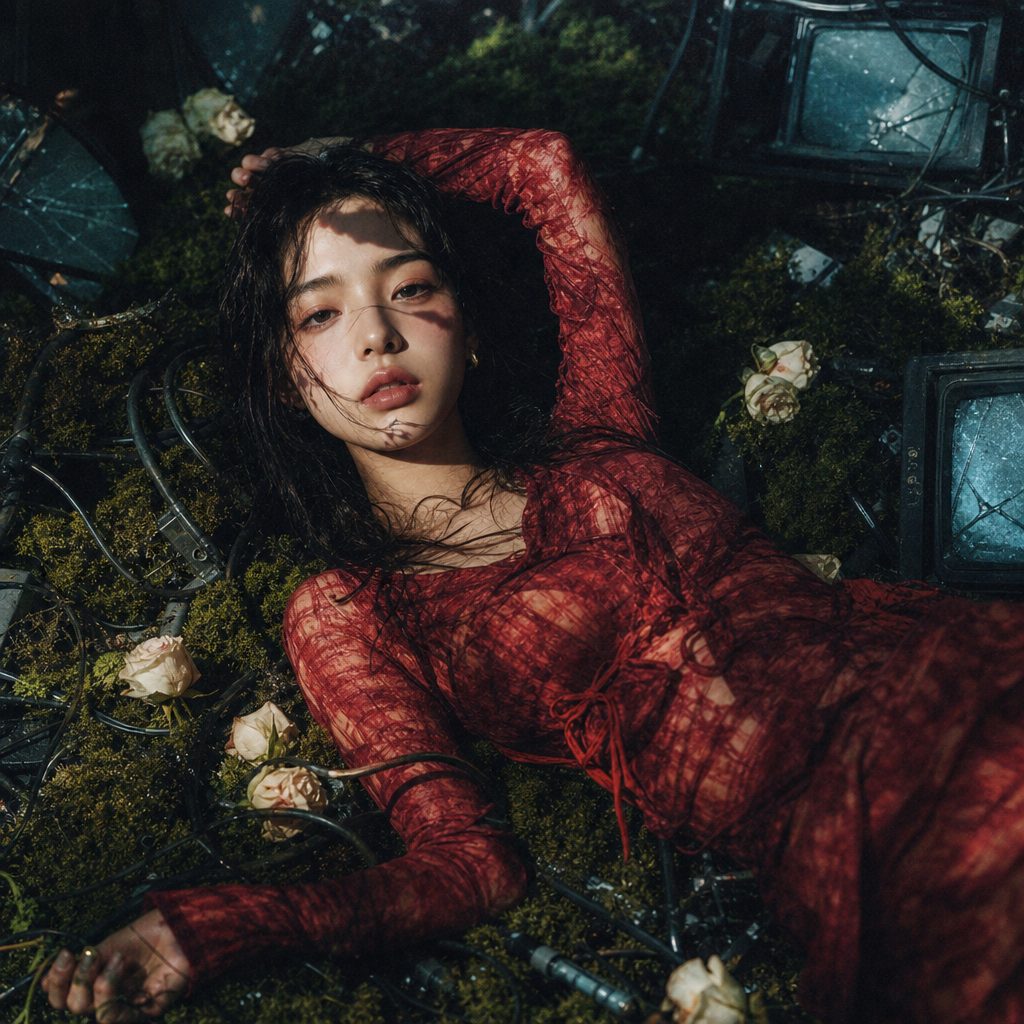
Moss Room
- Model
- GPT Image 2
- Image
- 1024 × 1024 px
Prompt
A surreal post-apocalyptic editorial. You're dressed in a crimson burnout-fabric look, lying and posing on a thick green moss floor entangled with black industrial cables, white roseheads, and half-buried vintage CRT monitor pieces. A harsh side spotlight, deep shadows, blood-red vs cyan-blue grade, analog film grain.
Any aspect ratio
Overview
The Moss Room template offers a unique opportunity to transform any image into a captivating scene straight from a futuristic editorial. Designed within the AI Image Editor, this template uses the versatile capabilities of the gpt-image-2 model to create surreal combinations of fashion and environment.
What It Does
The Moss Room template allows you to craft a striking post-apocalyptic image filled with vibrant contrasts and moody textures. It layers elements like crimson fashion against a deep green moss setting, interspersed with vintage technology fragments and industrial motifs. This mix of colors and textures is ideal for fashion editorials, album covers, and creative advertisements.
Who It's For
This template is a perfect choice for fashion photographers, digital artists, and content creators who want to explore a bold aesthetic with high-definition precision. It also caters to users interested in creating visually engaging content for social media ads or for those looking to enrich their mood boards with unique visual narratives.
Summary
The Moss Room template leverages the power of AI to produce consistently stunning and imaginative results. By utilizing this template, creators can harness advanced image editing techniques to explore dystopian and industrial themes without the need for costly and complex studio setups. For related creative possibilities, check out the AI Ad Creative Generator or the AI Photo Relighting tools.
How To
Choose the Template

Customize Your Image

Generate Your Image

Use Cases
Fashion Editorials
- High-contrast layouts
- Vivid color grades
Album Covers
Social Media Campaigns
- Innovative visuals
- Engaging narratives
Best Practices
Experiment with Textures
Try adjusting the fabric and moss textures to find the perfect balance for your aesthetic.Play with Lighting
Utilize different lighting effects to enhance the film grain and shadow play for a dramatic impact.Integrate Complementary Tools
Combine this template with the AI Clothes Changer or AI Image Upscaler for even more customized results.