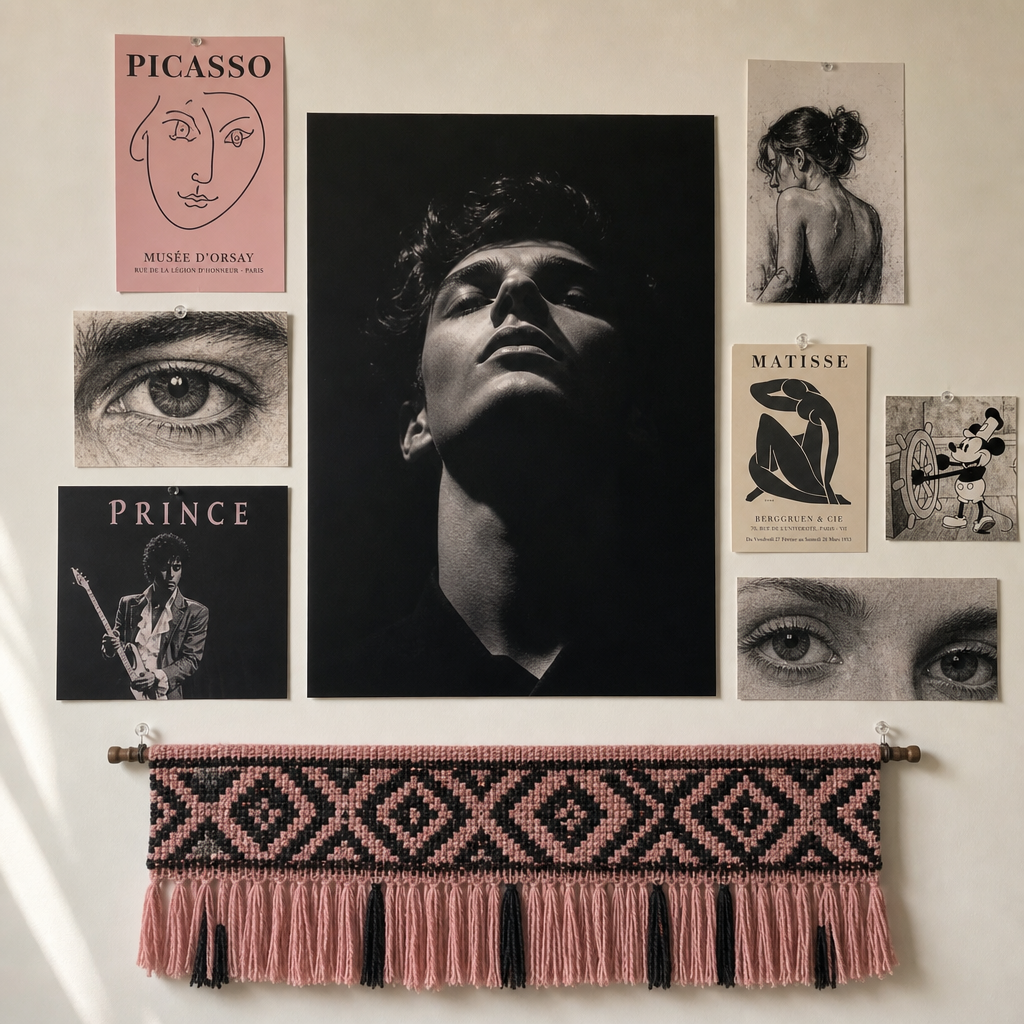
Wall decorations
- Model
- GPT Image 2
- Image
- 1024 × 1024 px
Prompt
A straight-on, medium shot of a wall decorated with various images and artwork. At the center, a large black-and-white photograph captures a highly contrasted portrait of an unidentified person from a low angle, appearing to be in deep shadows. Surrounding this central piece are smaller artworks and posters featuring monochromatic and color illustrations, including detailed close-ups of eyes, figures, and a character resembling a vintage cartoon. Hanging below these is a horizontally placed textile artwork, woven with pink and black patterns and tassels on the bottom edge. The wall is painted a muted off-white, and the display is shot under natural ambient light, with soft shadows creating a calm atmosphere. The muted color palette centers around pink, black, and earthy tones, and the composition suggests an eclectic, personal curation. The image is likely captured on a modern smartphone, characterized by clear, digital sharpening and even lighting. HEX VALUES: ["#dbddd8", "#89877c", "#949288", "#7d7a6f", "#cfd0cb", "#c3c3bc", "#a2a199", "#050708", "#b4b3aa", "#736963", "#f3c3d7", "#d99bb1"]
Any aspect ratio
Overview
The Wall Decorations template in Magic Hour empowers you to transform any blank wall into a stunning visual narrative using the AI Image Editor. Leveraging the capabilities of the gpt-image-2 model, this template enables you to create compositions that blend various art forms into a cohesive display.
What It Does
This template creates a detailed visual of a curated wall exhibition by merging a variety of visual elements into a harmonious design. The focal point is a dramatic black-and-white portrait, enhanced by an array of colorful and monochromatic artworks, textile designs, and vintage cartoon-like characters. The final image is characterized by a modern, digital finish with precise sharpness.
Who It's For
This template is ideal for interior designers, artists, and content creators looking to visualize and experiment with wall decor ideas. It's perfect for anyone wanting to see how different pieces of art and textiles can be arranged to achieve a specific aesthetic. Whether you're creating mood boards or pitching designs, this tool offers the flexibility to explore new decorative possibilities.
Summary
With the Wall Decorations template, you can effortlessly visualize artistic wall displays by experimenting with art arrangements and digital elements. Harness the power of AI to bring your design visions to life, experimenting with different hues and compositions to find your perfect match. This template, part of our AI Image Editor, is a must-have for any creative professional looking to enhance their visual presentations.
How To
Choose Your Template

Customize Your Inputs

Generate Your Image

Use Cases
Interior Design Proposals
- Pitch preliminary designs
- Experiment with different art placements
- Present detailed variations
Art Project Visualization
- Explore thematic displays
- Combine digital with physical art
- Refine placements and color palettes
Social Media Content Creation
- Design unique wall setups for Instagram posts
- Develop content for art blogs
- Enhance storytelling with art visuals
Best Practices
Leverage Saturated Colors for Depth
Use a blend of monochromatic and vibrant colors to add dimension and interest.Balance Elements Effectively
Ensure a harmonious balance between the central portrait and the surrounding pieces to maintain focal attention.Mix Textures Strategically
Incorporate various textures, such as woven textiles and canvas prints, to enrich the tactile impression of the virtual wall.