Glamorouse Edit
- Model
- Nano Banana 2
- Image
- 880 × 1204 px
Prompt
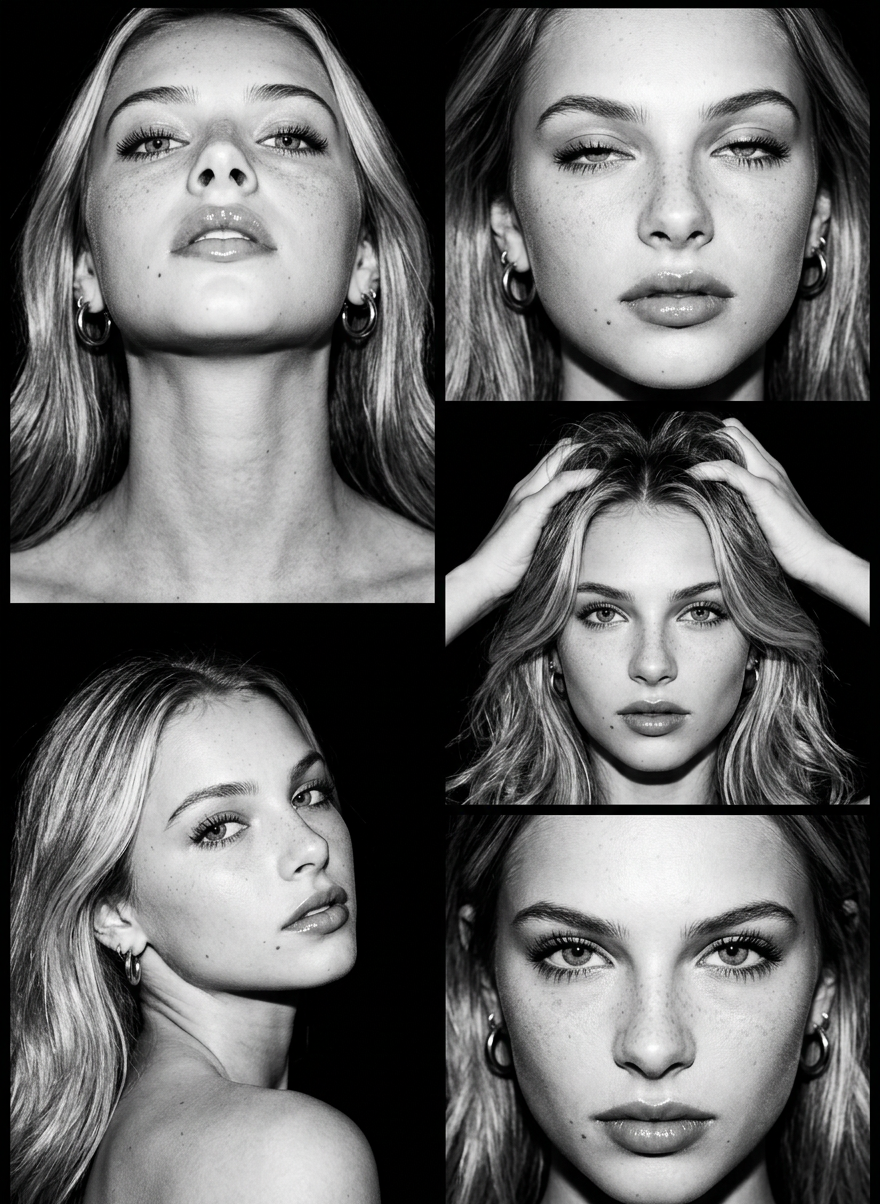
You step into the frame and the dark swallows everything except your face. Five portraits, five moments — a lifted chin, a half-lidded gaze, fingers tracing through your hair, a shoulder turned toward the lens, a look that stops time. Cold monochrome flash, deep black shadows, glossy lips, dramatic lashes. This is not a photo shoot. This is a séance with your own reflection. Five editorial frames, one undeniable face.
Any aspect ratio
Overview
The Glamorouse Edit is a sophisticated AI Image Editor template that empowers creators to capture the essence of high-fashion portraiture. It leverages the advanced nano-banana-2 model, transforming ordinary photographs into breathtaking editorial-quality images.
What It Does
Glamorouse Edit uses AI-driven enhancement to give your photos a cinematic and dramatic flair. By focusing on key elements like monochrome contrast, shadow depth, and facial highlights, it turns your portraits into evocative works of art. The template also adds glossy lips and dramatic lashes, creating a captivating image reminiscent of a high-end photo shoot.
Who It's For
This template is perfect for photographers, models, and social media influencers who want to produce striking visual content with minimal effort. It's also suitable for marketing professionals and content creators who aim to create compelling imagery for branding or social media ads.
Summary
With Glamorouse Edit, anyone can transform their photos into professional-grade images. Use this template to focus on the mood and personality of your subject, highlighting their unique features in a sequence of five impactful editorial frames. Explore more creative options with our Image to Video tool or bring your images to life with the Text to Video capability.
How To
Choose the Template

Customize Your Inputs

Generate Your Output

Use Cases
Fashion and Beauty Photography
- Enhance portraits with monochrome effects
- Highlight dramatic eye makeup
- Create magazine-ready images
Social Media Content
- Post striking images on Instagram
- Use editorial shots for social media ads
- Stand out with professional-quality visuals
Branding and Marketing
- Use in digital marketing campaigns
- Enhance brand storytelling with visuals
- Leverage for product photography
Best Practices
Select High-Resolution Images
For the best results, always use high-resolution images to ensure clarity and detail.Experiment with Settings
Don't hesitate to try different settings for shadows and contrasts to discover the most striking look for your subject.Consider the Narrative
Use the five frames to tell a cohesive story, ensuring each image contributes to the overall narrative.